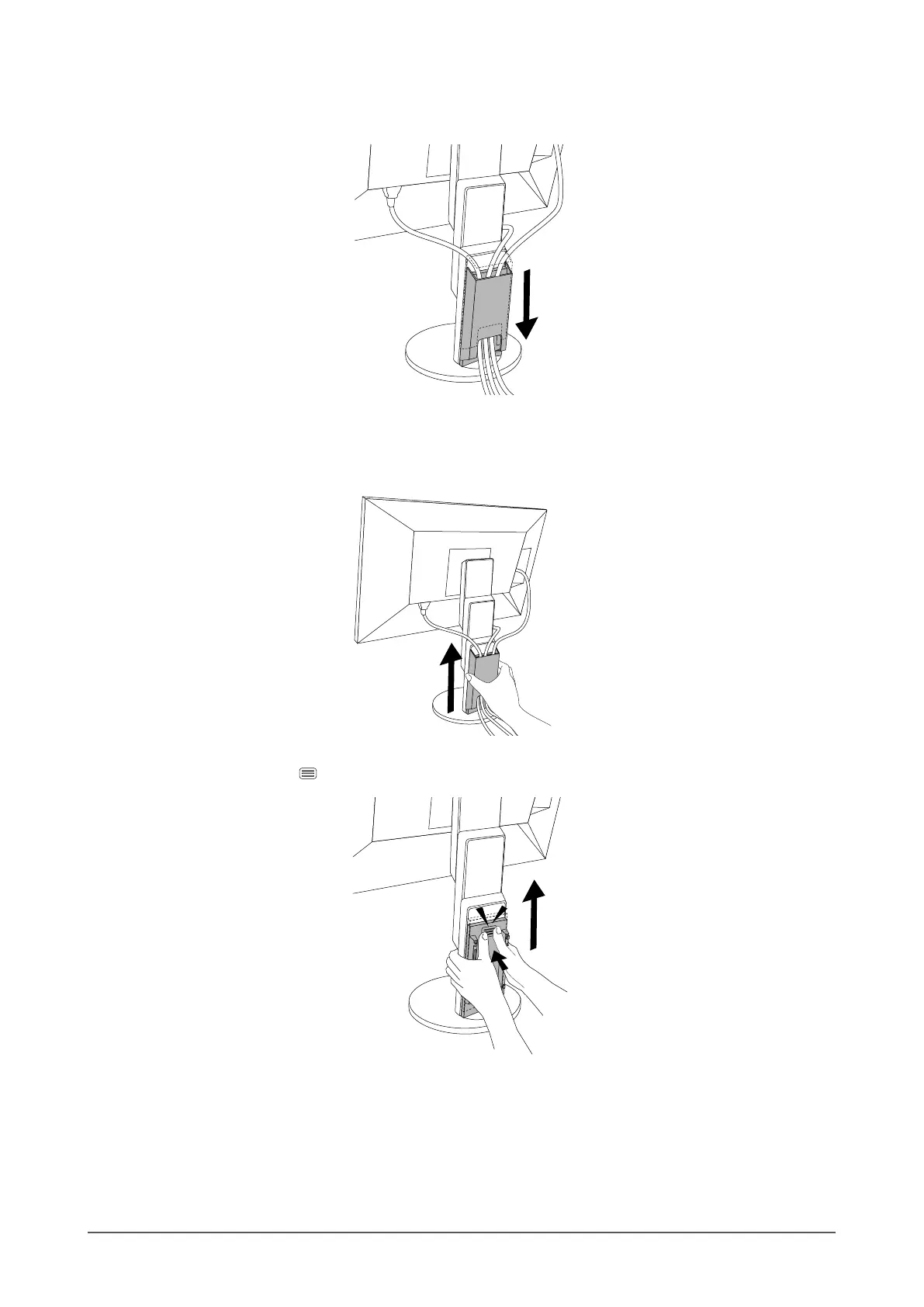
4. Pass the cables between (A) and (B), and align (B) with (A) to t in.
5. Slide (B) downward and secure it to (A).
●
Detaching the cable cover
1. Slide (B) upward, and detach it from (A).
2. While holding down of (A) lightly, slide (A) upward to detach it from the stand.
37
Chapter 6 Reference












 To Next Page