37
Chapter 6 Reference
6-4. Connecting Multiple PCs
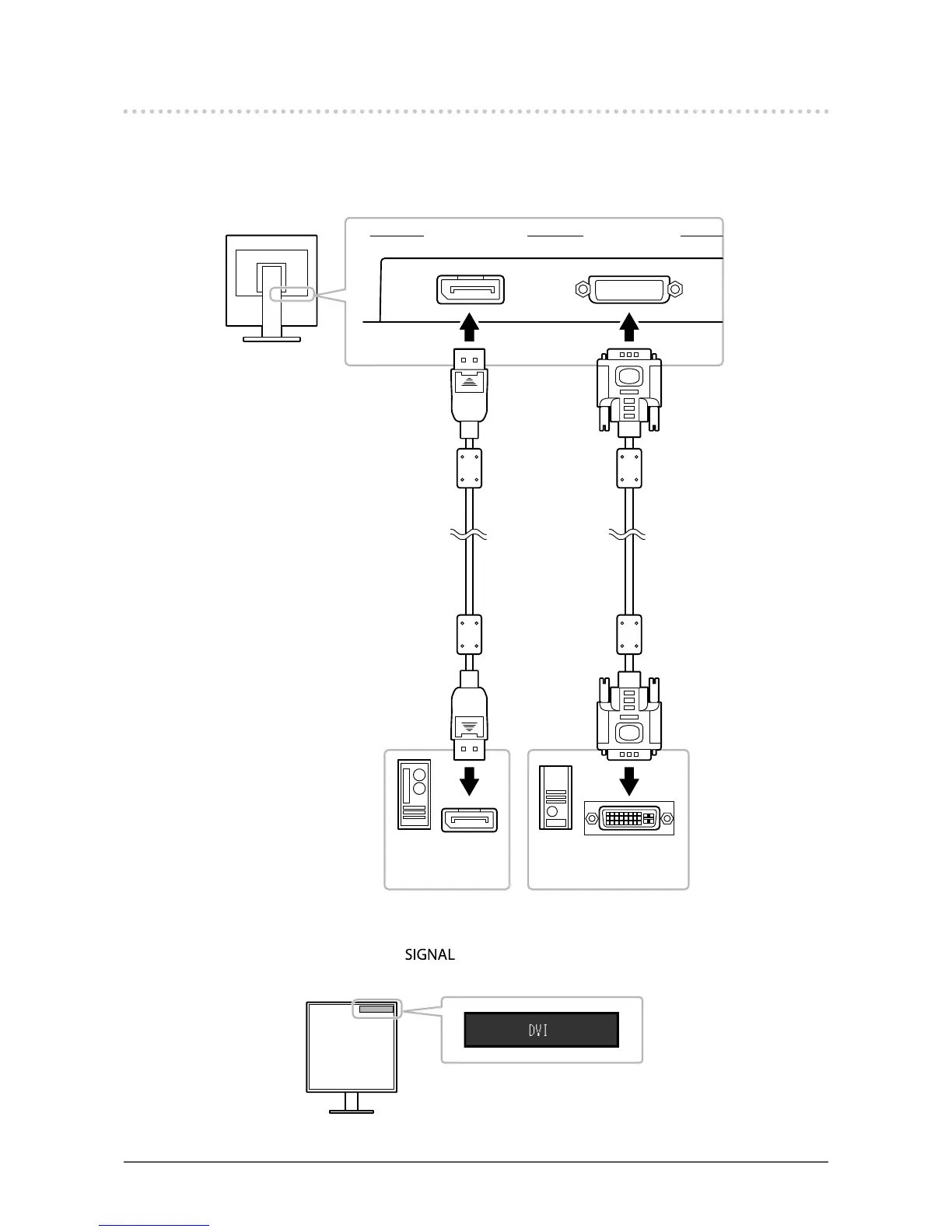
The product has multiple connections to PCs and allows you to switch to one of the connections for
display.
Connection examples
DVI connector
Signal cable
(supplied DD200DL)
Signal cable
(supplied PP200)
DVI-D connector
Digital (DVI)Digital
(DisplayPort)
To PC 1 To PC 2
DisplayPort
connector
DisplayPort
connector
●
To switch among input signals
The input signal switches each time is pressed.
When the signal is switched, the active input port name appears at the top right corner of the screen.









 To Next Page