6
Chapter 1 Introduction
Chapter 1 Introduction
Thank you very much for choosing an EIZO color LCD monitor.
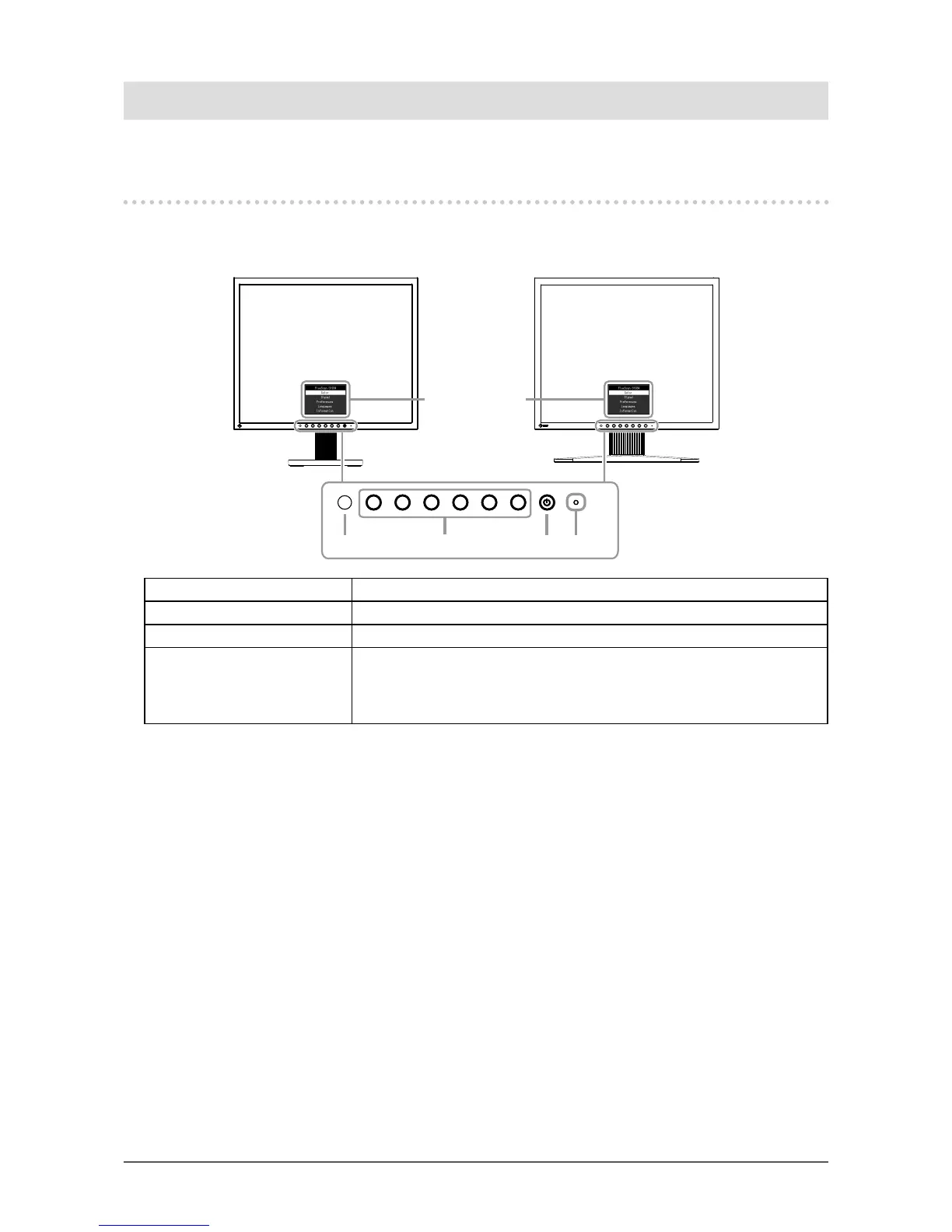
1-1. Controls and Functions
●
Front
Setting menu *1
1 432
Tilt Stand
Height adjustable Stand
1. Ambient light sensor Detects ambient brightness (Auto EcoView function (page 11)).
2. Operation switches Displays menus. Operate the switches according to the operation guide.
3. Power switch Turns the power on or off.
4. Power indicator Indicates the monitor’s operation status.
White: Screen display
Orange: Power saving mode
OFF: Power off
*1 For details on usage, see “3-1. Basic Operation of the Setting menu” (page 13).








 To Next Page