9
Chapter1Introduction
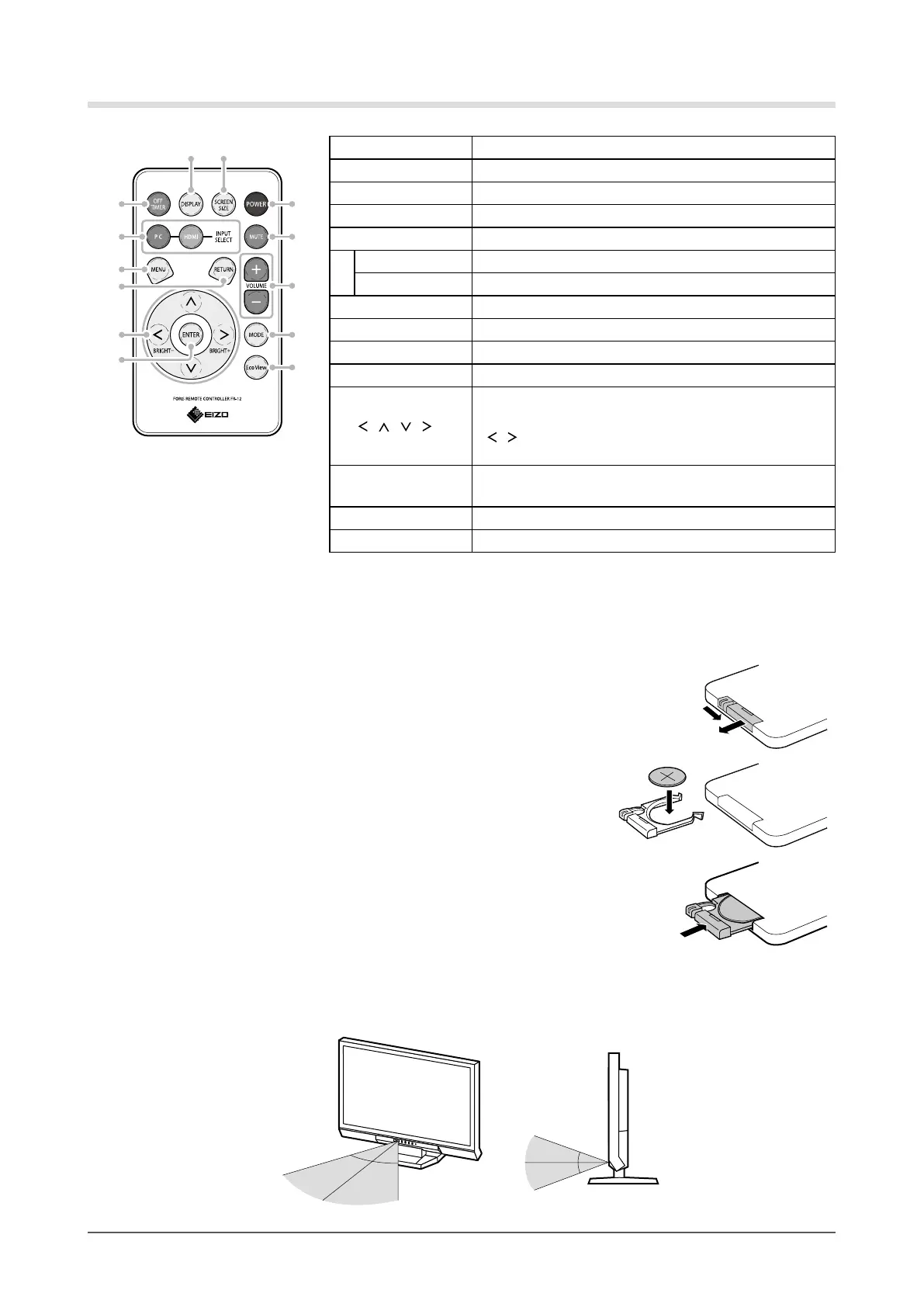
Remote Control
4
6
7
32
12
13
8
5
1
10
9
11
1. OFF TIMER Setsthetimeuntilthemonitorpower-off.
2. DISPLAY Displaysthecurrentinputport.
3. SCREEN SIZE Changesthescreensize.
4. POWER Turnsthepoweronoroff.
5. INPUT SELECT Switchesinputsignalsfordisplay.
PC
PC1(DVI)→PC2(D-SUB)
HDMI
HDMI1→HDMI2
6. MUTE Mutessoundtemporarily.
7. VOLUME +/- Adjuststhevolume.
8. MENU Displays/ExitstheSettingmenu.
9. RETURN Returnstothepreviousmenuinmenuoperation.
10.
/ / /
• Choosesandincreases/decreasesadjustmentsettings
foradvancedadjustmentusingtheSettingmenu.
•
/ :Displaysthebrightnessadjustmentmenu(page
17).
11. ENTER
Determinesanitemonthemenuscreen,andsaves
valuesadjusted.
12. MODE Changesthecolormode.
13. EcoView Displays/ExitstheEcoViewmenu.
●
Before Using Remote Control
How to install battery
1. While pushing the tab toward the arrow (1), pull out the
battery case (2).
(1)
(2)
2. Insert a battery with the positive side up. (Battery model
number: CR2032)
3. Insert the battery case until it clicks.
Receivable Range of Remote Control
Use the remote control inside of the range as below.
5m
5m
20°
20°
7m
5m
30°
30°
7m
5m










 To Next Page