1
English
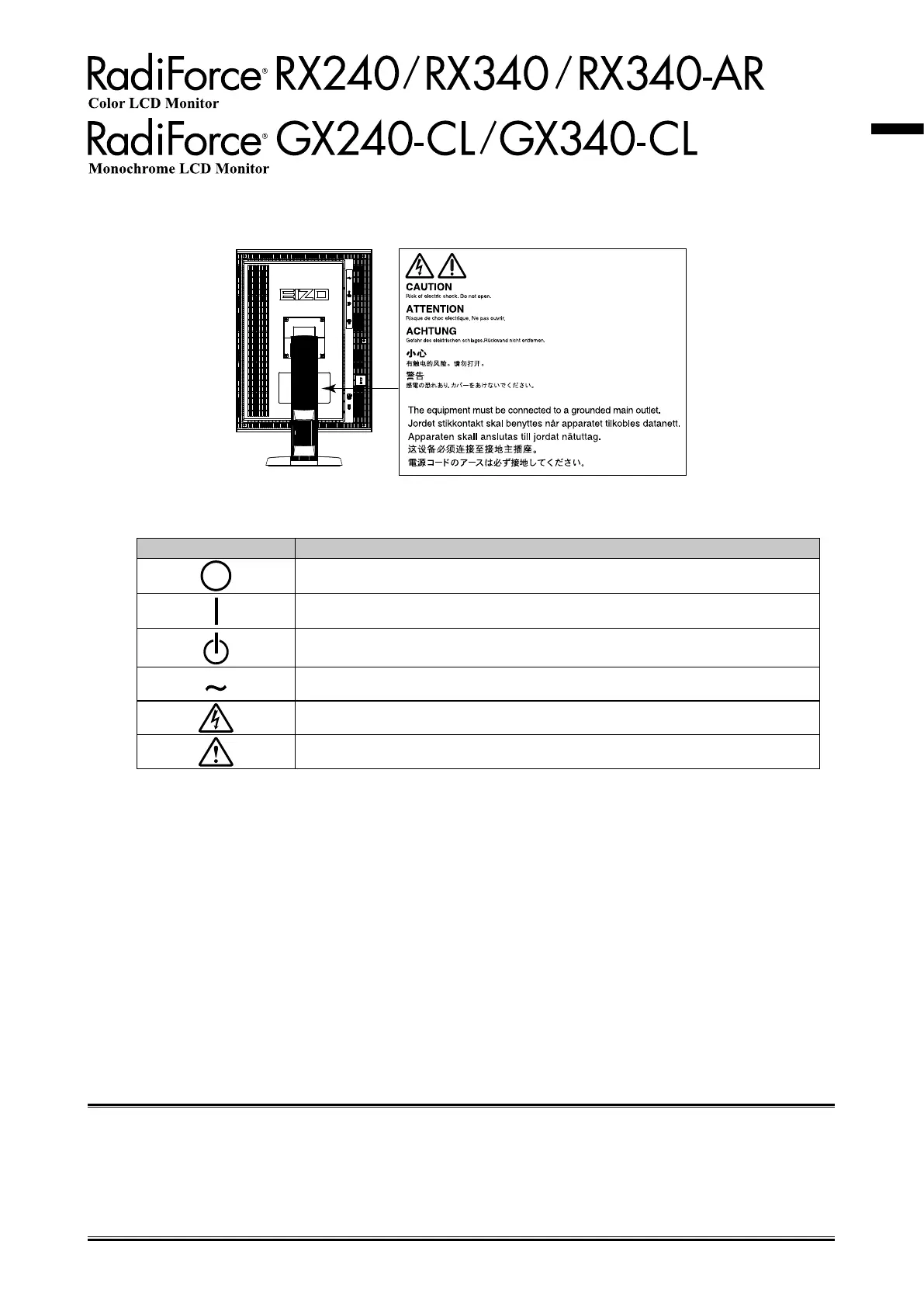
Location of the Caution Statements
Symbols on the unit
Symbol This symbol indicates
MainPowerSwitch: Presstoturnthemonitor’smainpoweroff.
MainPowerSwitch: Presstoturnthemonitor’smainpoweron.
Powerbutton: Presstoturnthemonitor’spoweronoroff.
Alternatingcurrent
Alertingelectricalhazard
CAUTION: RefertoSAFETYSYMBOLSsectioninPRECAUTIONS.
No part of this manual may be reproduced, stored in a retrieval system, or transmitted, in any form or by any means,
electronic, mechanical, or otherwise, without the prior written permission of EIZO Corporation.
EIZO Corporation is under no obligation to hold any submitted material or information condential unless prior
arrangements are made pursuant to EIZO Corporation’s receipt of said information. Although every effort has been
made to ensure that this manual provides up-to-date information, please note that EIZO monitor specications are
subject to change without notice.






 To Next Page