- 7 -
INSTALLING THE ACTIVE BACKPLATE
STEP 1
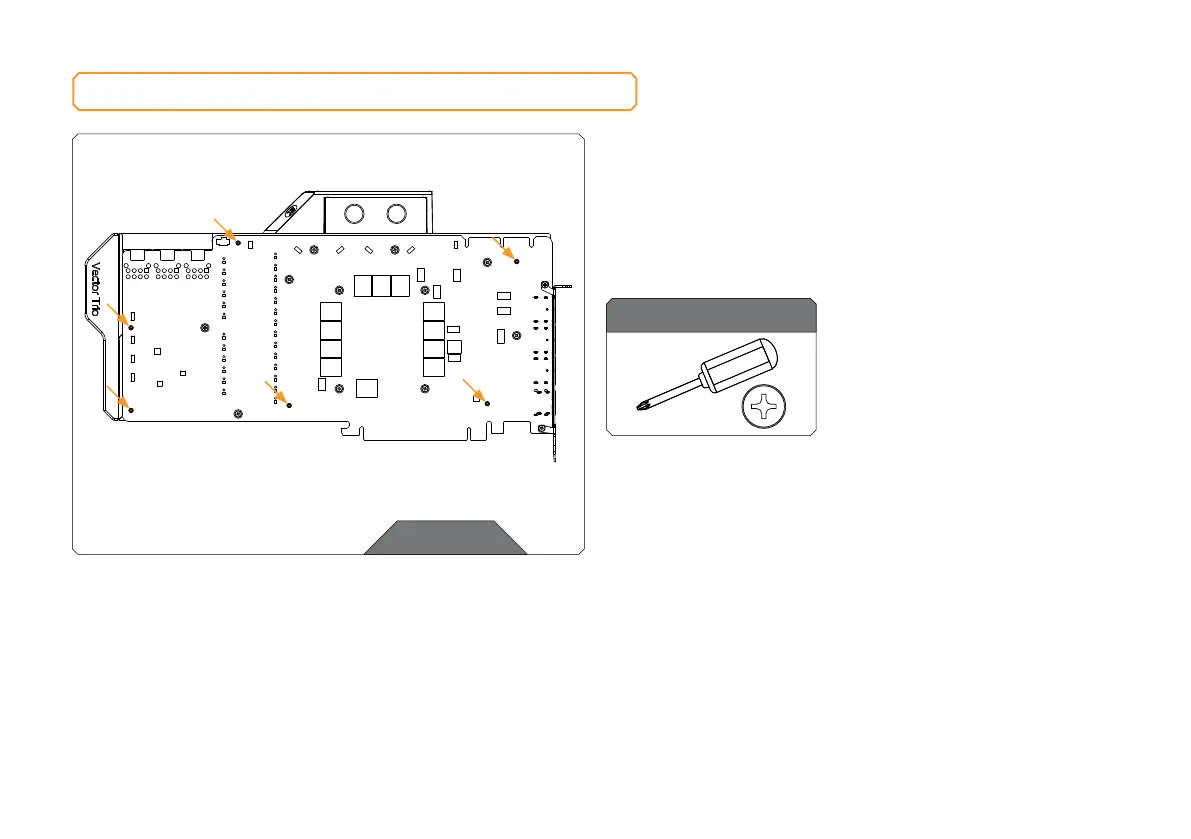
PREPARING THE GRAPHICS CARD
First, complete the installation of your EK-Quantum Vector TRIO
RTX 3080/3090 water block according to its installation manual.
In case the water block is already installed, remove the six (6) AX1
screws and their PVC washers, as shown in the image.
STEP 1
Phillips Head Screwdriver
For this Step, you will need:




 To Next Page