- 12 -
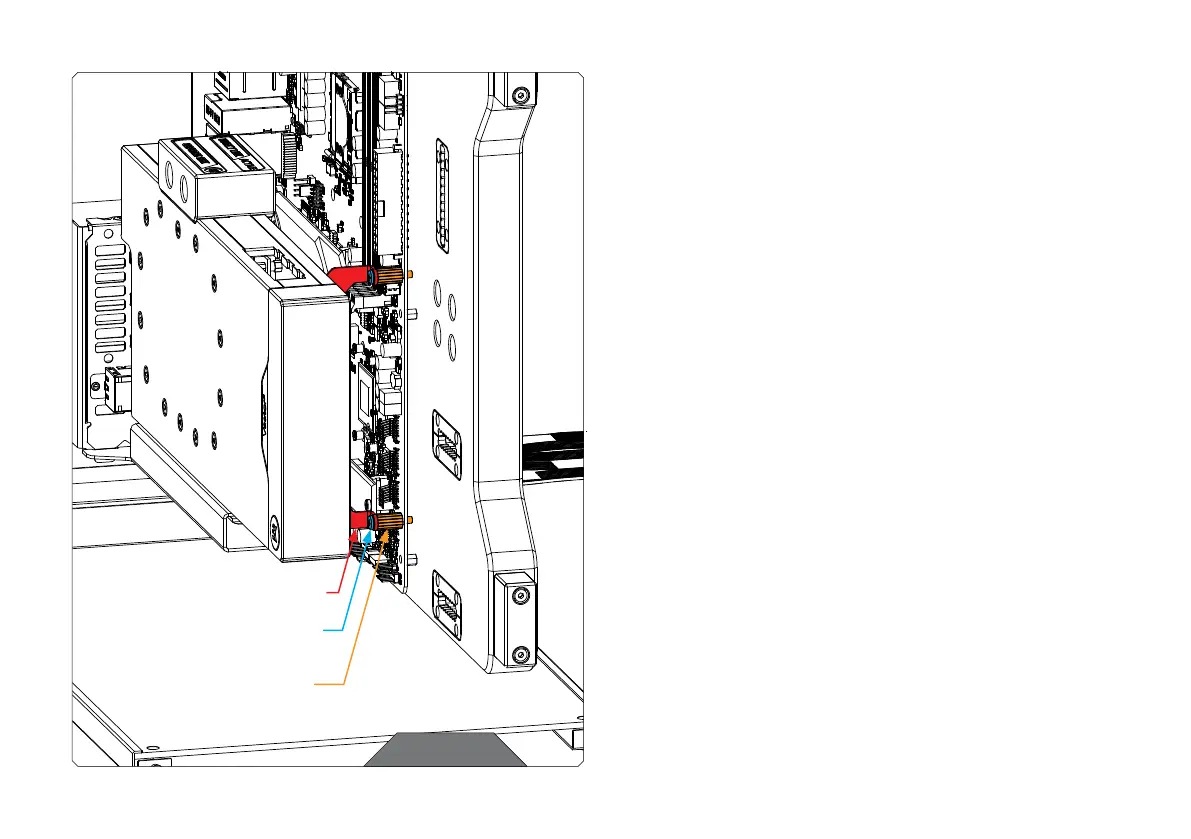
STEP 10
Place two (2) Standoffs UNC6-32x13x5 under the “Bracket 3” and
secure them on the motherboard.
Use the saved motherboard screws (from STEP 6) or mounting screws
to secure the right side of the GPU Holder to the PC case.
STEP 11
Finally, connect the GPU cables (as instructed by the GPU manufacturer)
to complete the installation.
STEP 10
BRACKET 3
ORIGINAL MOTHERBOARD SCREW
STANDOFF UNC6-32x13x5




 To Next Page