59
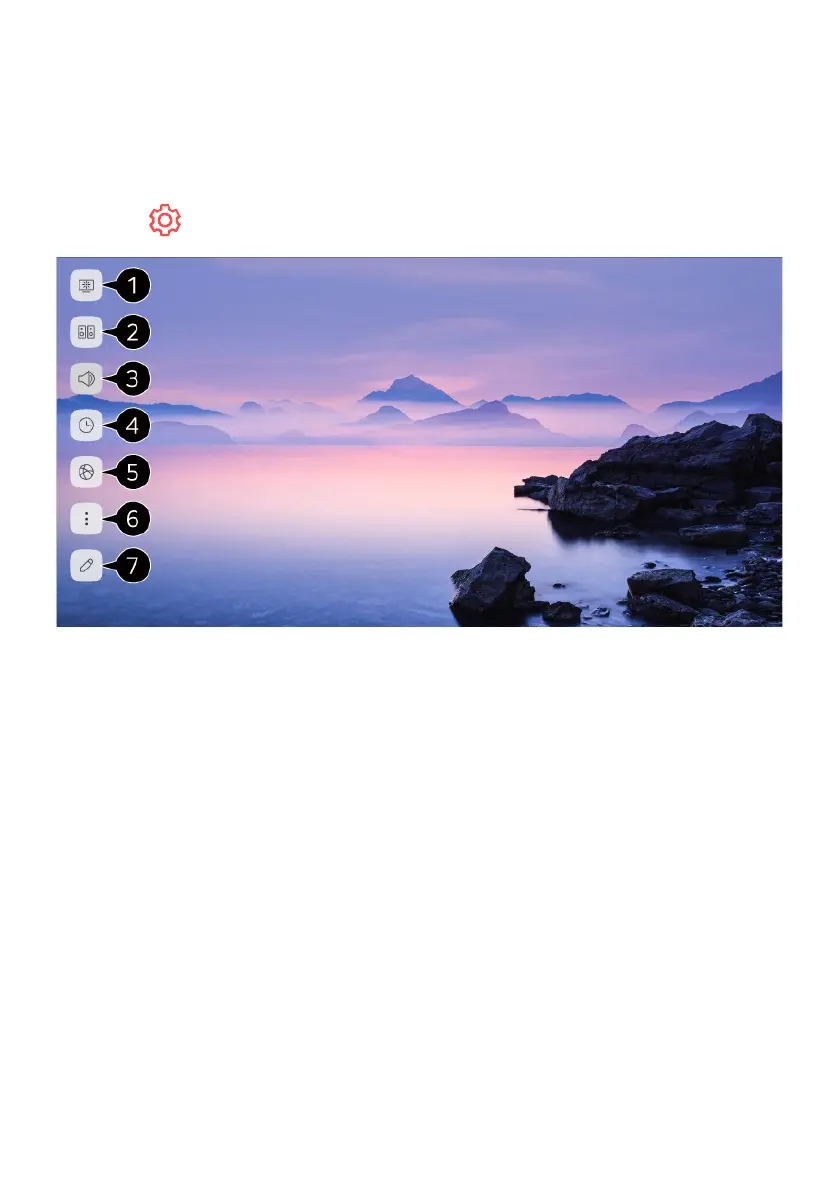
QUICK SETTINGS
Set of light-weight controls quickly and simply such as Picture Mode, Sound Out,
Sleep Timer and so on.
Press the button on the remote control.
1. You can set Picture Mode.
2. You can set Sound Mode.
3. You can choose Sound Out.
4. You can set Sleep Timer.
5. Move to the Connection screen.
6. You can set more options.
7. You can add/delete the quick setting items or change their order.
SETTINGS



 To Next Page