MAINTENANCE
NP-DK50 DE-18_02-2019 21
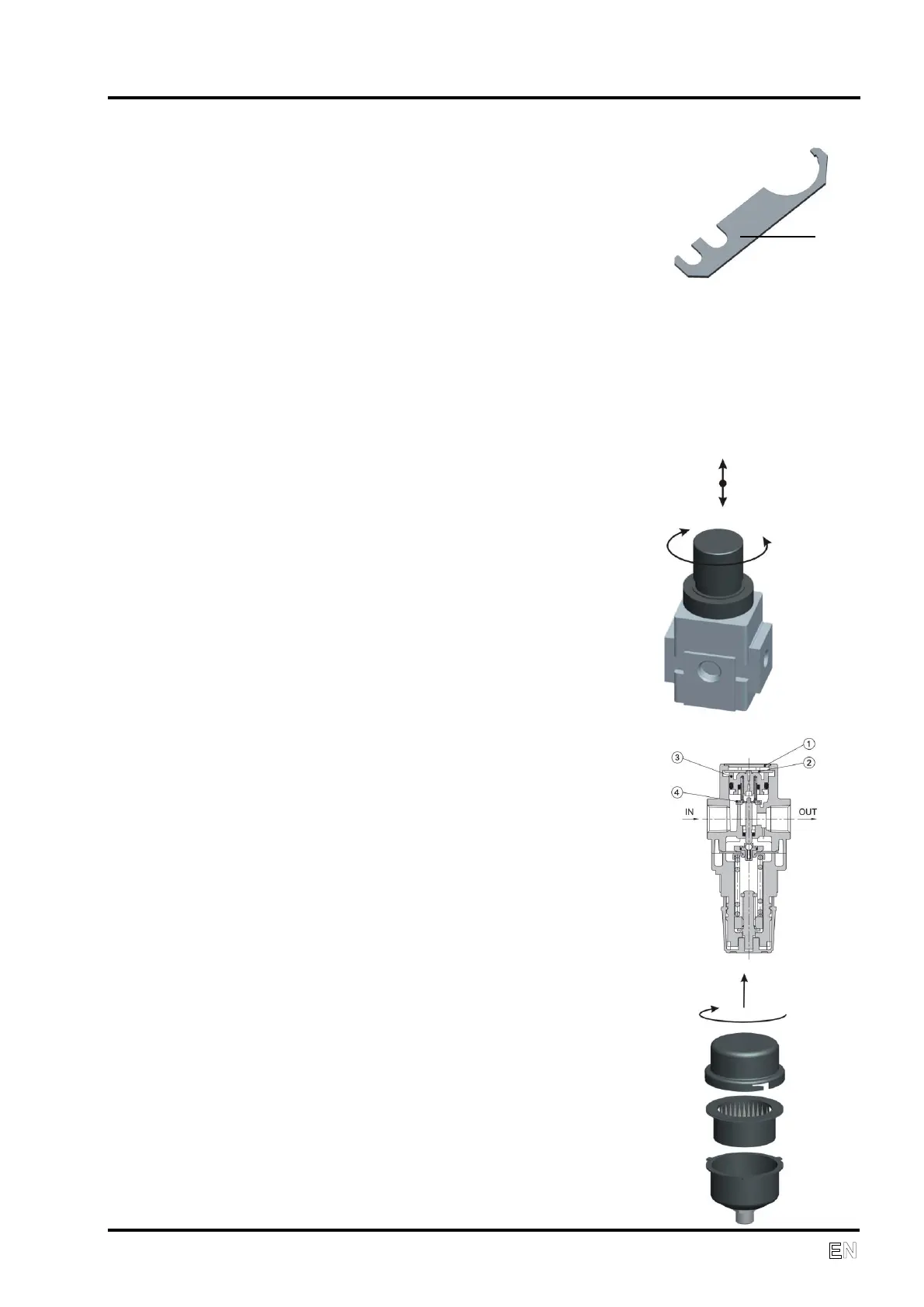
Unscrew the cover and pull it out using the enclosed wrench (26).
Unscrew the filter holder.
Replace the filter and screw the filter holder
into place.
Screw the cover back in place.
Spare filtration pads:
Bronze (40 μm) (19a) AF20P-060S-7-40B Item 025200142
Plastic (5 μm) (19b) AF20P-060S Item 025200113
If the water release system becomes clogged, disassemble the release valve
(f), clean the outlet, remove the float (b) with a lever mechanism (c, d, and e)
from the tank, clean all components with a soap solution and then
reassemble.
Setting output air pressure
To unlock the control button of the
regulator (15), raise it slightly and rotate
it to set the demand outlet pressure.
After setting the pressure, lock the
control button of the regulator by
pushing it down.
Cleaning the pressure regulator
Set the pressure to the minimum position
Remove the plug (1)
Rotate and remove the latch (2)
Remove the line from the valve (3) and
the valve (4), then clean the valve seat
and the o-ring
Re-install the components in the
following order: (4), (3), (2) and (1)
Replacing the suction filter (18)
Unlock the cover and pull it out.
Replace the filter
Lock the cover
Spare part:
Suction filter 05W POLYESTER, Item 025200194


 To Next Page