WIFI CONTROL
15
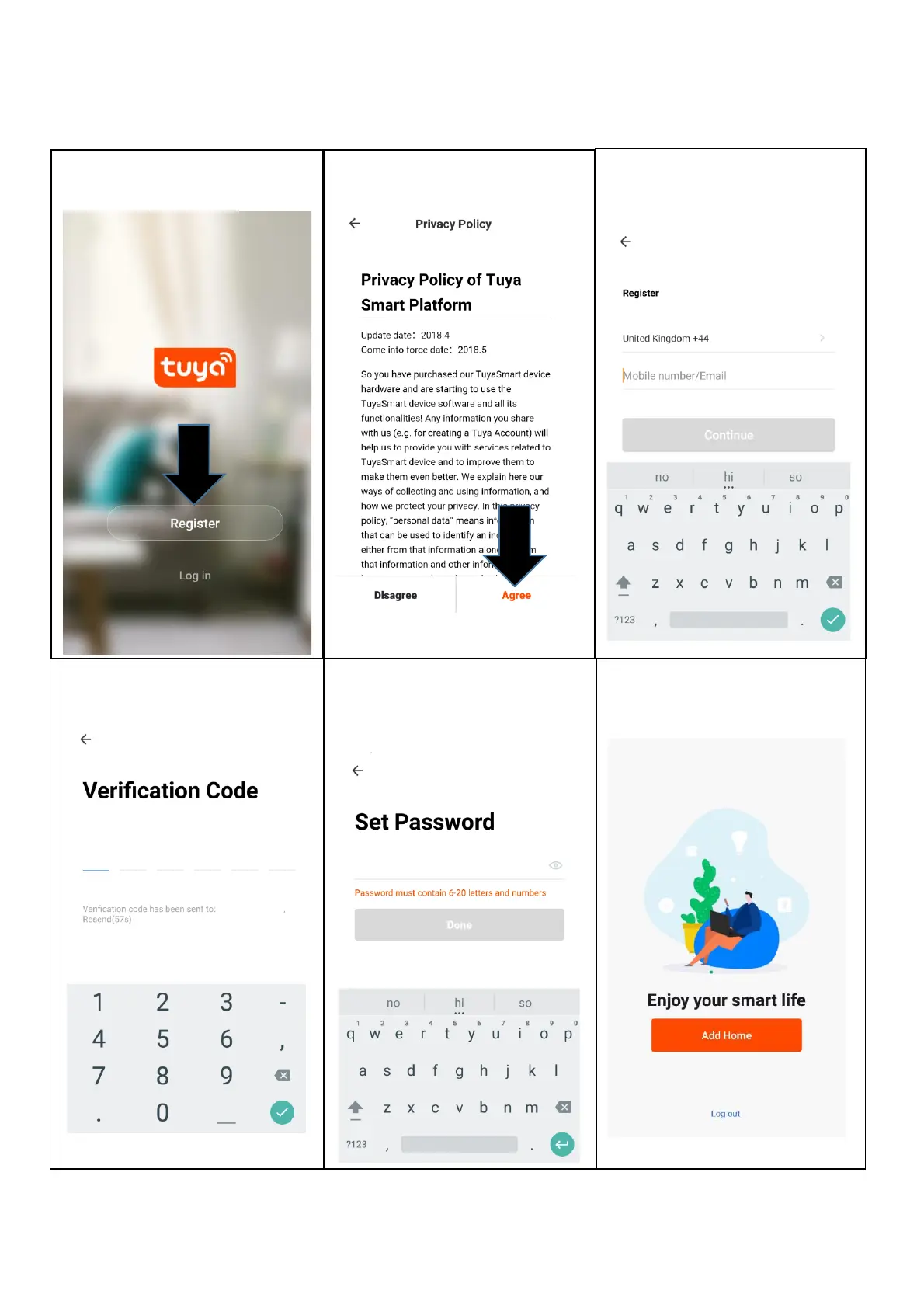
REGISTER THE APP
1. Press on the register button at
the bottom of the screen.
2. Read the Privacy policy and
press the Agree Button.
3. Enter your email address or
phone number and press
continue to register.
4. A verification code will be sent
by the method selected in step
3. Enter the code into the app.
6. The app is now registered. It
will automatically log you in
following registration.
5. Type in the password you
would like to create. This
needs to be 6-20 characters,
with letters and numbers.






 To Next Page