WIFI CONTROL
19
CONTROLLING YOUR APPLIANCE THROUGH THE APP
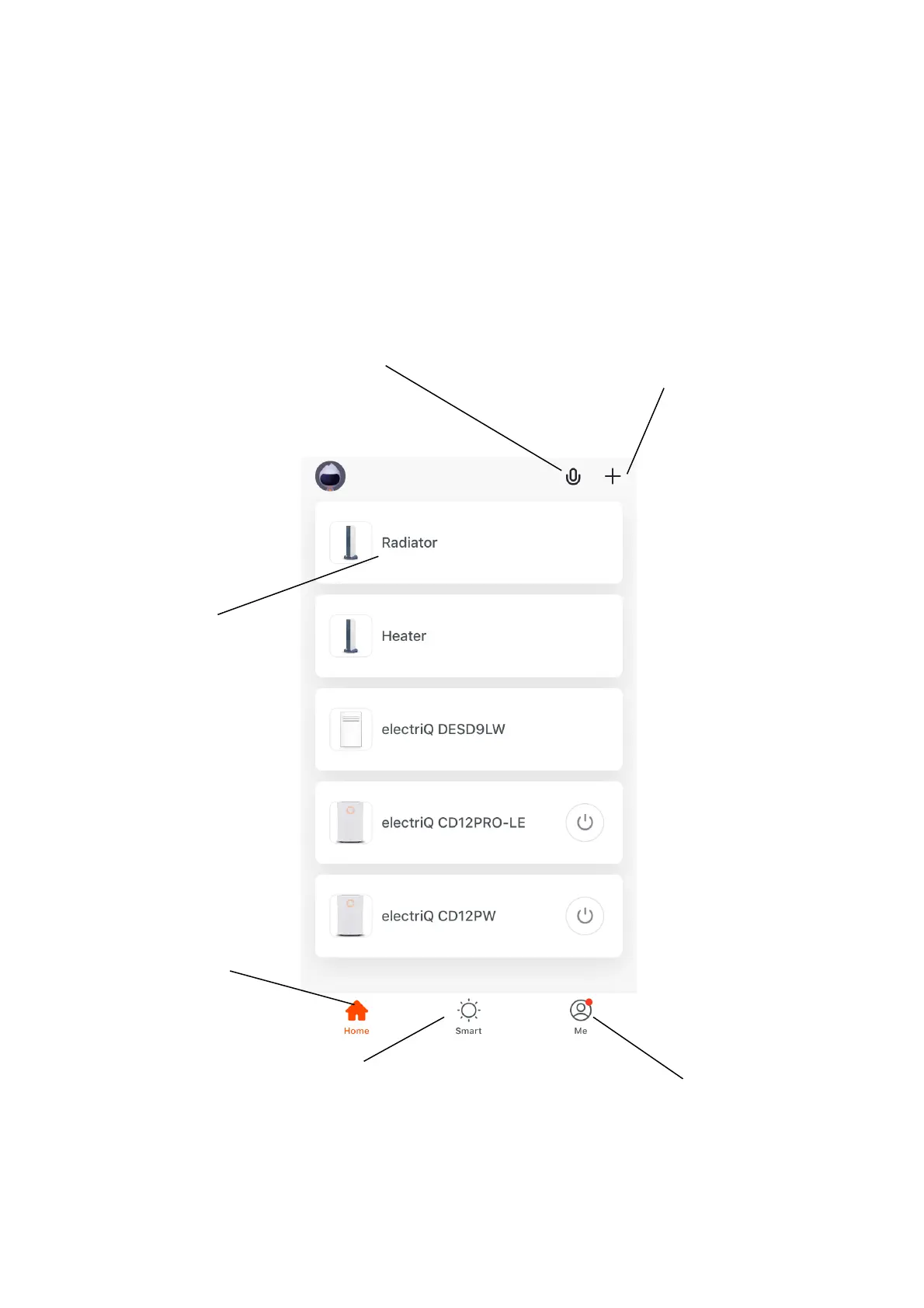
THE HOME SCREEN
NOTE: Due to continuous development of the app, the layout and available features may be subject to change.
Each device has its own entry on the home screen to allow the user to either quickly turn the unit on or off, or to enter
the device screen to make other changes.
Smart Scene: Allows you to
program intelligent behaviour
based on the internal and
external environment.
Add Device: Add a device to
the app, and go through the
setup process.
Profile: Provides the option
for changing settings.
Name of Device: Press to
enter the Device Screen.
Home: Return to home
screen from the Smart Scene
and Profile screens.
Voice Control: Press to give
verbal instructions for
operation.





 To Next Page