EasyManua.ls Logo

ElectrIQ iQool9PLUS-V2 - Page 20

ElectrIQ iQool9PLUS-V2
42 pages
Print Icon
To Next Page IconTo Next Page
To Previous Page IconTo Previous Page
Loading...
WIFI CONTROL
20
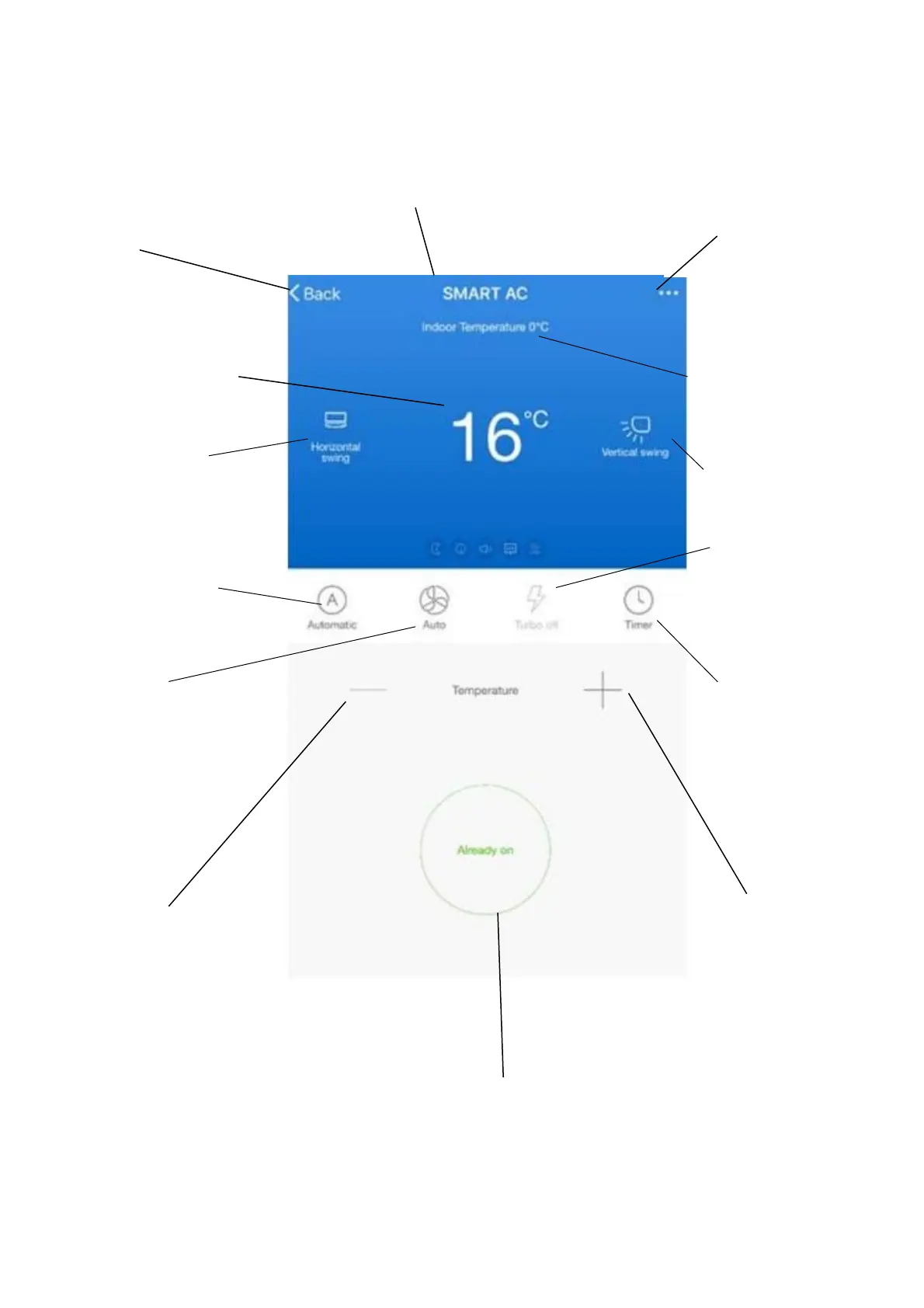
DEVICE SCREEN
The device screen is the main control screen for the air conditioner, providing access to the controls to amend the
functions and settings.
Edit Name: Use to change
the name of the heater.
Back: Returns to the Home
Screen.
Power: Use to turn
the unit on or off.
Device Name
Desired Temperature:
Displays what has
been set as the target
room temperature.
Decrease Desired
Temperature
Temperature range
15-35C.
Increase Desired
Temperature
Temperature range
15-35C.
Current Temperature:
Displays what the
current temperature is.
Horizontal swing:
Press to turn the
horizontal swing on
and off
Vertical swing:
Press to turn the vertical
swing on and off
Mode:
Press to change the
mode between Auto,
Heat, Cool, Dry and
Fan
Speed:
Press to change the
fan speed
Additional Features:
Press to adjust
additional features
such as Sleep mode,
Silent mode and
display.
Timer:
Press to set the air
conditioner to turn on
or off at a specified
time.

Related product manuals