WIFI CONTROL
14
DOWNLOAD THE APP TO YOUR PHONE
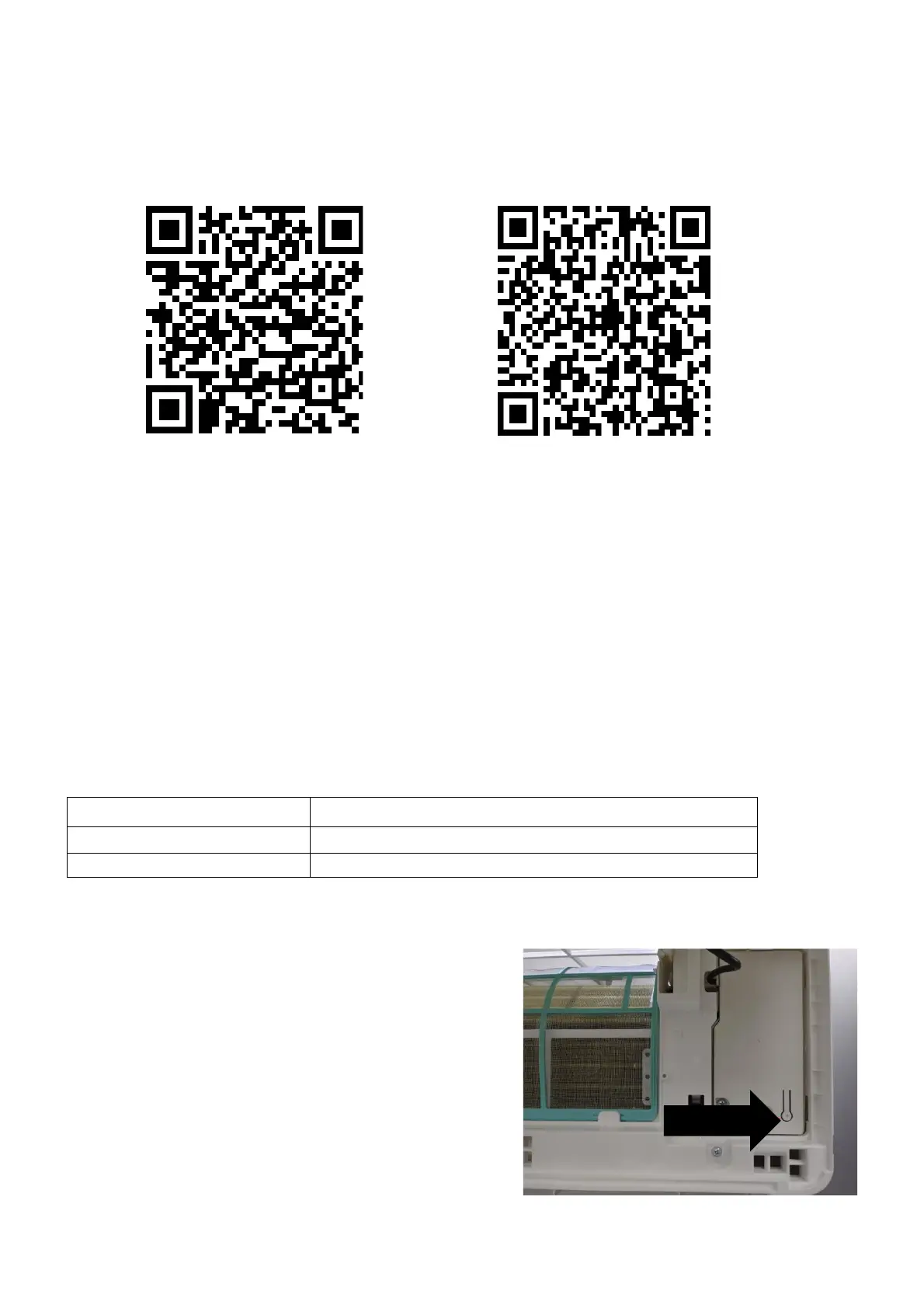
Download the” TUYA SMART” app, from your chosen app store, using the QR codes below, or by
searching for the app in your chosen store.
Android IOS
MODES AVAILABLE FOR SETUP
The air conditioner has two different setup modes, Quick Connection and AP (Access Point). The
quick connection is a quick and simple way to set the unit up. The AP connection uses a direct
local WiFi connection between your phone and the air conditioner to upload the network details.
To turn the WiFi on press and hold the RESET button on the indoor unit for 5 seconds until the air
conditioner bleeps. Alternatively quickly press the DISPLAY button on the remote 6 times. The WiFi
symbol will flash quickly to indicate the unit is in quick connection mode
Please ensure your device is in the correct WiFi connection mode for the connection type you are
attempting, the flashing WiFi indicator on your air conditioner will indicate this.
CHANGING BETWEEN CONNECTION TYPES
If the connection has failed then need change to slowly
flash state. When the WIFI indicator is flashing at
speed, press and hold the RESET button on the indoor
unit for 5 seconds. Alternatively quickly press the
DISPLAY button on the remote 6 times and the WIFI
indicator will begin to slowly flash.





 To Next Page