OPERATION
8
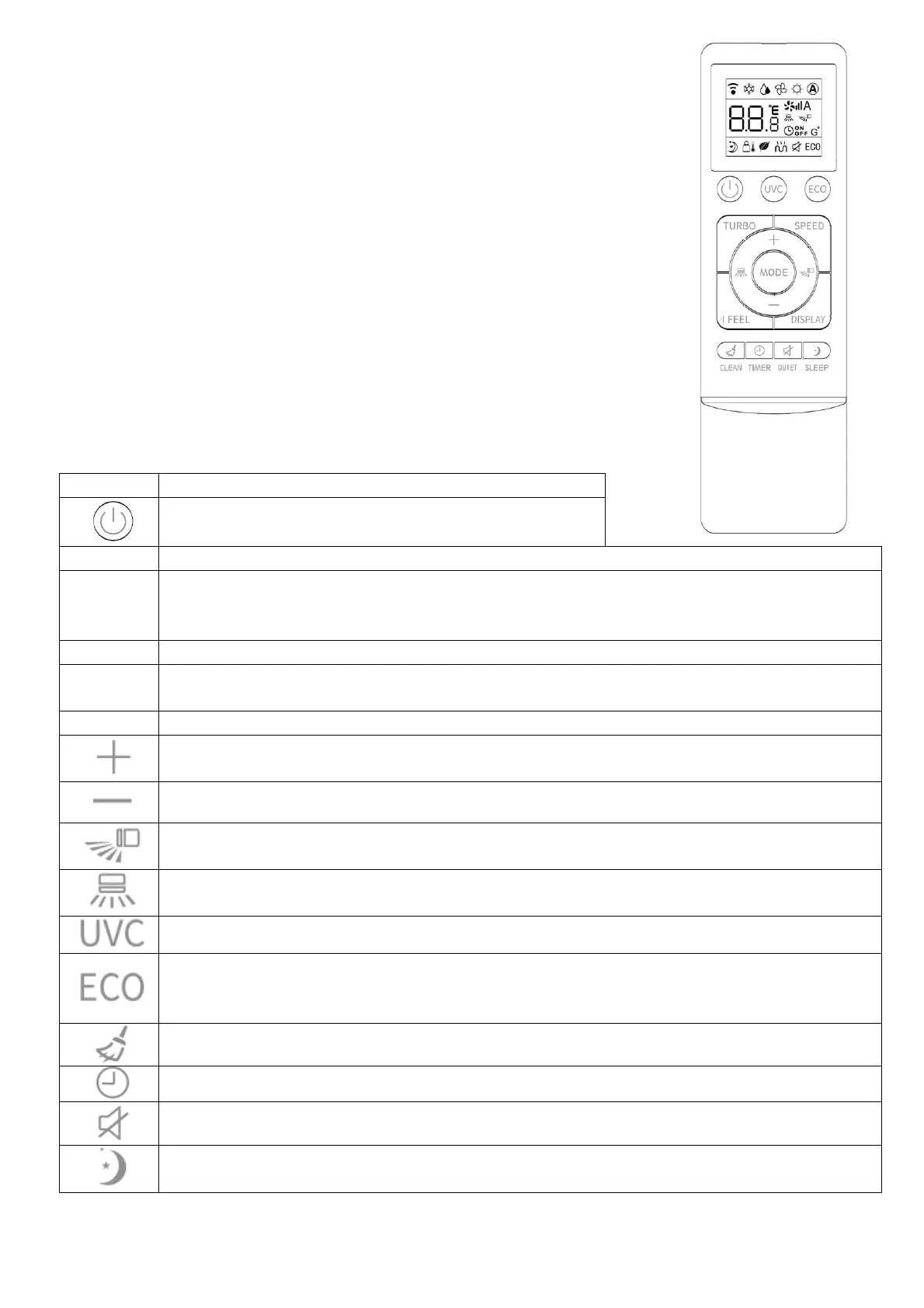
REMOTE CONTROL
The remote control has a range of up to 8m. Point the remote
control at the receiver in the interior unit. A beep confirms that the
remote control signal has been received.
REMOTE OPERATION
Turn the appliance on using the ON/OFF button. This activates the
most recently used setting.
The ON/OFF
button also turns the air conditioner off.
BUTTONS
Press to turn the unit on or off.
Press to change between the different modes: Auto, Cool, Heat Dry and Fan.
Press to activate turbo mode. This will make the unit work in high performance mode
to quickly cool or heat the room for a period of 15 minutes. The fan will be set to max,
the temperature will be set to either 16
o
C in cooling mode or 31
o
C in heating mode.
Press to select the fan speed between LOW, MED and HIGH.
Press to activate the follow me function, where the room temperature is measured on
the remote control, rather than within the indoor unit.
Press while the air conditioner is running to turn the display on and off.
Press to increase the desired room temperature or adjust the timer duration.
Press to decrease the desired room temperature or adjust the timer duration.
Press to turn vertical swing on and off
Press to turn horizontal swing on and off
Press to turn the optional UVC sterilisation function on and off
Eco mode: Use in heating and cooling modes to reduce energy consumption.
In cooling mode eco mode slowly increases the desired temperature by 2
o
C. In
heating mode eco mode slowly decreases the desired temperature by 2
o
C
Clean: Press to run the self cleaning function
Timer: Press to activate the startup / shutdown timer
Quiet: Press to put the air conditioner in low noise mode
Sleep: Press to activate the sleep function





 To Next Page