104
5. Remove the small cover from the rear of range by
removing one screw and pulling down.
One screw
5. Unclip the thermostat bulb inside the oven and pull
the bulb out the rear of the range.
Thermostat bulb
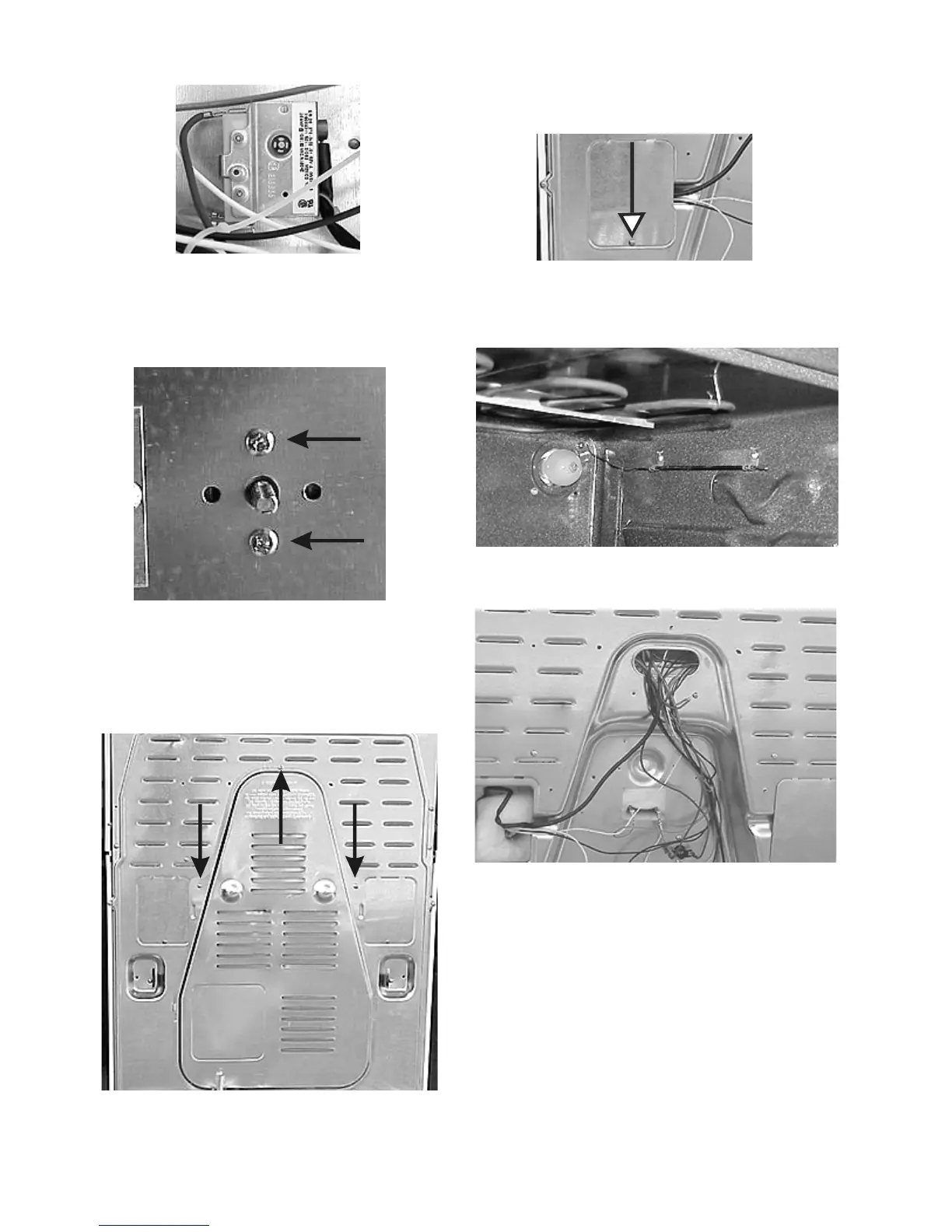
Rear of range with panels removed
Removing the large element safety thermostat:
1. Disconnect power and roll the control mounting
panel forward.
2. Disconnect the wires from the safety thermostat and
remove the two screws holding the thermostat to
the control mounting panel.
Back of thermostat
3. Remove the two screws holding the thermostat
to the control mounting panel.
Two screws
4. Remove the large rear panel by removing three
screws and lifting the panel out of the tabs.
Remove three screws





 To Next Page