124
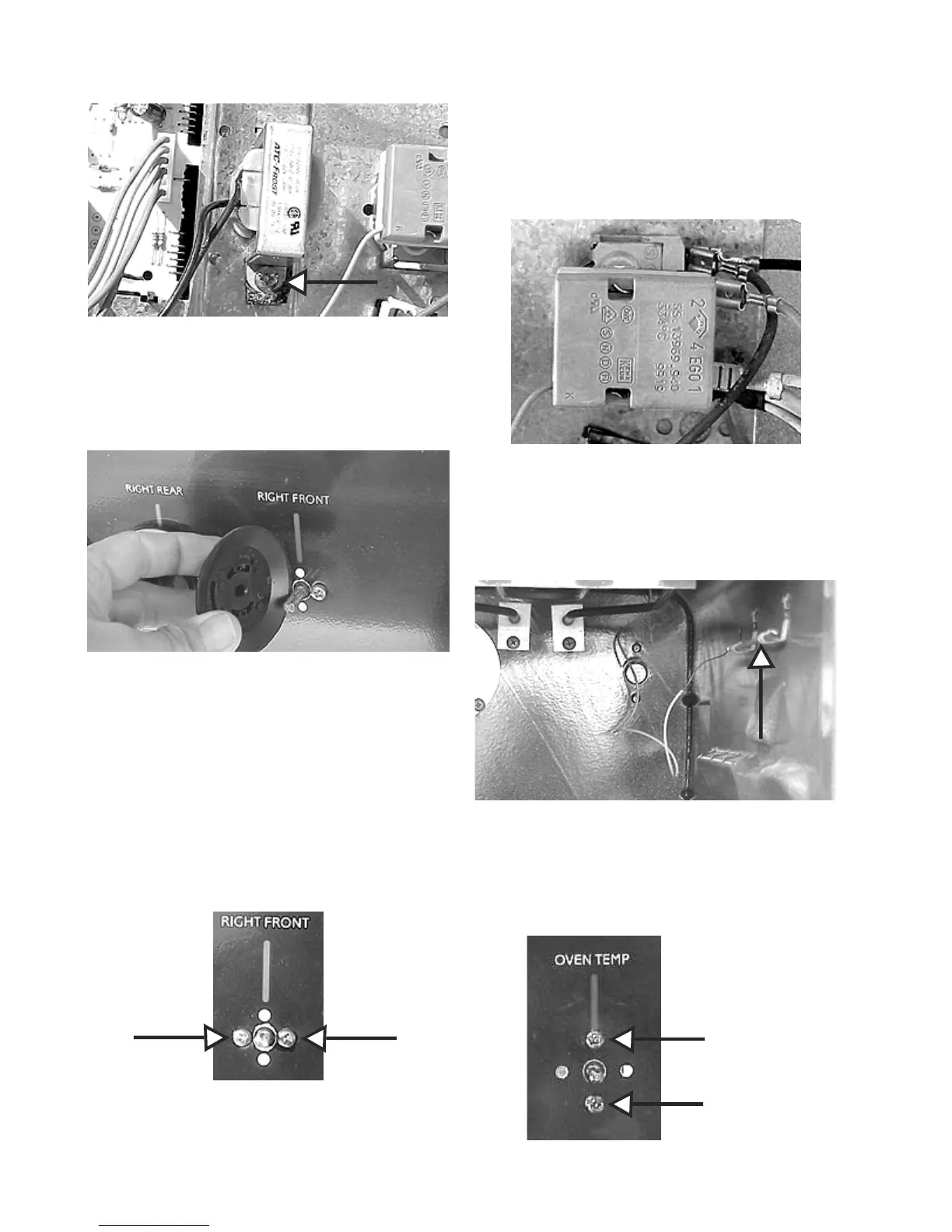
One screw
Removing the thermostat and top element knobs.
1. The knobs pull straight off.
Pull straight off
Removing top element switch:
1. Disconnect power and remove the backguard
backpanel.
2. Mark and remove the wires from the switch.
3. Remove the knob and the two screws holding switch
to the control panel and pull the switch out the back.
Two screws
Removing the small oven thermostat:
1. Disconnect power and remove the backguard
backpanel.
2. Mark and remove the wires from the thermostat.
Disconnect wires
3. Unsnap the thermostat bulb from in the oven and
pull it out the rear of the oven.
Thermostat bulb
4. Remove the knob and the two screws holding the
thermostat to the control panel and remove the
thermostat from the rear of the range.
Two Screws





 To Next Page