EasyManua.ls Logo

Electrolux CEI30EF5GS - User Manual

Electrolux CEI30EF5GS
47 pages
Print Icon
To Next Page IconTo Next Page
Loading...
PN / 316439223Publication # 5995521555
August 2008
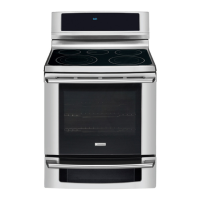
FREESTANDING ELECTRIC RANGE
PRODUCT SERVICE MANUAL
Wave-Touch™
EW30EF65
IQ Touch™
EI30EF565
*
*
MODELS - EW30EF65G , EI30EF55G ,
CEW30EF6G , CEI30EF5G
*
*

Table of Contents

Other manuals for Electrolux CEI30EF5GS

Questions and Answers

  • B
    Barbara WebbJul 30, 2025
    What to do if Electrolux CEI30EF5GS display shows 'E 11'?
    • D
      Dawn LoganJul 30, 2025
      If the Electrolux Ranges display shows "E 11", it could be due to a shorted keypad. First, try resetting the power supply to the range to see if the error code clears. If that doesn't work, check and reseat the ribbon harness and connectors between the TST panel and the ESEC 30 UIB. If the issue persists, replace the TST panel, and as a last resort, replace the ESEC 30 UIB.
  • S
    Sean LongAug 4, 2025
    How to fix Electrolux Ranges control beeping with no error codes?
    • G
      gonzalezstevenAug 4, 2025
      If the Electrolux Ranges control is beeping but not displaying any error codes, the issue might be a disconnected or defective ESEC key display ribbon cable. Try checking and reseating the ribbon connection J3 on the ESEC 30 UIB. If that doesn't resolve the problem, consider replacing the ESEC 30 UIB or the TST panel.
  • J
    jared51Aug 9, 2025
    What does 'E 15' mean on Electrolux CEI30EF5GS display and how to fix it?
    • P
      paulsmithAug 9, 2025
      If the Electrolux Ranges display shows "E 15", there may be a signal loss between the ESEC 30 UIB and the ESEC relay board. First, check and reseat the harness and connections between connector P6 of the ESEC30 UIB to connector J2 of the ESEC relay board, repairing or replacing the harness if needed. If the connection and harness are in good condition, replace the ESEC relay board. If the error persists, replace the ESEC30 UIB. If the previous steps do not resolve the failure, replace the TST panel.
  • H
    Hayley KelleyAug 14, 2025
    How to troubleshoot 'E' in Electrolux CEI30EF5GS display?
    • S
      Stephen OdomAug 14, 2025
      If the Electrolux Ranges display shows " E ", it could be due to a disconnected or defective ESEC key display ribbon cable. You can try to check and reseat the ribbon connection J2 on the ESEC30 UIB. If the issue isn't resolved, replace the ESEC 30 UIB or the TST panel.
  • E
    elizabeth93Aug 18, 2025
    What causes 'E 14' on Electrolux Ranges display and how to resolve it?
    • C
      Christopher SmithAug 19, 2025
      If the Electrolux Ranges display shows “ E 14 “, it may be caused by a disconnected or defective ESEC key read ribbon cable. To solve this, check and reseat the ribbon connection J4 on the ESEC 30 UIB. If the problem continues, replace the ESEC 30 UIB, and if necessary, replace the TST panel.
  • J
    Jennifer LandryAug 25, 2025
    Why does my Electrolux CEI30EF5GS show 'HE' with no element power?
    • Y
      ycruzAug 25, 2025
      If the Electrolux Ranges display shows “HE” and there's no power to the element, the surface element and its associated hot surface limiter might be mis-wired. Ensure that the wiring of that element and its hot surface limiter is correct.

Summary

SAFE SERVICING PRACTICES

RANGE TECHNICAL DATA

ELECTRONIC OVEN CONTROL (ES630) FAILURE;FAULT CODES

Failure;Fault Codes and Suggested Corrective Actions

Lists EOC fault codes, likely causes, and corrective actions.

ELECTRONIC SURFACE ELEMENT CONTROL (ESEC 30) TROUBLESHOOTING GUIDE

Wave Touch Models Troubleshooting

Troubleshooting guide for ESEC 30 issues on Wave Touch models.

IQ Touch Models Troubleshooting

Troubleshooting guide for ESEC 30 issues on IQ Touch models.

WIRING AND SCHEMATIC DIAGRAMS

TOUCH SENSOR TECHNOLOGY (TST) CONTROL SYSTEM

Troubleshooting The TST Panel

Steps for diagnosing and resolving TST panel issues.

DIAGNOSTIC SERVICE MODE

Entering and Using Diagnostic Service Mode

Procedure to enter and utilize the diagnostic service mode.

ELECTRONIC SURFACE ELEMENT CONTROL (ESEC 30) ERROR CODES AND TROUBLESHOOTING

Wave Touch Models Error Codes and Troubleshooting

ESEC error codes and troubleshooting steps for Wave Touch models.

IQ Touch Models Error Codes and Troubleshooting

ESEC error codes and troubleshooting steps for IQ Touch models.

ELECTRONIC OVEN CONTROL (ES630)

EOC Troubleshooting and Testing

Procedures for troubleshooting and testing the EOC system.

EOC SIGNAL VOLTAGE TEST MATRIX

Matrix for testing signal voltages from the EOC to the relay board.

POWER SUPPLY BOARDS

COMPONENT ACCESS AND REPLACEMENT

COOKTOP & ELEMENTS

Procedures for accessing and servicing the cooktop and elements.

Surface Element Replacement

Step-by-step guide for replacing surface elements.

OVEN DOOR

Door Removal

Instructions for safely removing the oven door.

UPPER OVEN COMPONENTS

Bake Element Replacement

Procedure for removing and replacing the upper oven bake element.

Broil Element Replacement

Procedure for removing and replacing the upper oven broil element.

LOWER OVEN COMPONENT SERVICE

Replacing Lower Oven Element

Step-by-step guide for replacing the lower oven element.

WARMER DRAWER SERVICE

Electrolux CEI30EF5GS Specifications

General IconGeneral
Number of Burners4
Self-CleaningYes
ColorStainless Steel
Fuel TypeElectric
Width30 inches
Burner TypeRadiant
MaterialStainless Steel
Cooktop SurfaceGlass
Dimensions (WxDxH)30 in x 29 in x 36 in

Related product manuals