10 electrolux
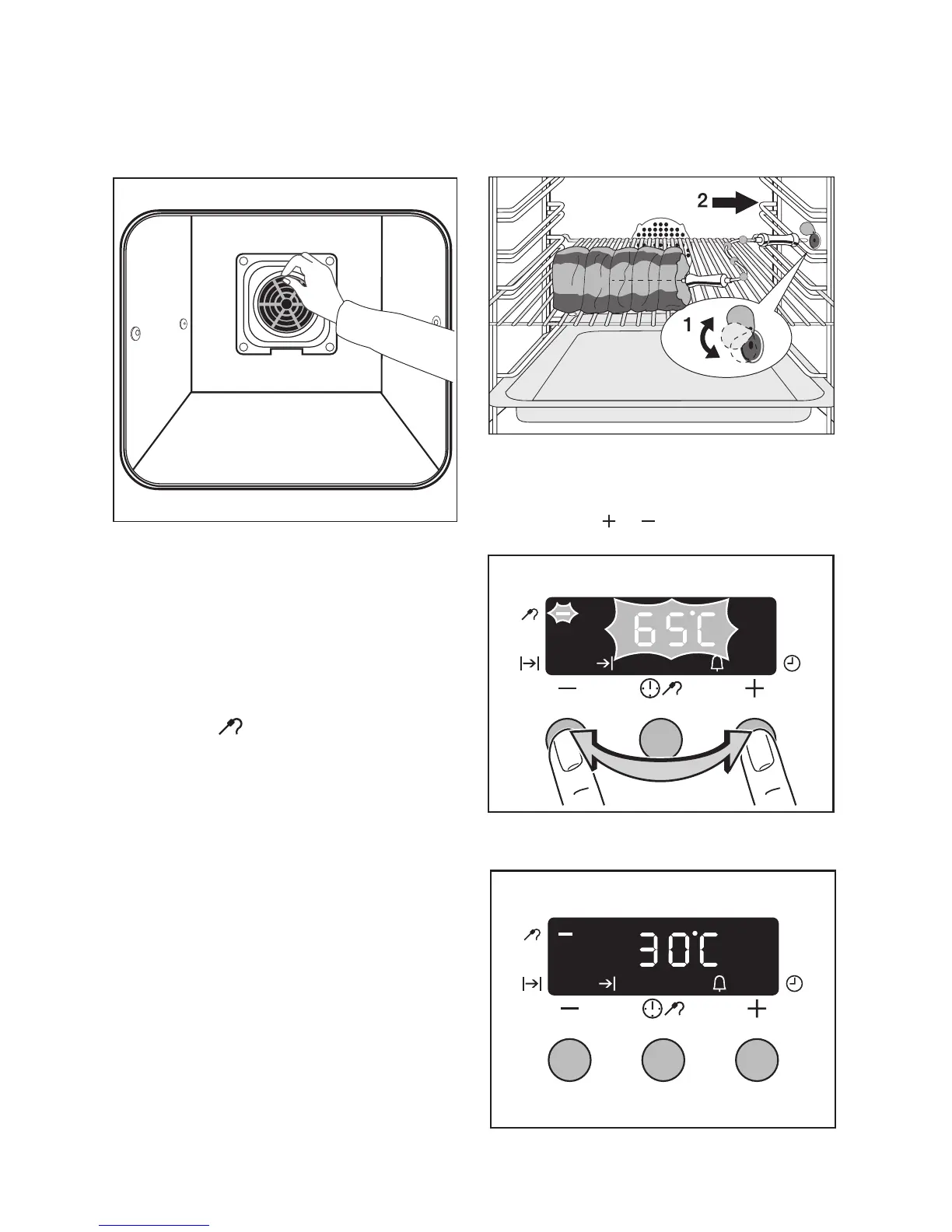
Inserting/Removing the Fat Filter
Only use the fat filter when roasting to
protect the rear heating elements from fat
splashes.
Meat probe
For switching off the oven when the temper-
ature at the centre of a roast reaches a set
temperature.
1 Important!: Only the meat probe sup-
plied may be used. If replacing, please
use only original replacement parts.
1. Push the tip of the meat probe right into
the meat so that the tip is in the centre
of the meat.
2. Insert the meat probe plug into the
socket on the side wall of the oven as far
as it will go.
3. Using the or button set the desired
core temperature.
The display changes to the current core tem-
perature.
3 The core temperature is displayed from
30°C.
Inserting the fat filter
Hold the fat filter by the grip and insert the
two mounts downwards into the opening
on the rear wall of the oven (fan opening).
Taking out the fat filter
Hold the fat filter by the grip and unhook it.







 To Next Page