electrolux 7
Initial Cleaning
Before using the oven for the first time you
should clean it thoroughly.
1 Caution: Do not use any caustic, abra-
sive cleaners! The surface could be
damaged.
3 To clean metal fronts use commercially
available cleaning agents.
1. Turn the oven function switch to oven
lighting .
2. Remove all accessories and the shelf
support rails and wash them with warm
water and washing up liquid.
3. Then wash out the oven with warm wa-
ter and washing-up liquid, and dry.
4. Wipe the front of the appliance with a
damp cloth.
Using the Oven
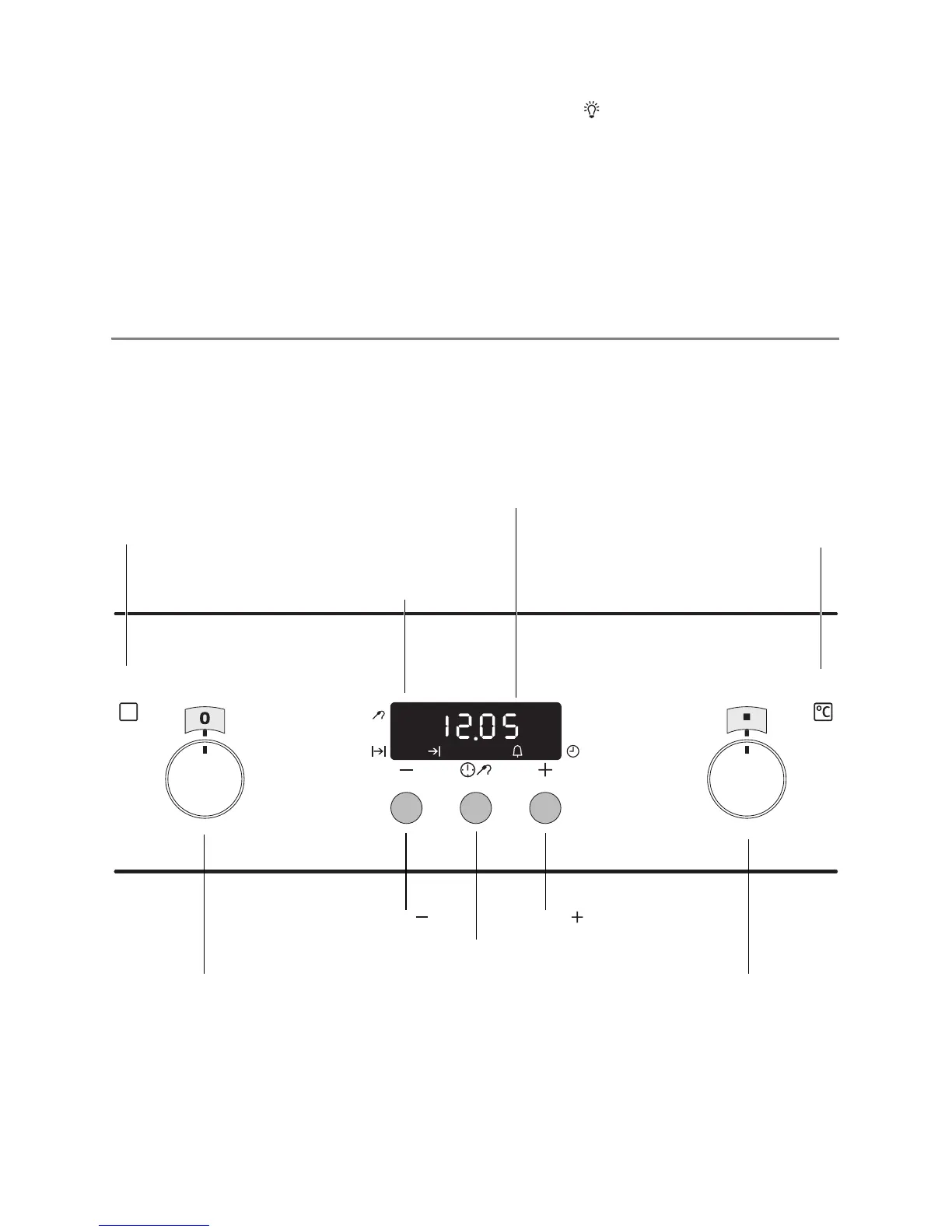
3 The oven is equipped with retractable
buttons for “Oven functions” and “Tem-
perature selection”. To use, press the
relevant button. The button then sticks
out.
Switching the Oven On and Off
Oven function selection Temperature selector
Temperature / Time Display
Oven Power Indicator
ButtonButton
Temperature Pilot Light
Meat probe indicator
Selection Button







 To Next Page