electrolux 11
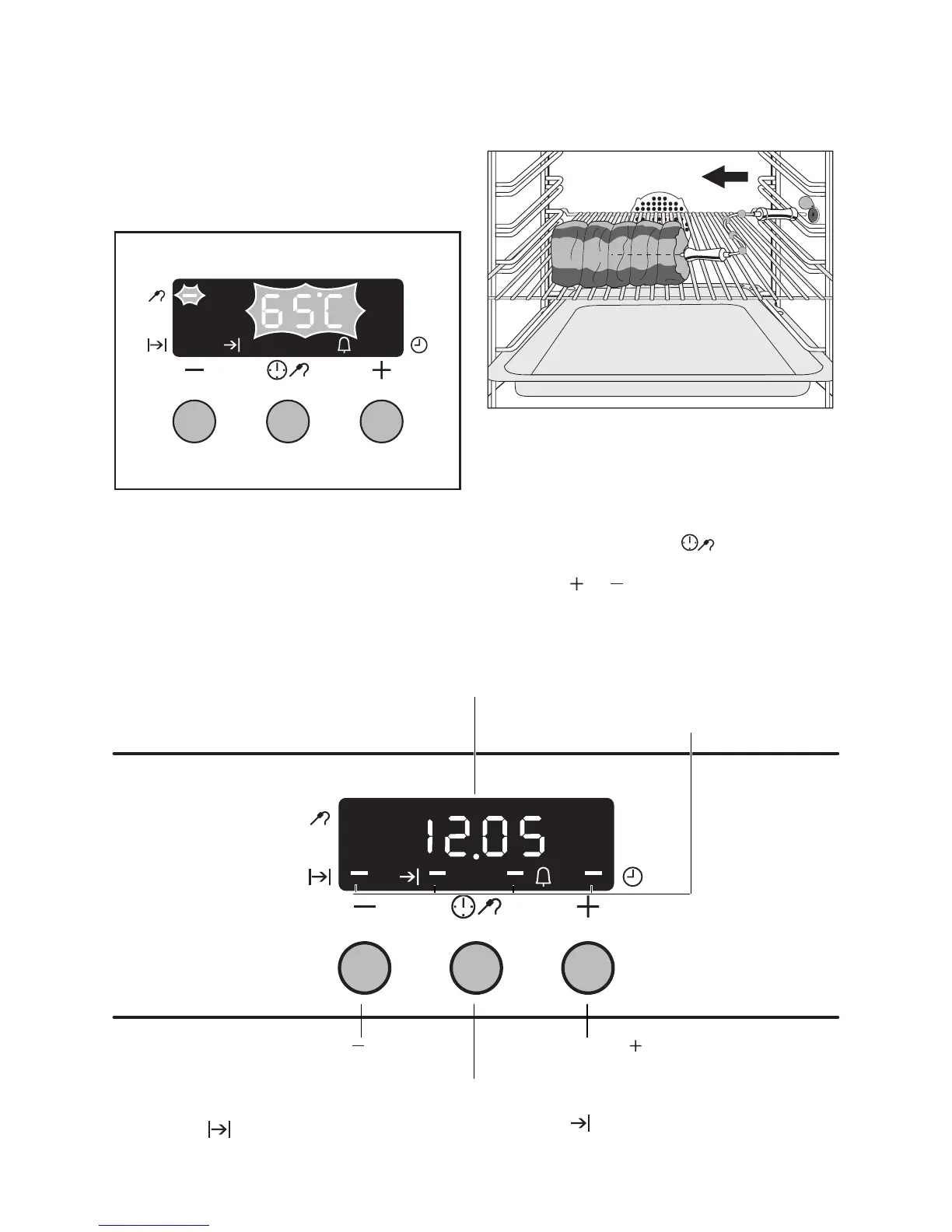
4. Set oven function and oven tempera-
ture.
As soon as the core temperature set is
reached, an audible signal sounds and the
oven switches itself off automatically.
5. Press any key to switch off the signal.
6. Turn oven function selector and temper-
ature selector to the Off position.
1 Warning: The meat probe is hot! There
is a risk of being burned when removing
the plug and the tip of the meat probe.
7. Remove the meat probe’s plug from the
socket and take the meat out of the ov-
en.
Changing the core temperature
– Press the Selection button.
– If necessary, change the temperature
using or .
Clock Functions
Cook time
To set how long the oven is to be in use.
End time
To set the switch-off time for an oven func-
tion.
Time display
Selection Button
Function Indicators
Button
Button







 To Next Page