14
Using the Oven
The Electronic Oven Control
3 General hints
• Always switch on the appliance first by pressing the Power button .
• When the selected function is lit, the oven begins to heat, or the set period
of time begins to run.
• An signal sounds when the set temperature has been reached.
• The oven light comes on when an oven function has been selected.
• Switch off the appliance by pressing the main Power button .
Oven Functions
The oven has the following functions:
3 The Pizza setting, Top Heat/Bottom Heat and Turbo All-Round Grill
functions include an automatic Fast Warm Up function. This garantees
that the temperature selected will be reached as quickly as possible.
Hot air (Fan oven)
Suggested temperature: 180°C
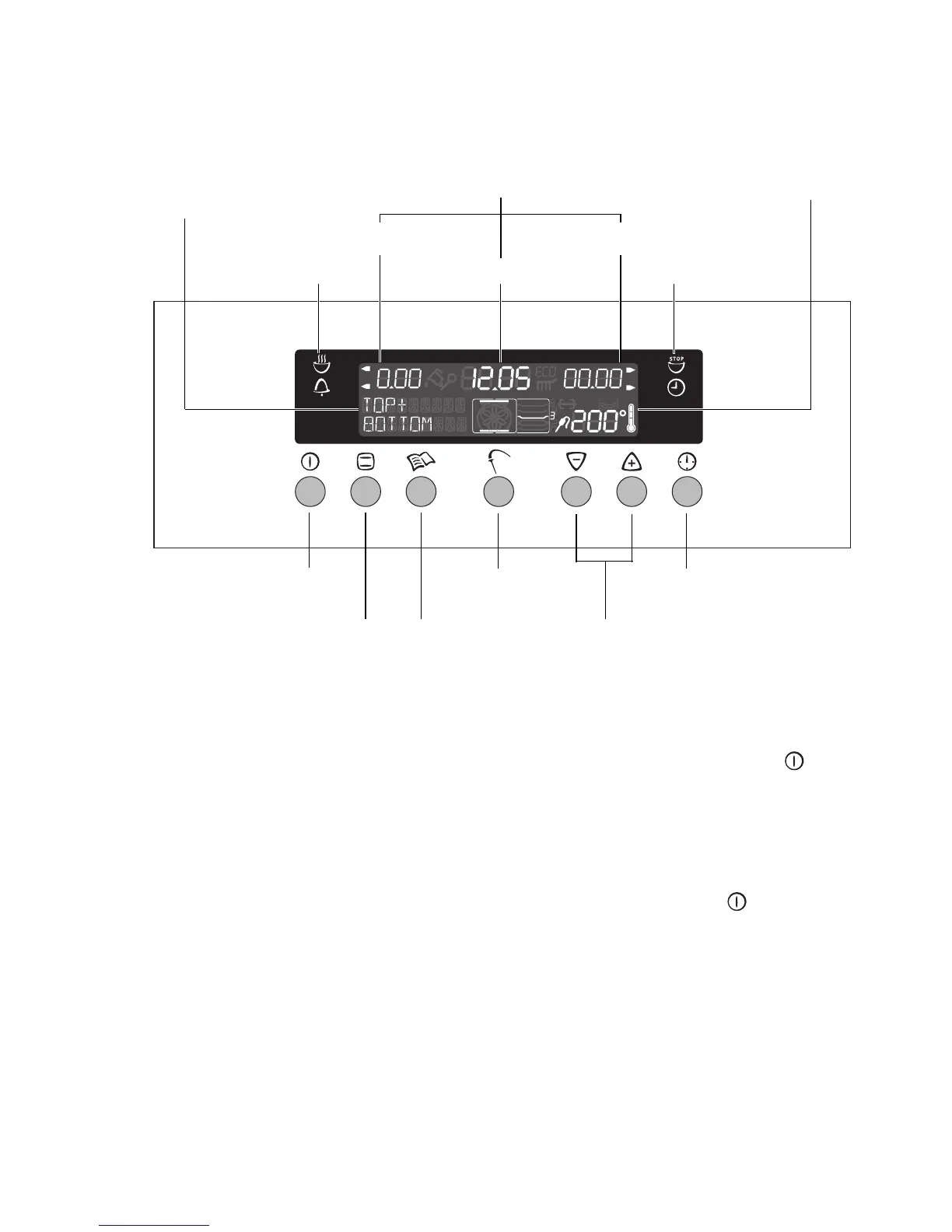
Time display
Settings buttons
Temperature Display
Mains Button
Oven Functions
Meat cooking rod Clock Functions
Recipes
Clock/Countdown
Cook Time indicator End indicator
Time functions Time functions
Oven function indicator







 To Next Page