29
Releasing the Child Safety device
Press the Recipes and buttons at the same time, until the “CHILD
SAFETY” indication is cleared from the display.
The Child Safety device is now released, and the oven is ready for use
again.
Locking the Control Panel
For protecting all set oven functions from inadvertent changes.
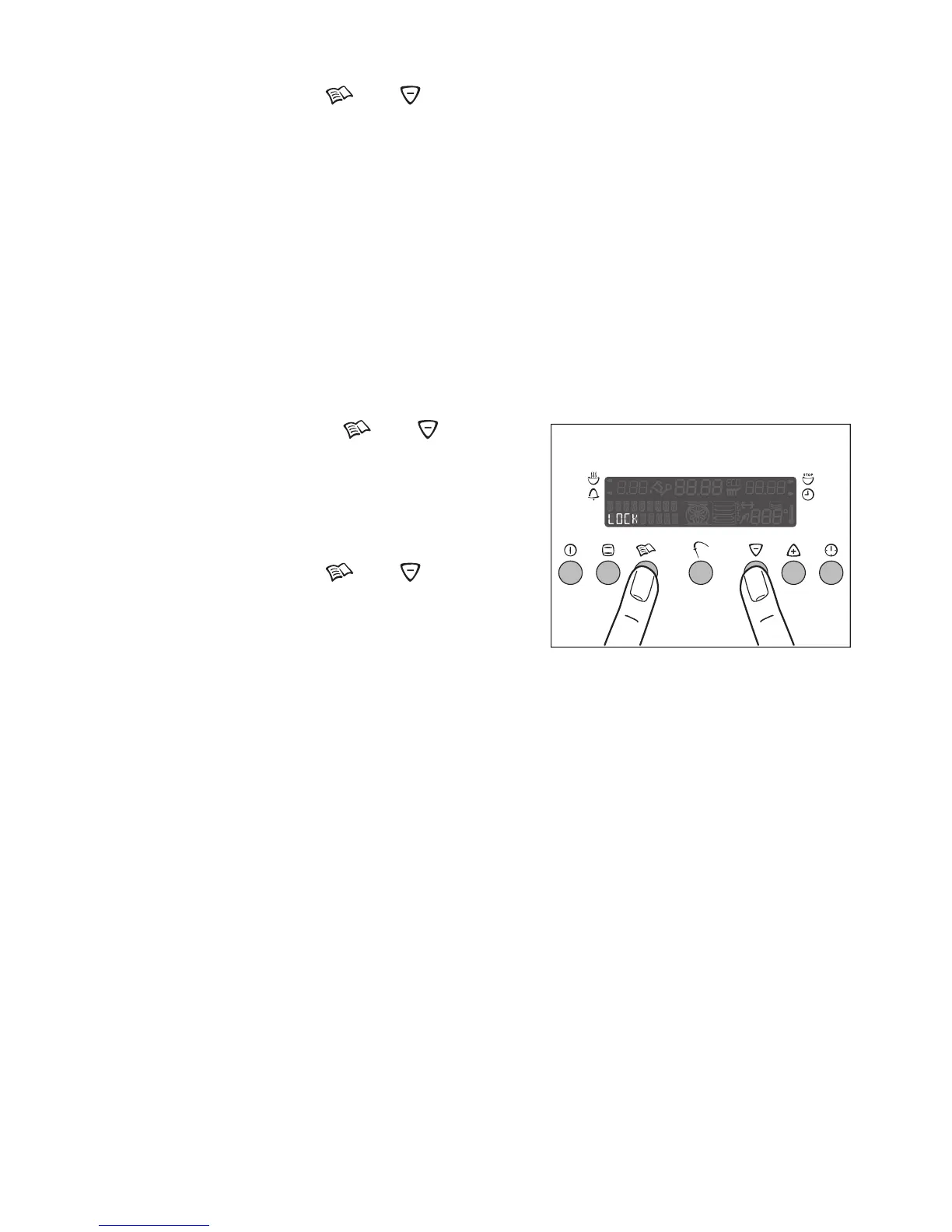
Engaging the Control Panel Lock
1. If necessary, switch on the appliance by pressing the main Power button.
2. Select an oven function.
3. Press the Recipes and buttons
at the same time for about 2 seconds,
until the LOCK indication appears.
The Control Panel Lock is now engaged.
Press the Recipes and buttons at
the same time for about 2 seconds.
The Control Panel Lock will be released
automatically, when the appliance is
switched off.
The oven's safety cut-out function
3 The oven automatically switches itself off if it is not switched off after a cer-
tain period of time or if the temperature is not adjusted.
The last temperature to have been set flashes in the temperature display
and a signal sounds.
The oven switches itself off at a temperature of:
Operating the oven following the safety cut-out
Switch the oven off completely.
After this has been done, the oven can be operated again.
Releasing the Control Panel Lock
30 - 120 °C after 12.5 hours
120 - 200 °C after 8.5 hours
200 - 250 °C after 5.5 hours
250 - 280 °C after 1.5 hours







 To Next Page