
 Need help?
Do you have a question about the Electrolux EUROFLEC and is the answer not in the manual?
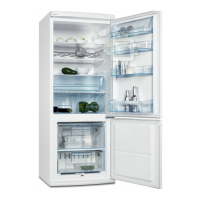
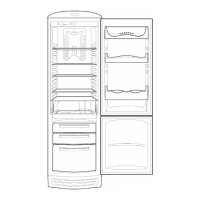
Detailed presentation of the EUROFLEC appliance and its features.
Explanation of the total no-frost system used in EUROFLEC appliances.
Table detailing dimensions and gross volumes for various EUROFLEC models.
Key technical data including performance, energy, climate class, and components.
Shows the functional diagram of the EUROFLEC control system with inputs and outputs.
Illustrates and labels the primary components of the EUROFLEC appliance.
Details the User Interface Board (UIB), its placement, and functions.
Explains the Main Board (MB), its microprocessor, power supply, and triacs.
Describes the location and connection points for sensors and switches within the freezer.
Information about the evaporator and condenser fans and their operation.
Explains how the fans operate when the appliance doors are closed.
Details fan operation when doors are opened while the compressor is running.
Details fan operation when doors are opened while the compressor is off.
Describes the two defrosting heaters and their function.
Explains the NTC sensors, their locations, and resistance values.
Details the thermal cut-outs that protect against overheating.
Mentions the types of lighting used in the freezer compartment.
Description of the evaporator located in the freezer compartment.
Description of the ventilated condenser at the base of the appliance.
Explains how the flap-operated thermostat controls refrigerator compartment airflow.
Describes normal cycles controlled by NTC sensors and the flap-thermostat.
Details the adaptive defrosting cycle, its durations, and safety cut-outs.
Instructions for powering the appliance on and off, including delay overrides.
Explains the door open alarm, its activation, and deactivation.
Describes the temperature alarm activation and reset procedures.
Details the rapid freezing function, its duration, and automatic deactivation.
How the appliance indicates NTC sensor failures via LED blinking.
Instructions on how to select and exit service mode for testing.
Explains how faults are signaled via LEDs when in service mode.
How to activate individual appliance loads (compressor, fans, heaters) for testing.
Methods to check the functionality of refrigerator and freezer door switches.
Steps to exit service mode and return to normal operation.
Explanation of the "days counter" function and how to use it.
Instructions for activating Demo Mode on the control panel.
Details the functions demonstrated in Demo Mode, including alarms.
Instructions for exiting Demo Mode and returning to normal operation.
Steps to remove panels and access components within the refrigerator compartment.
Procedures for accessing and removing the Displaying board (UIB).
Steps to remove panels and access components within the freezer compartment.
Instructions on how to remove the glass shelves from the appliance.
How to remove the air inlets from the appliance.
Steps for accessing and removing the Main Board (MB).
 General
| Color | White |
|---|---|
| Refrigerator Capacity | 220 liters |
| Number of Shelves | 4 |
| Number of Door Bins | 3 |
| Type | Freestanding |



 To Next Page