SOI/DT 2007-02 dmm 23/56 599 38 60-23
7.2.1 Displaying the alarm
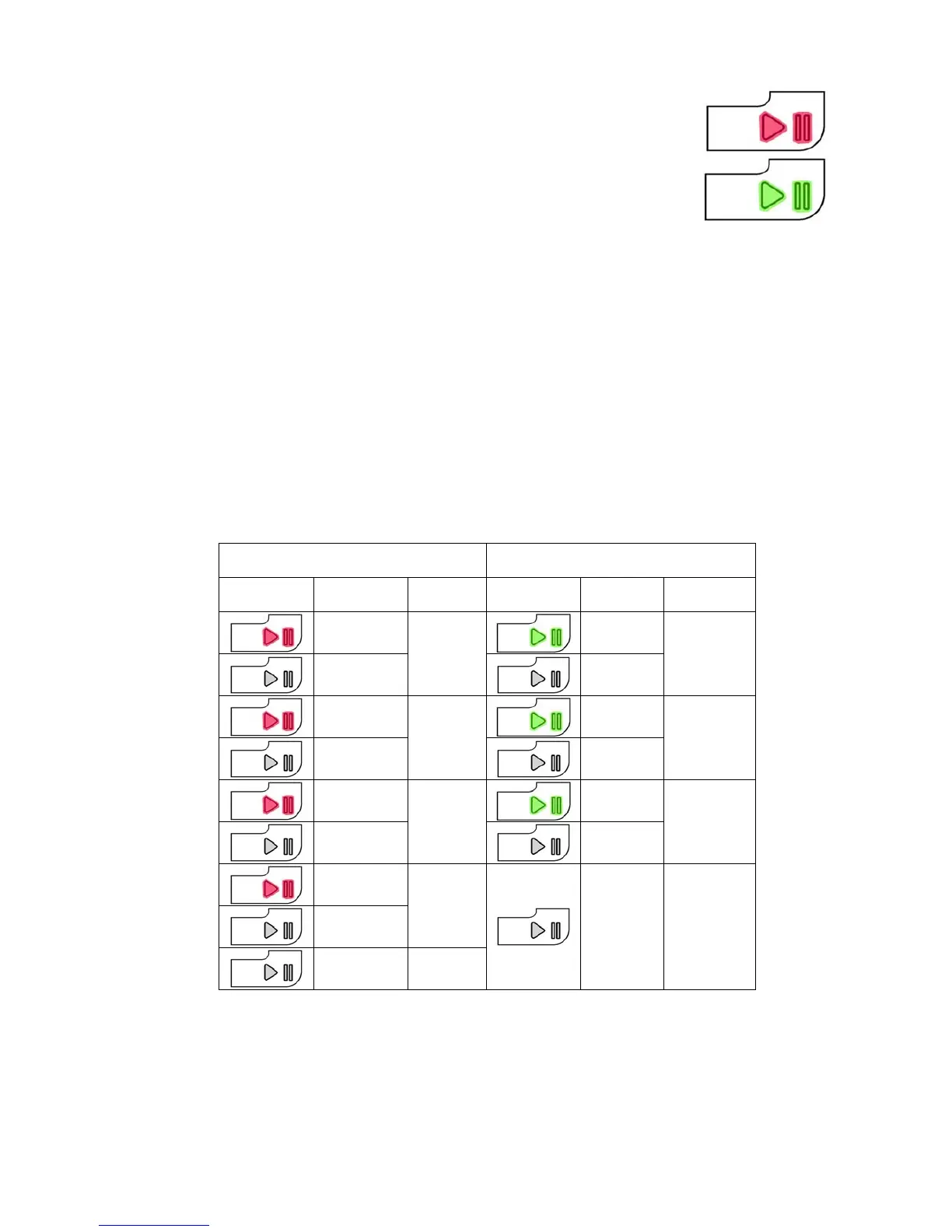
The alarm is displayed by a repeated flashing sequence of the START / PAUSE
button with red and green light (0,5 seconds on, 0,5 seconds off with a 2,5 second
pause between the sequences).
• button indicator START / PAUSE with red light → indicates the first digit of the
alarm code (family)
• button indicator START / PAUSE with green light → indicates the second digit of
the alarm code (internal number of the family)
These two LEDs are featured in all models.
Notes:
• The first letter of the alarm code “E” (Error) is not displayed, since this letter is common to all alarm codes.
• The alarm code “families” are shown in hexadecimal; in other words:
→ A is represented by 10 flashes
→ B is represented by 11 flashes
→ ...
→ F is represented by 15 flashes
• Configuration errors are shown by the flashing of all the LEDs (user interface not configured).
7.2.2 Examples of alarm display
Example: Alarm E43 (problems with the door interlock Triac) will display the following:
• the sequence of four flashes of the START / PAUSE button with red light, indicates the first number E
43;
• the sequence of three flashes of the START / PAUSE button with green light, indicates the second number
E4
3;
7.2.3 Operation of alarms during diagnostics
All alarms are enabled during the components diagnostics phase.
START / PAUSE button with red
light
START / PAUSE button with green
light
ON / OFF Time (Sec.)
ON /
OFF
Time (Sec.) ON / OFF
Time
(Sec.)
0.5
0.5
0.5
1
0.5
1
0.5
0.5
0.5
2
0.5
2
0.5
0.5
0.5
3
0.5
3
0.5
0.5
4
1.5 Pause
2.5 Pause



 To Next Page