5. THE FUNCTION OF CONTROL PANEL (CONT’D)
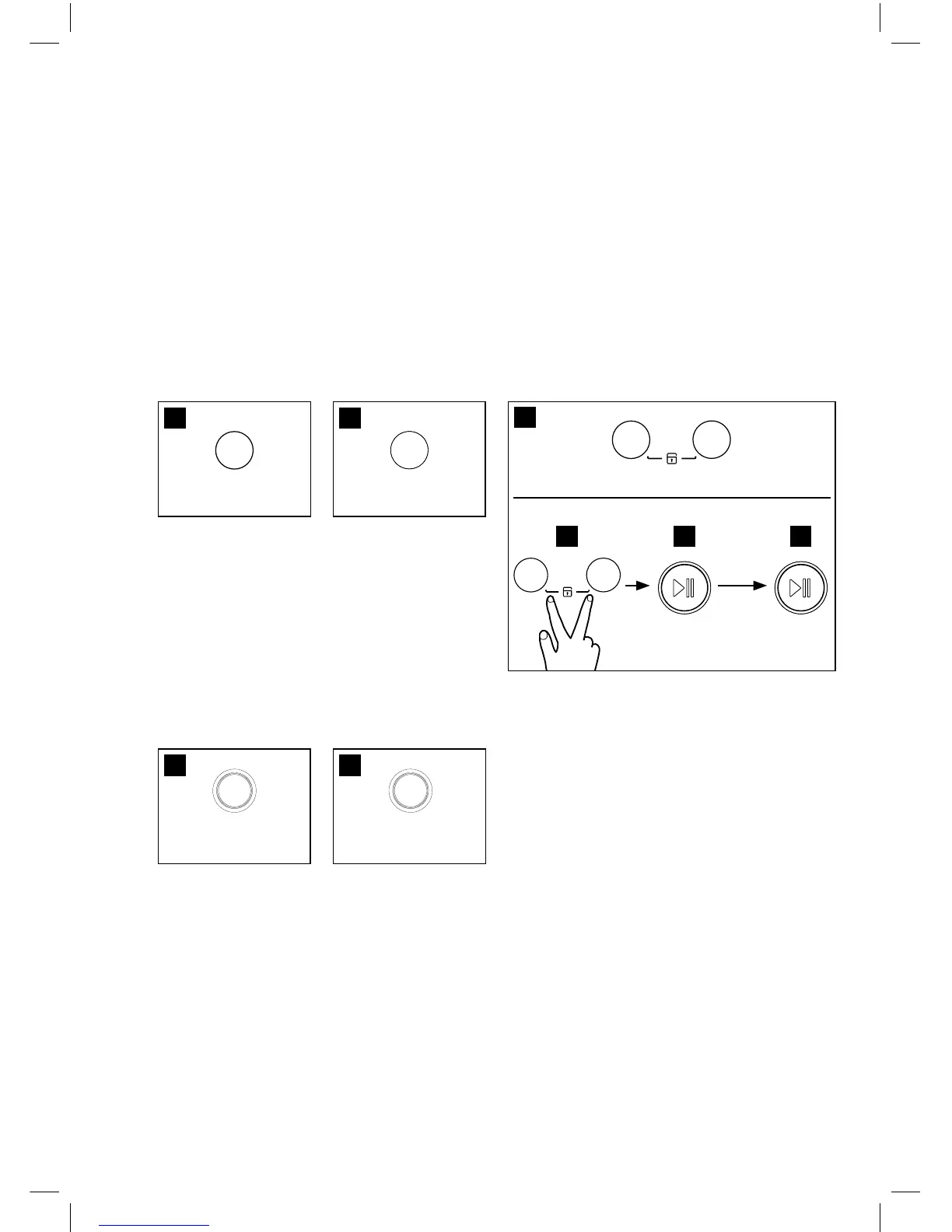
8. You can select the
spin speed you want
and each lamp is
turned on when that
course is selected.
9. You can select the
dry condition you
want and each lamp
is turned on when that
course is selected.
11. It can be used to
pre-engage time for
wash from 2 hours to
12 hours.
12. If you want to open
Door intentionally
during operation,
press the ‘Start/
Pause’
button and press
again ‘unlock’ button.
In this case, signal
will be appeared on
display, then you can
open Door after inside
the tub cools down
And water drain out.
.
8 9
11 12
10. Use this function when you want to protect
any accident occurring from handling of washer
by a child. During an operation of washer, press
‘SPIN’ and ‘DRY’ buttons simultaneously during
3 second. If this mode is set successfully, CHL
and remain time will be showen on display
alternately. In Child Lock mode, no button
functions except Power button.
And if you want to release this mode, press
‘SPIN’ and ‘DRY’ buttons simultaneously again
during 3 second.
If you want to change to the desire program,
while this mode is working;
A. Press ‘SPIN’ and ‘DRY’ buttons
simultaneously again during 3 second.
B. Press the ‘Start/Pause’ button.
C. Select the desired program and press the
‘Start/Pause’ buttom again.
* The Child Lock is cancelled after power is off.
10
Change
the
desired
program
A B C




 To Next Page