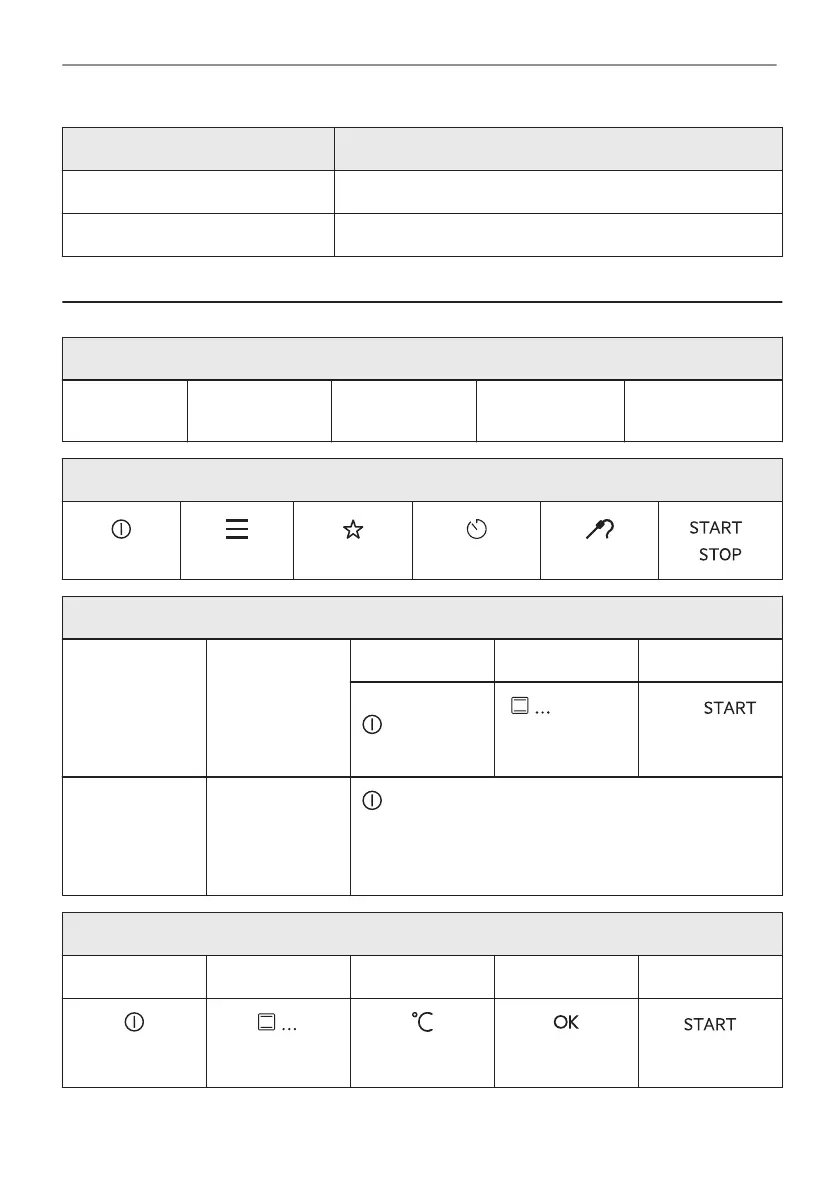
Submenu Description
Software version Information about software version.
Reset all settings Restores factory settings.
16. IT'S EASY!
Before first use you have to set:
Language
Display bright‐
ness
Key tones Buzzer volume Time of day
Familiarize yourself with the basic icons on the control panel and the display:
ON / OFF Menu Favourites
Timer
Food sensor
/
Start using the oven
Quick start Turn on the
oven and start
cooking with the
default tempera‐
ture and time of
the function.
Step 1 Step 2 Step 3
Press and hold:
.
- select
the preferred
function.
Press: .
Quick Off Turn off the
oven, any
screen or mes‐
sage at any
time.
- press and hold until the oven turns off.
Start cooking
Step 1 Step 2 Step 3 Step 4 Step 5
- press to turn
on the oven.
- select the heat‐
ing function.
- set the temper‐
ature.
- press to con‐
firm.
- press to start
cooking.
43/192
IT'S EASY!





 To Next Page