1
2
5
4
3
STATISTICS
RUN HOUR
00000
BACK=PRESS KNOB
STATISTICS
TRIP RUN HOURS
00000
BACK=PRESS KNOB
SERVICE HOURS COUNT
0
BACK=PRESS KNOB
STATISTICS
MENU 3-1
RUN HOURS
PAYMENT SETTING
ERROR LOG
EXIT
MAIN MENU
MENU 3
STATISTICS
CONFIG 1
CONFIG 2
COIN VALUE
ADJUST DISPLAY
Periodic maintenance
Service
manual
24
STATISTICS
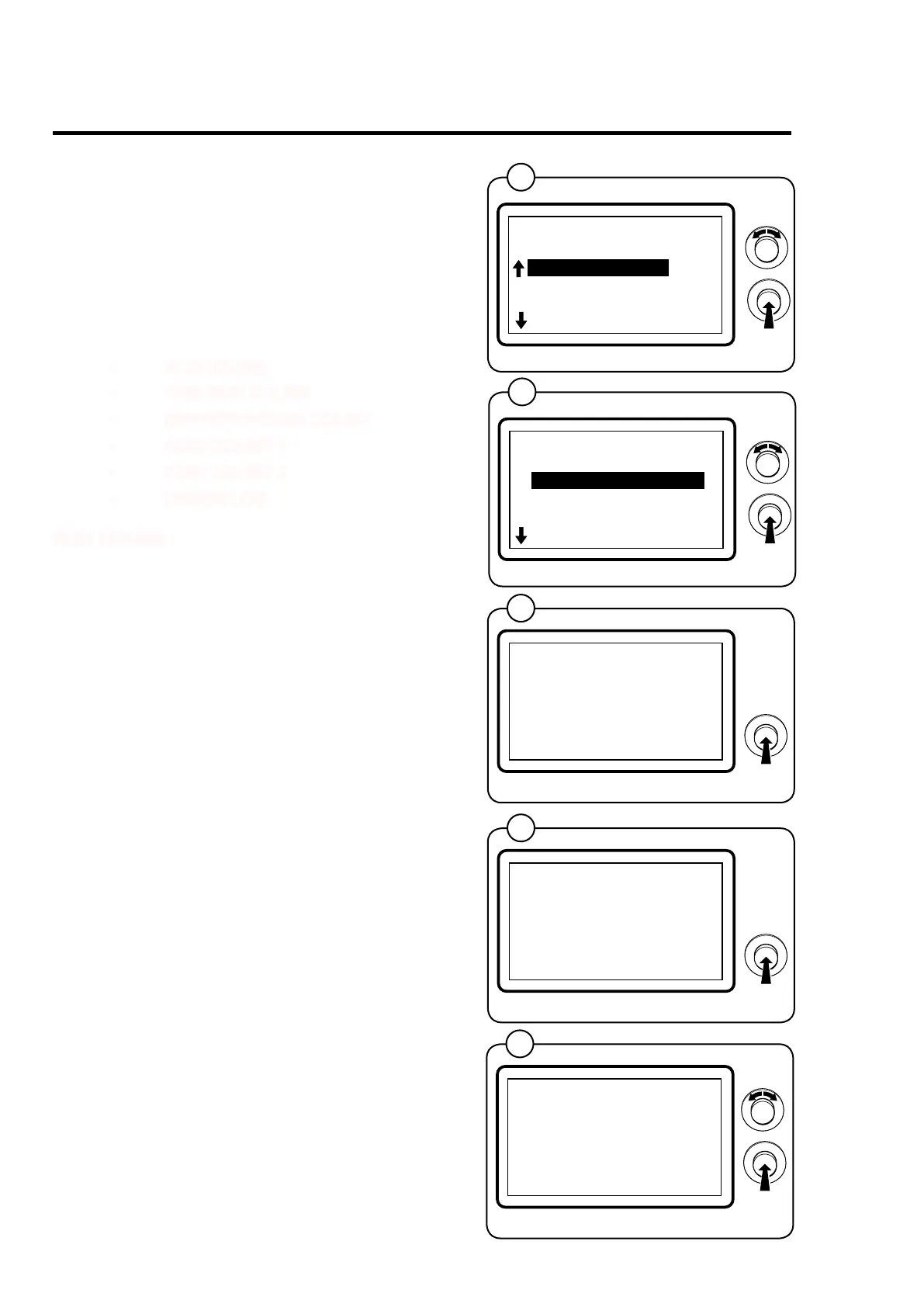
This menu contains information on running time,
payment, settings and error codes, g. 1.
Select the STATISTICS row and press the knob.
The display will now show a number of sub-
menus containing the available statistics. Select
the desired menu and press the knob, g. 2.
• RUN HOURS
• TRIP RUN HOURS
• SERVICE HOURS COUNT
• COIN COUNT 1
• COIN COUNT 2
• ERROR LOG
RUN HOURS
Species the total running hours, in hours, since
the machine was installed and used for the rst
time, g. 3.
TRIP RUN HOURS
Species the total running hours , in hours, since
the running hours were last reset, g. 4.
SERVICE HOURS COUNT
Can be set for a number of hours to the next
service interval. Conrm by pressing the knob,
g. 5.



 To Next Page