EasyManua.ls Logo

Electrolux TE1120 - User Manual

Electrolux TE1120
28 pages
Print Icon
To Next Page IconTo Next Page
Loading...
User manual
Tumble dryer
TE1120
Original instructions
136936910/EN
2021.09.27
Question and Answer IconNeed help?

Do you have a question about the Electrolux TE1120 and is the answer not in the manual?

Summary

Safety Precautions

General Safety Information

Key safety guidelines and appliance usage advice for general operation.

Commercial Use

Specifies the intended commercial and industrial application of the machine.

Copyright Notice

Outlines the manual's usage restrictions and ownership information.

Safety Symbols Explained

Explains the meaning of various warning and informational symbols used in the manual.

Warranty Terms and Exclusions

Product Description and Components

Accessories

Stacking Kit

Information on the accessory for stacking the dryer with a washing machine.

Draining Kit

Details on the accessory for automatic water drainage.

Pedestal with Drawer

Describes the pedestal accessory for raising the appliance and storage.

Coin Operated Machine Setup

Control Panel Overview

Display Symbols and Indicators

Explains the various symbols and indicators shown on the appliance's display.

Coin Operated Machine Operation

Drying Programs and Options

Automatic and Time Programs

Describes the available automatic and time-based drying programs.

Drying Program Options

Details the available options that can modify program settings.

Time Program Adjustment

Before First Use

Daily Operation Guide

Preparing Laundry for Drying

Steps and tips for preparing clothes before placing them in the dryer.

Loading the Laundry

Instructions on how to correctly load the laundry into the drum.

Turning On the Appliance

How to power on the tumble dryer and check its status.

Auto Off Function

Explanation of the automatic power-off feature to save energy.

Setting and Starting Programs

Guide to selecting, starting, and changing drying programs and options.

Program End and Laundry Removal

Information on program completion, notifications, and removing laundry.

Hints and Tips for Use

Ecological Drying Tips

Advice on efficient and environmentally friendly drying practices.

Adjusting Laundry Moisture Degree

How to customize the final moisture level of the dried laundry.

Deactivating Reservoir Indicator

Instructions to disable the water container full indicator.

Care and Cleaning

Cleaning the Filter

Step-by-step guide to cleaning the lint filter for optimal performance.

Emptying the Water Container

How to empty the condensed water container after each drying cycle.

Cleaning the Condenser

Detailed instructions for cleaning the condenser unit and its compartment.

Cleaning the Drum

How to clean the interior of the dryer drum safely.

Cleaning Control Panel and Housing

Guidance on cleaning the exterior surfaces and control interface.

Cleaning Airflow Slots

Instructions for removing lint from the appliance's airflow slots.

Troubleshooting Common Issues

Technical Specifications

Technical Data - 230 V

Electrical and physical specifications for the 230V version of the appliance.

Technical Data - 230-240 V

Electrical and physical specifications for the 230-240V version of the appliance.

Disposal Information

Appliance Disposal at End of Life

Guidelines for environmentally responsible disposal of the appliance.

Packing Disposal

Instructions for disposing of the product's packaging materials.

Summary

Safety Precautions

General Safety Information

Key safety guidelines and appliance usage advice for general operation.

Commercial Use

Specifies the intended commercial and industrial application of the machine.

Copyright Notice

Outlines the manual's usage restrictions and ownership information.

Safety Symbols Explained

Explains the meaning of various warning and informational symbols used in the manual.

Warranty Terms and Exclusions

Product Description and Components

Accessories

Stacking Kit

Information on the accessory for stacking the dryer with a washing machine.

Draining Kit

Details on the accessory for automatic water drainage.

Pedestal with Drawer

Describes the pedestal accessory for raising the appliance and storage.

Coin Operated Machine Setup

Control Panel Overview

Display Symbols and Indicators

Explains the various symbols and indicators shown on the appliance's display.

Coin Operated Machine Operation

Drying Programs and Options

Automatic and Time Programs

Describes the available automatic and time-based drying programs.

Drying Program Options

Details the available options that can modify program settings.

Time Program Adjustment

Before First Use

Daily Operation Guide

Preparing Laundry for Drying

Steps and tips for preparing clothes before placing them in the dryer.

Loading the Laundry

Instructions on how to correctly load the laundry into the drum.

Turning On the Appliance

How to power on the tumble dryer and check its status.

Auto Off Function

Explanation of the automatic power-off feature to save energy.

Setting and Starting Programs

Guide to selecting, starting, and changing drying programs and options.

Program End and Laundry Removal

Information on program completion, notifications, and removing laundry.

Hints and Tips for Use

Ecological Drying Tips

Advice on efficient and environmentally friendly drying practices.

Adjusting Laundry Moisture Degree

How to customize the final moisture level of the dried laundry.

Deactivating Reservoir Indicator

Instructions to disable the water container full indicator.

Care and Cleaning

Cleaning the Filter

Step-by-step guide to cleaning the lint filter for optimal performance.

Emptying the Water Container

How to empty the condensed water container after each drying cycle.

Cleaning the Condenser

Detailed instructions for cleaning the condenser unit and its compartment.

Cleaning the Drum

How to clean the interior of the dryer drum safely.

Cleaning Control Panel and Housing

Guidance on cleaning the exterior surfaces and control interface.

Cleaning Airflow Slots

Instructions for removing lint from the appliance's airflow slots.

Troubleshooting Common Issues

Technical Specifications

Technical Data - 230 V

Electrical and physical specifications for the 230V version of the appliance.

Technical Data - 230-240 V

Electrical and physical specifications for the 230-240V version of the appliance.

Disposal Information

Appliance Disposal at End of Life

Guidelines for environmentally responsible disposal of the appliance.

Packing Disposal

Instructions for disposing of the product's packaging materials.

Overview

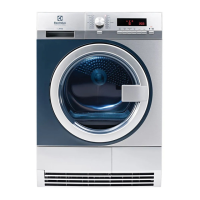
This document serves as a user manual for the Electrolux Professional TE1120 Tumble Dryer, providing comprehensive instructions for its operation, maintenance, and safety.

The TE1120 Tumble Dryer is designed for commercial and industrial use, offering efficient drying of various fabric types. It features both automatic and time-based drying programs. Automatic programs utilize moisture detection to stop when the desired dryness level is achieved, while time programs run for a preset or selected duration. The appliance supports a maximum dry cloth load of 8 kg.

Key usage features include:

  • Program Selection: Users can select programs using a program dial, with the display showing the cycle time or price to start.
  • Automatic Programs: These programs, such as "Cotton Eco," "Normal," and "Low," are designed for different fabric types (cotton, terry, synthetics) and dryness levels (extra dry, cupboard dry, iron dry). The "Cotton Eco" program is highlighted as the "Standard cotton program" for drying normal wet cotton laundry, optimized for energy consumption.
  • Time Programs: For cotton, terry, synthetics, and delicate fabrics, users can select specific drying times. An "Airing" program is also available for items like bedspreads and duvets.
  • Options: Several options enhance drying flexibility:
    • Half load (1/2): For drying smaller loads.
    • Extra dry: To achieve a higher level of dryness.
    • Cupboard dry: Ensures laundry is ready for storage.
    • Iron dry: Prepares laundry for ironing.
    • Care: Extends the anti-crease phase at the end of the cycle to 90 minutes, preventing creases. Laundry can be removed during this phase.
  • Time Adjustment: The "Time" option allows users to increase drying time in 5-minute steps.
  • Auto Off Function: To conserve energy, the appliance automatically turns off if the Start/Pause button is not pressed within 5 minutes or 5 minutes after a cycle ends.
  • Coin-Operated Machine Compatibility: The appliance can be connected to a coin-operated machine for use in public settings.
  • Adjustable Moisture Degree: Users can adjust the default remaining laundry moisture degree to suit their preferences.
  • Reversible Door: The appliance door can be reversed for easier loading and installation.
  • Accessories: The dryer supports various accessories, including a stacking kit for pairing with washing machines, a draining kit for automatic condensate drainage, and a pedestal with a drawer for ergonomic loading and storage.

Maintenance features are crucial for optimal performance and longevity:

  • Filter Cleaning: The filter must be cleaned after each drying cycle. A "Filter" symbol on the display indicates when cleaning is needed or if the filter is missing. Regular cleaning prevents clogged filters, which can lead to longer cycles and increased energy consumption. Users are advised to clean the filter by hand or with a vacuum cleaner, avoiding water.
  • Water Container Emptying: The condensed water container should be emptied after each drying cycle. If the container is full, the program automatically stops, and a "Reservoir" symbol appears on the display. If a draining kit is installed, the container drains automatically, and the indicator can be permanently deactivated.
  • Condenser Cleaning: If the "Condenser" symbol flashes, the condenser and its compartment need cleaning. This involves opening the condenser door, unlocking the cover, pulling out the condenser, and rinsing it with a hand shower over a basin.
  • Drum Cleaning: The drum's inner surface and lifters should be cleaned with a standard neutral soap detergent and a soft cloth. Abrasive materials or steel wool should not be used.
  • Control Panel and Housing Cleaning: The control panel and housing can be cleaned with a moist cloth and a standard neutral soap detergent, then dried with a soft cloth. Furniture cleaning agents or corrosive cleaning agents should be avoided.
  • Airflow Slots Cleaning: A vacuum cleaner should be used to remove fluff from the airflow slots.

Before first use, it is recommended to clean the drum with a moist cloth and run a short program with moist laundry. The manual also provides detailed troubleshooting steps for common issues, such as the dryer not operating, unsatisfactory drying results, and error messages, guiding users on how to resolve them or when to contact a service center.

Electrolux TE1120 Specifications

General IconGeneral
Dryer typeVented
Noise Level65 dB
ColorWhite
Loading typeFront load
Dimensions (H x W x D)85 cm x 60 cm x 56 cm

Related product manuals