User manual
11
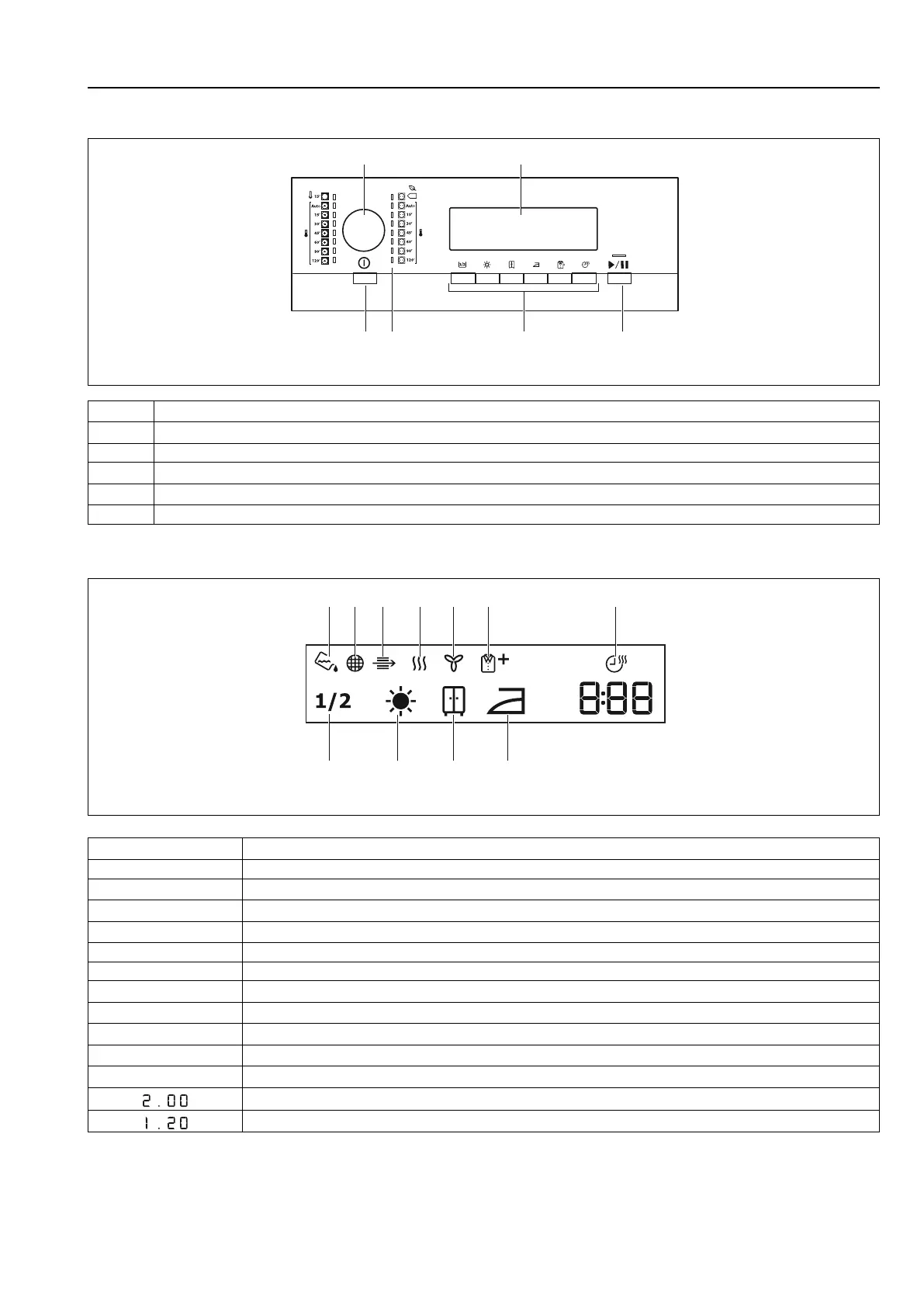
5 Control panel
fig.X02194
1 Program dial
2 Display
3 Start/Pause button
4 Options buttons
5 Program indicators
6 ON/OFF button with the Auto Off function
5.1 Display
fig.X02195
Symbol on the display Symbol description
1 Half load
2 Dryness - extra dry
3 Dryness - cupboard dry
4 Dryness - iron dry
5 Indicator: drain the water container
6 Indicator: clean filter
7
Indicator: do the check of the heat exchanger
8 Indicator: drying phase
9 Indicator: cooling phase
10 Indicator: crease guard phase
11 Time dry option on
Cycle time indication
Time selection (5 min. steps)


 To Next Page