Installation manual
19
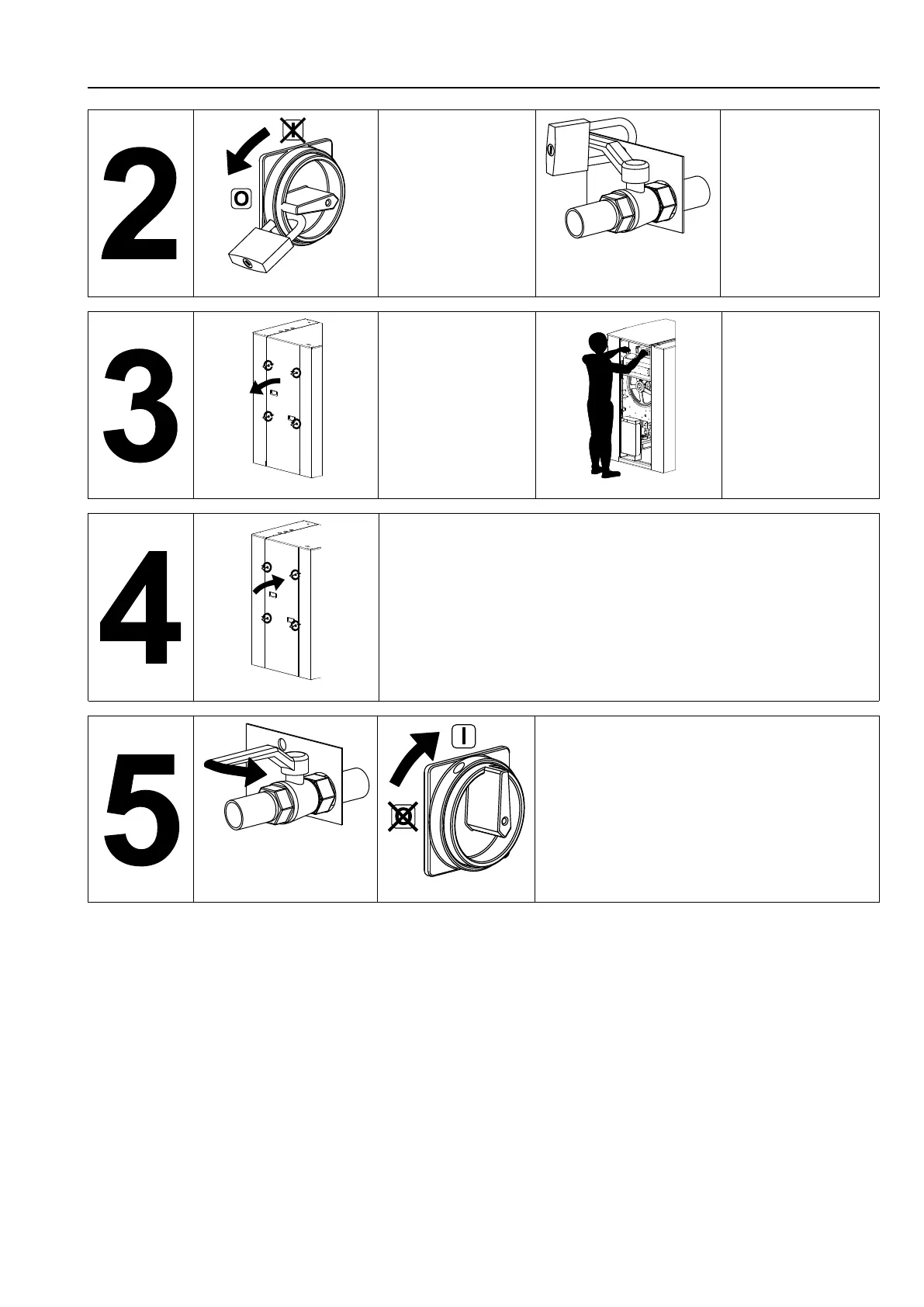
Put the main switch to Off
and lock the handle with a
padlock in one of the
three holes provided for
this purpose.
Close the stop valves for
the other supplies (steam,
gas, thermal fluid, com-
pressed air) to stop and
lock their handle with a
padlock.
Open the fixed protectors
(casings, doors) with the
key provided or a special
tool.
Do the maintenance.
Close and carefully lock the fixed protectors.
Unlock the stop valves and the main switch.



 To Next Page