1
2
3
1
56
78
9
0
0107 55
11
Notice
Date
Page
01201138
INSTRUCTION
HANDBOOK
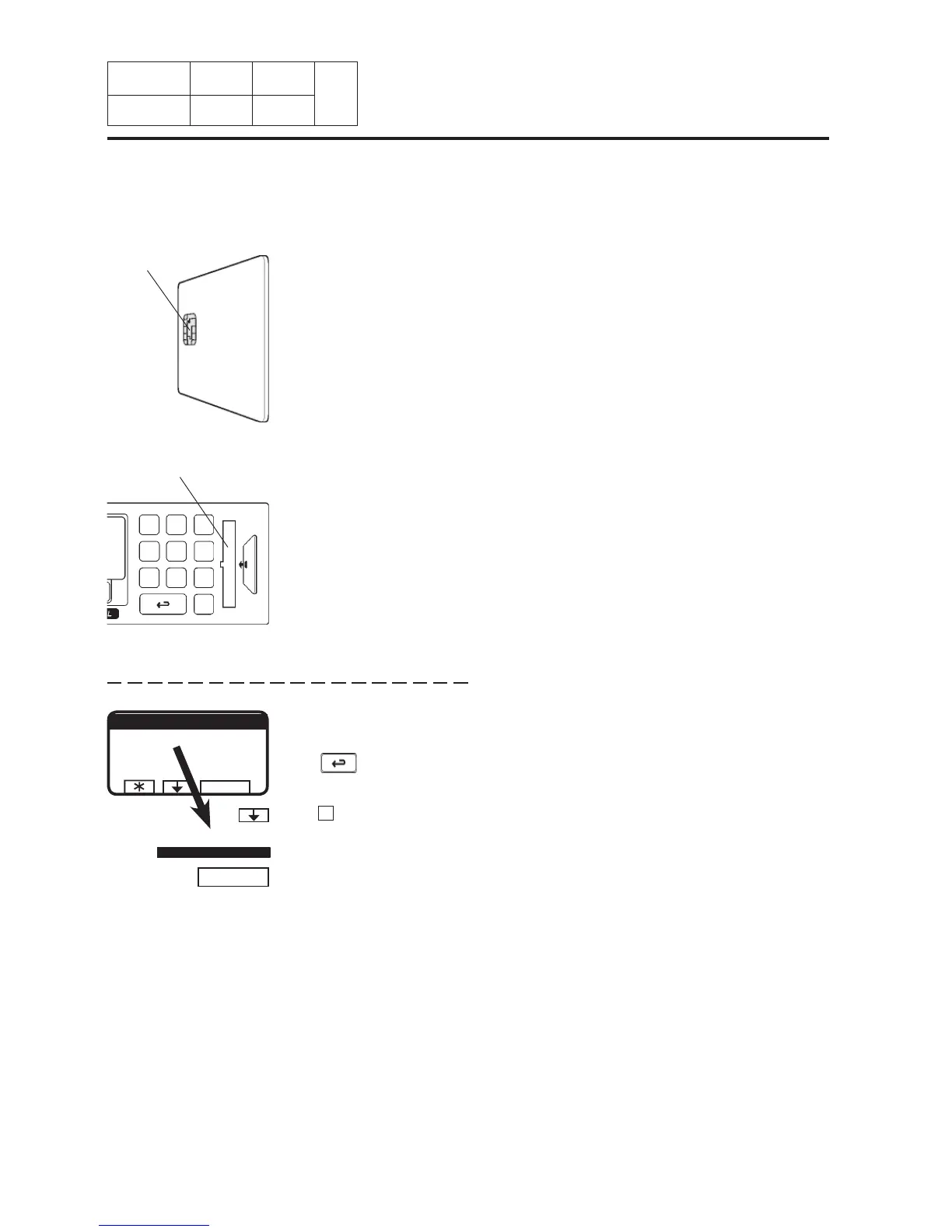
If this menu is not currently
displayed :
Press repeatedly.
Card reader
Turn the memory card so
its memory chip is at the
far end, and on the left of
the card...
...then insert the memory
card into the program
control unit.
To select the « Memory card » function
Memory chip
Press to highlight « GO TO
THE MENU ».
11. Machine
operation
Press SELECT.
SELECT
RUN A WASH PROGRAM
MAKE YOUR CHOICE WITH
OR AND PRESS SELECT
WEIGHT, KG 000,0
SELECT
GO TO THE MENU
RUN A WASH PROGRAM
GO TO THE MENU








 To Next Page