1
2
3
4
5
6
7
8
9
0
0107 13
11
Notice
Date
Page
01201138
INSTRUCTION
HANDBOOK
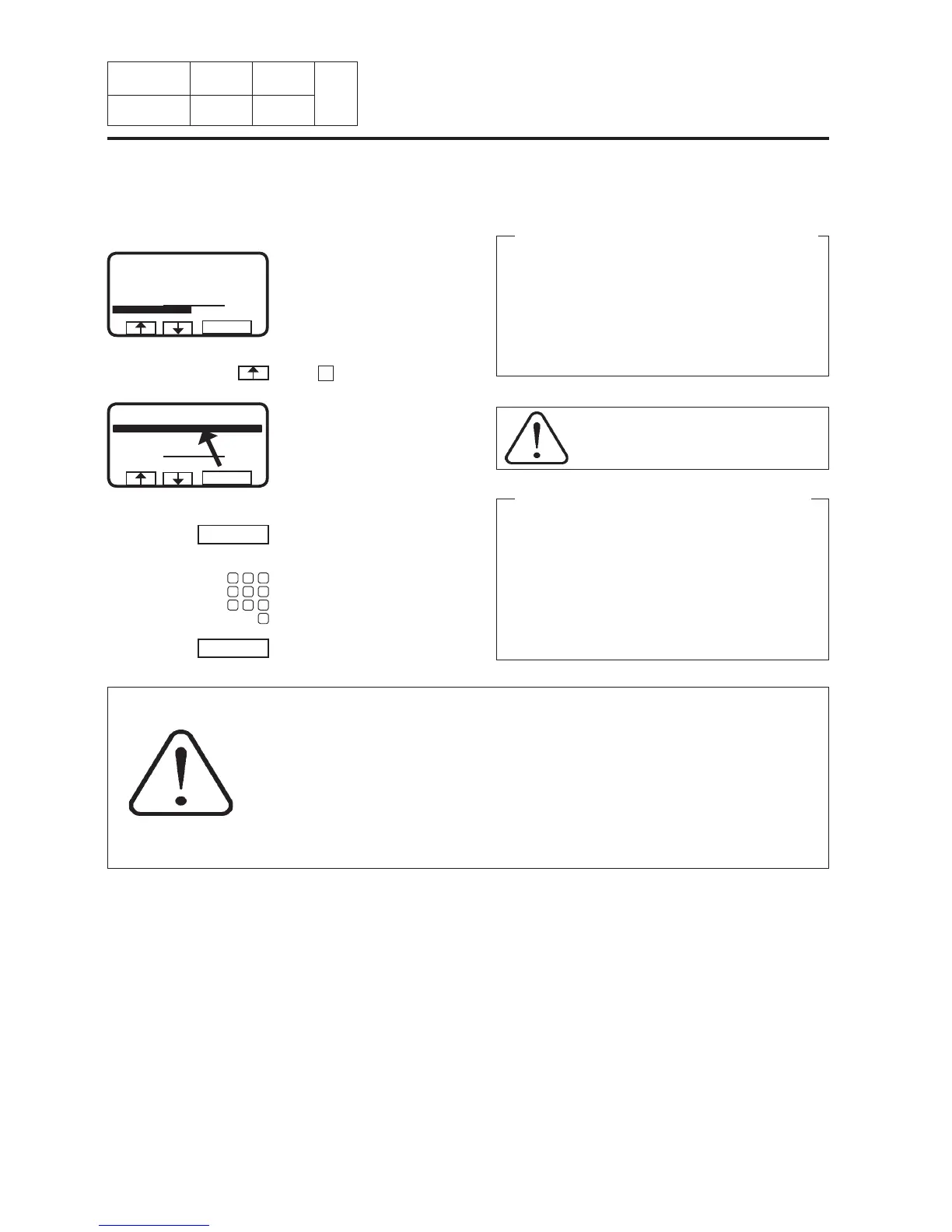
To change parameters in the current program step
During program operation the
display will look like this (see
section « To start the wash pro-
gram »).
You can alter the following parameters :
Prewash, Main wash, Rinse, Drain, Soak, Rinse
repeat
Length of program step (max. 9998 seconds), heat-
ing temperature (max. 97°C (205°F)).
Extract
Length of program step (max. 3600 seconds), ex-
traction speed.
Use the numeric keys to enter
the ew parameter.
Press SELECT.
Press SELECT.
Press
one or more times …
… to highlight the time re-
quired.
ATTENTION
Never program a temperature above
to 90°C (195°F).
WARNING
If you happen to make your own program, you must not input cold water in
the cage while this later has a washing bath at 85°C (185°F), with the cage
stopped. It is compulsory that the cage turns while letting in cold water.
A bad programming can, in this particular case, be the cause of the break-
age of the doors' windows.
11. Machine
operation
SELECT
PROGRAM STEP : MAIN WASH 1
STEP TIME : 720 SEC
SET TEMPERATURE : 85 °C
ACTUAL TEMPERATURE : 21 °C
REMAINING TIME : 70 MIN
DRUM SPEED : 1000 RPM
SELECT
991 NORMAL 95 °C STD
RAPID ADVANCE :
PAUSE
SELECT
PROGRAM STEP : MAIN WASH 1
STEP TIME : 720 SEC
SET TEMPERATURE : 85 °C
ACTUAL TEMPERATURE : 21 °C
REMAINING TIME : 70 MIN
DRUM SPEED : 1000 RPM
SELECT
991 NORMAL 95 °C STD
RAPID ADVANCE :
PAUSE
If you have entered the wrong parameter
Continue pressing numeric keys to overstrike the incor-
rect parameter.
Note : always use the same number of digits as used
on the display to overstrike the incorrect parameter.
Example :
To change the time for the program step to 30 sec-
onds, enter 030 to overstrike the earlier parameter.








 To Next Page