0107 10
11
Notice
Date
Page
01201138
INSTRUCTION
HANDBOOK
To start a wash program from the program library
Waht is the program library ?
The program library lists all wash programs, both user
and standard programs, showing their program num-
bers and a description, for example :
1 MY OWN 40°C (104°F)
2 MY OWN 60°C (140°F)
3 MY OWN 90°C (194°F)
991 NORMAL 95°C (203°F) STD
992 NORMAL 60°C (140°F) STD
993 NORMAL 40°C (104°F) STD
994 INTENSIVE 95°C (203°F)
995 INTENSIVE 60°C (104°F)
996 PERM. PRESS 60°C (140°F)
997 PERM. PRESS 40°C (104°F)
998 LOW EXTRACT 1 MIN
999 HIGH EXTRACT 5 MIN
Each time a new program is stored in the machine
program memory, its number and description will be
inserted automatically into the program library.
The program library may be used for starting a wash
program, but is also used in programming, when a
wash program needs to be modifi ed or if a new pro-
gram is to be created on the basis of an existing one.
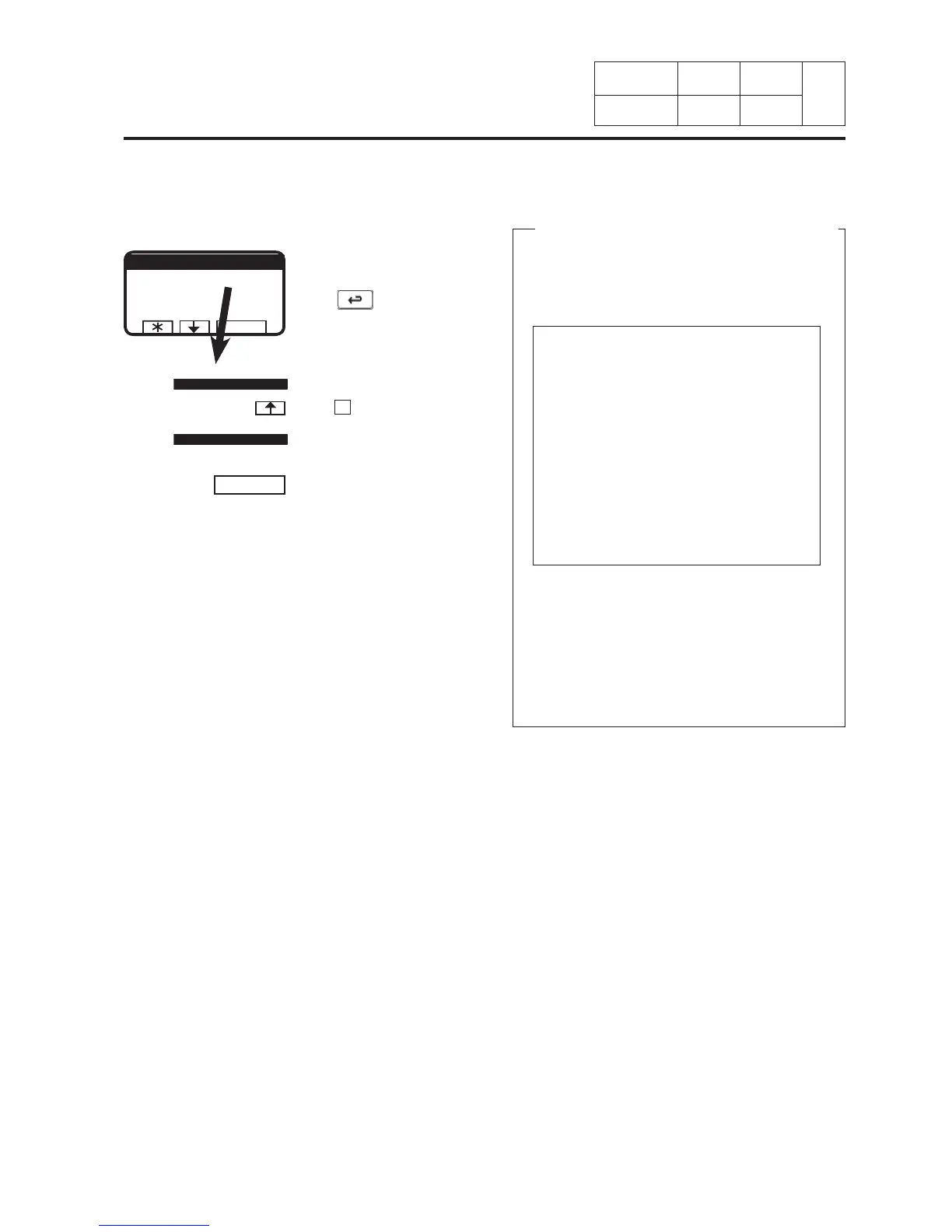
If this menu is not currently
display :
Press
reapetedly.
When « RUN A WASH
PROGRAM » is highlighted :
Press SELECT.
If « GO TO THE MENU » is
highlighted :
Press
.
11. Machine
operation
SELECT
MAKE YOUR CHOICE WITH
OR AND PRESS SELECT
WEIGHT, KG 000,0
SELECT
GO TO THE MENU
RUN A WASH PROGRAM
GO TO THE MENU
RUN A WASH PROGRAM
GO TO THE MENU
RUN A WASH PROGRAM








 To Next Page