Appendix B: Transmitter Installation
iConnect
Installation Manual
104
Registration Procedure
The EL-4762 must identify itself to the iConnect
Control System as follows:
1. Set the system to registration mode.
• Go to the main menu and select [9]>[1]>[1] (Programming > Devices > Zones)
• Select a zone and press '√ʹ
2. Ensure that the detector power cable is plugged into the wall power outlet. (Wait 3 minutes for the power-on
process to complete)
3. Press the TEST button for 3 seconds to send a transmission. If the transmission is successfully received by the
system it will play a confirmation sound. If no confirmation sound is heard, repeat this step.
4. After the detector is successfully registered the display shows: Save? Press '
√ʹ to confirm.
5.
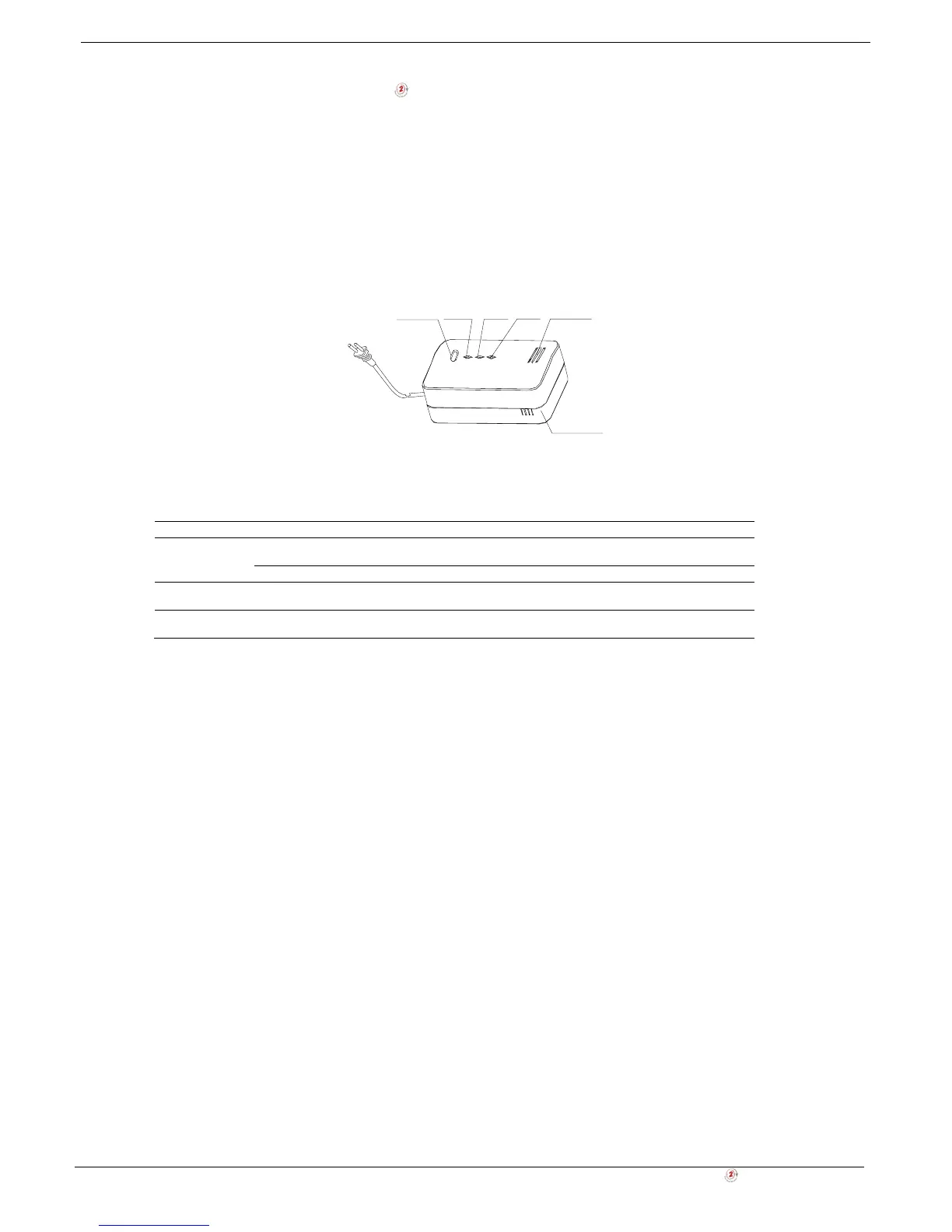
TEST/HUSH POWER SERVICE ALARM ALARM VENT
SENSOR VENT
Figure B- 43: Gas leak detector registration procedure
LED & Buzzer Indication
Table B-7: LED & Buzzer Indication (EL-4762)
LED LED Status Buzzer Meanin
Green (Power) Flashing (for 4
minutes)
Warm up (the status between Power -Up
and Normal operation)
On
Normal Condition (Power On)
RED (Alarm) Flashing Sequential Alarm
Sound
Alarm
Orange
(service)
On
Malfunction/ detector interruption
Testing the Detector
To test the detector (do not test when detector is at warm up mode), press the Test Button.
• The red and orange LED's will flash and a sound will be heard
Muting the Detector
You can partially mute the detector in an event of alarm by pressing the Test Button. The Red LED will continue to flash
and a short sound will be heard every 16 seconds.
Detector Malfunctioning
A malfunctioning unit is indicated by beep-sounding on and off sequentially, i.e., beeping for 3 seconds with 3 seconds
delay between two beeps. If this occurs, unplug the detector from the power source for 10 seconds and then plug the unit
again. Should the unit beep intermittently, DO NOT use this detector. Send the malfunctioning unit for servicing.
Taking Care of the Detector
You have to maintain the detector frequently to ensure it working properly. Few tips are provided for you to take care of
your detector:
1. Use a vacuum cleaner to clean the air vents occasionally to keep them free of dust.
2. Push the Test button on your detector to test its operating function once every week.



 To Next Page