7 Devices
iConnect
Installation Manual
37
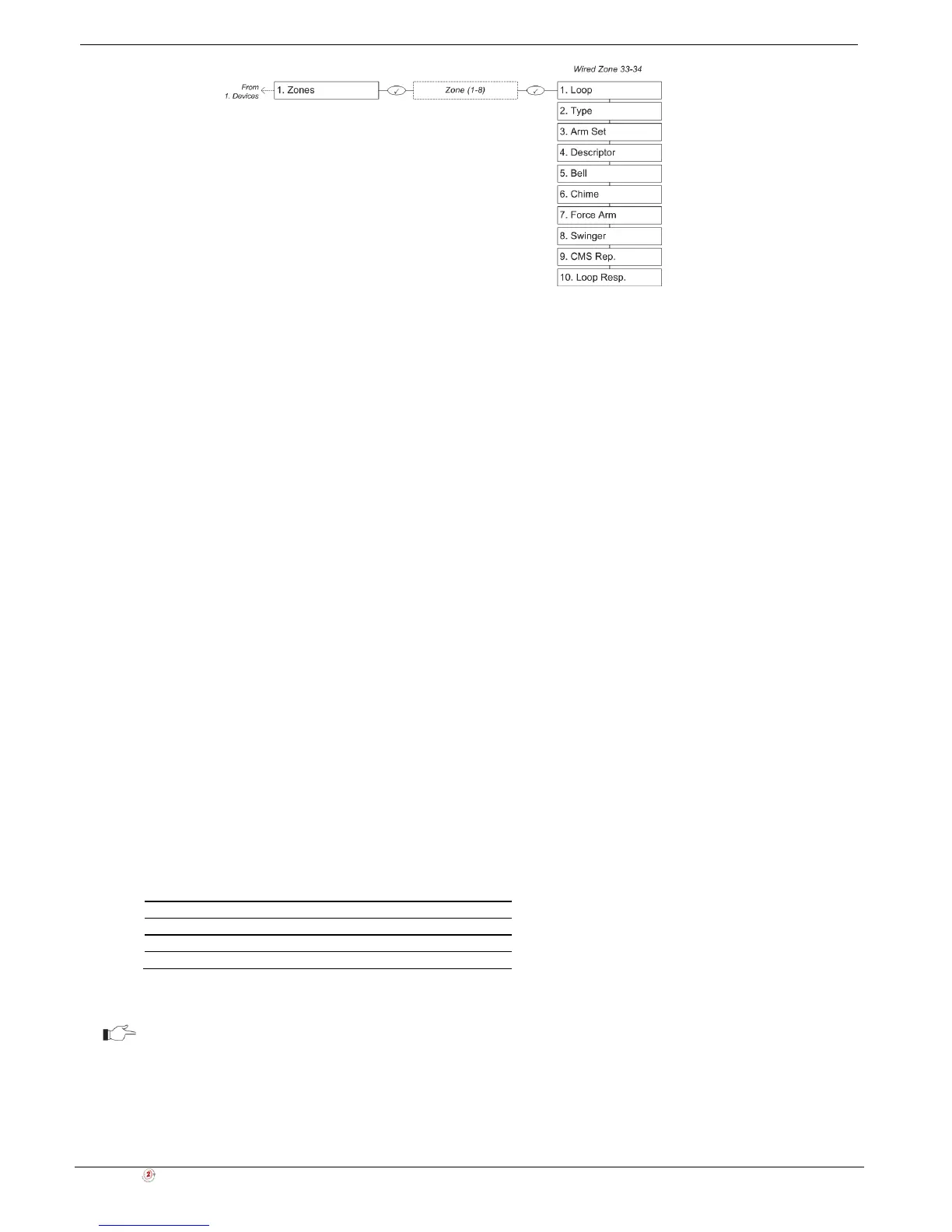
Figure 7-2: Wired Zone Menu
7.3.1. Zone Type
The zone type defines the type of alarm the system generates when the detector is tripped.
To program a zone type:
1. From the Programming menu, select Devices, Zones [911].
2. Select the detector you want to program.
3. From the detector’s sub-menu, select Zone Type [#02].
4. Select one of the following zone types:
• Normal
• Entry/Exit
• Follower
• Panic
• Medical
• Fire
• 24H
• 24Hr-X (future option)
• Gas
• Flood
• Environmental
• No Motion
• Arm/Disarm
• Crash and Smash
• Not Used
For a detailed explanation on the function of each zone type, see p. 133, Appendix E: Zone Types.
7.3.2. Arm Set
The Arm Set option allows you to define the arm methods in which the zone is included.
Each zone can be assigned to Full Arming and/or to Part and/or Perimeter Arming in any combination.
To program the Arm Set option:
1. From the Programming menu, select Devices, Zones [911].
2. Select the zone you want to program.
3. From the zone’s sub-menu, select Arm Set [#03]; the zone’s current Arm Set setting is displayed.
Table 7-1: Arm Set Options
Arm Set Description
1 (F) The zone is included in Full arming.
2 (P) The zone is included in Part arming.
3 (PE) The zone is included in Perimeter arming.
4. Use the keys 1, 2 and 3 to toggle the current setting.
It is not necessary to program this option for Panic, Medical, Emergency, Fire, 24Hr, Gas,
Flood and Environmental zones.
7.3.3. Descriptor
For information on device descriptor editing, see p. 35, 7.1 Device Descriptors.



 To Next Page