5 Record
• Recording with automatic and manual trigger
• Continuous recording
• Recording in preset time windows
5.1 Manual Trigger (Triggering recording by keystroke)
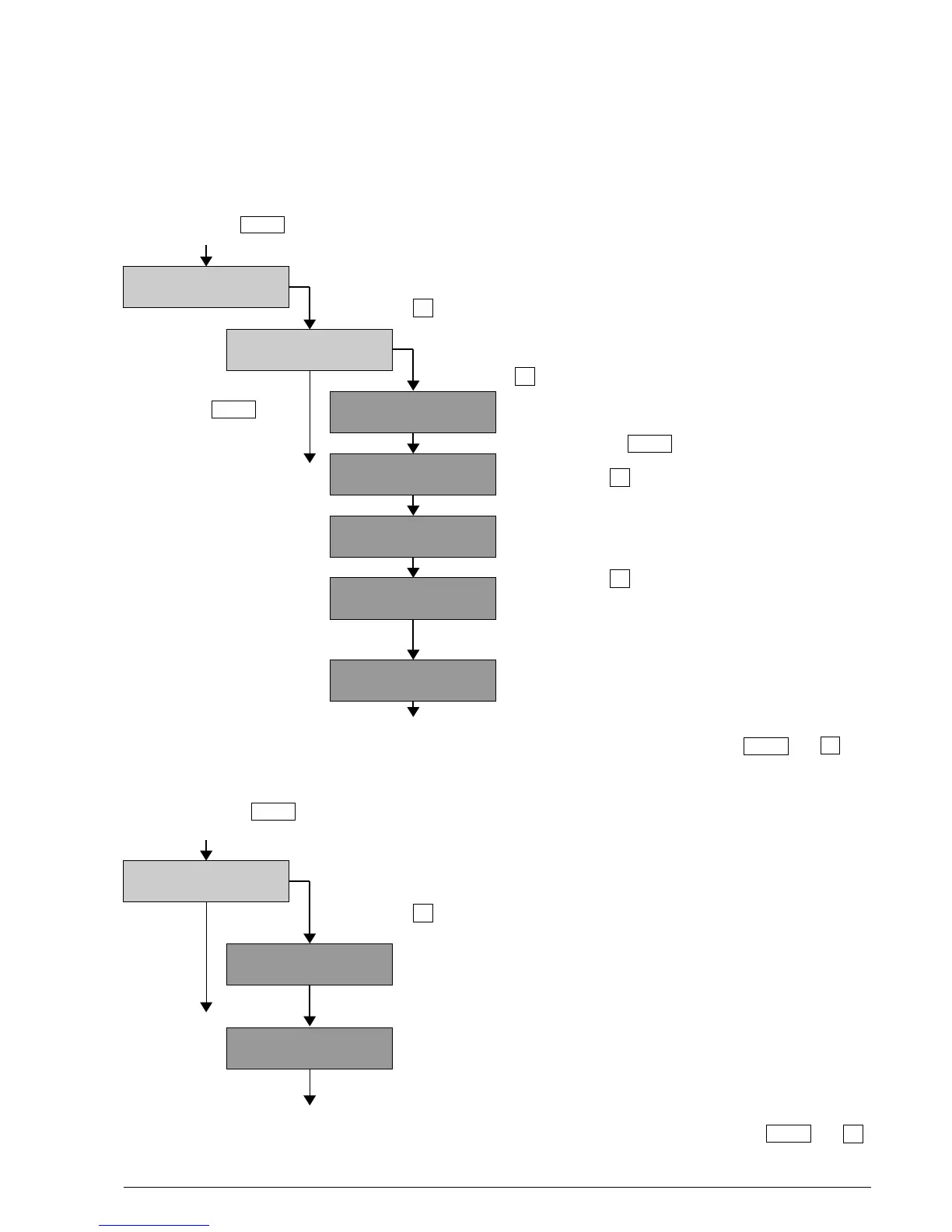
Proceed with key in the main menu to ”Start Record”.
In the setup menu, the trigger mode (TRIG_MODE) has to
be set to 0 = Manual (see page 15).
With the key to ”Recording” mode (directly or after warning of missing GPS).
If no valid GPS time is available, the BATLOGGER asks
for confirmation of the start of the recording without GPS data.
With the key , the recording mode is initiated.
With the key The BATLOGGER is in sampling position and
starting of recording waits for a manual start of the recording.
will be cancelled. Pressing the key will cancel the recording.
Back to ”Start Record” Pressing key will start the recording.
During recording, the BATLOGGER indicates,
that recording was triggered manually.
Pressing key will stop the recording.
When not stopped manually,
the recording will last up to the
duration chosen for manual triggering (default =10 s).
The recorded data are stored as .wav file
and the corresponding meta information as .xml file
onto SD card.
After storage of both data files, the BATLOGGER will switch back to the menu ”Sampling” .
Manual recording can be cancelled (back to ”Start Record”) with the keys and .
5.2 Continuous Trigger (Continuous recording)
Proceed with key in the main menu to ”Start Record”.
In the setup menu, the trigger mode (TRIG_MODE) has to
be set to 1 = Continuous (see page 15).
With the key to ”Recording” mode (directly or after warning of missing GPS).
The BATLOGGER digitises data into RAM for the time preset
as maximum continuous recording duration (max. 53.5 s = default).
After this time it automatically switches to ”Saving”.
The recorded data are stored as .wav file and the corresponding
meta information as .xml file onto SD card.
The storage time depends on the recording duration and the type
of SD card used.
After storage, the BATLOGGER automatically returns to ”Recording”.
Continuous recording can be cancelled (back to ”Start Record”) with the keys and .
BATLOGGER Manual Elekon AG Nov. 2012 10/28
Manual Trigger
Started . . .
Man. Triggered !
Sampling . . .
Manual Trigger
Stopped.
Saving #xxxxxxxx
Sampling . . . ^o^
(Changing Info-Line)
Sampling . . . ^5^
(Changing Info-Line)
Start Record? >
(Changing Info-Line)
Start w/o GPS? >
(Changing Info-Line)
Start Record? >
Recording . . .
Sampling . . . ^o^
Saving #xxxxxxxx
Sampling . . . ^o^
»
»
»
»
Menu
Menu
Menu
Menu
Menu
Menu
»
»
»



 To Next Page