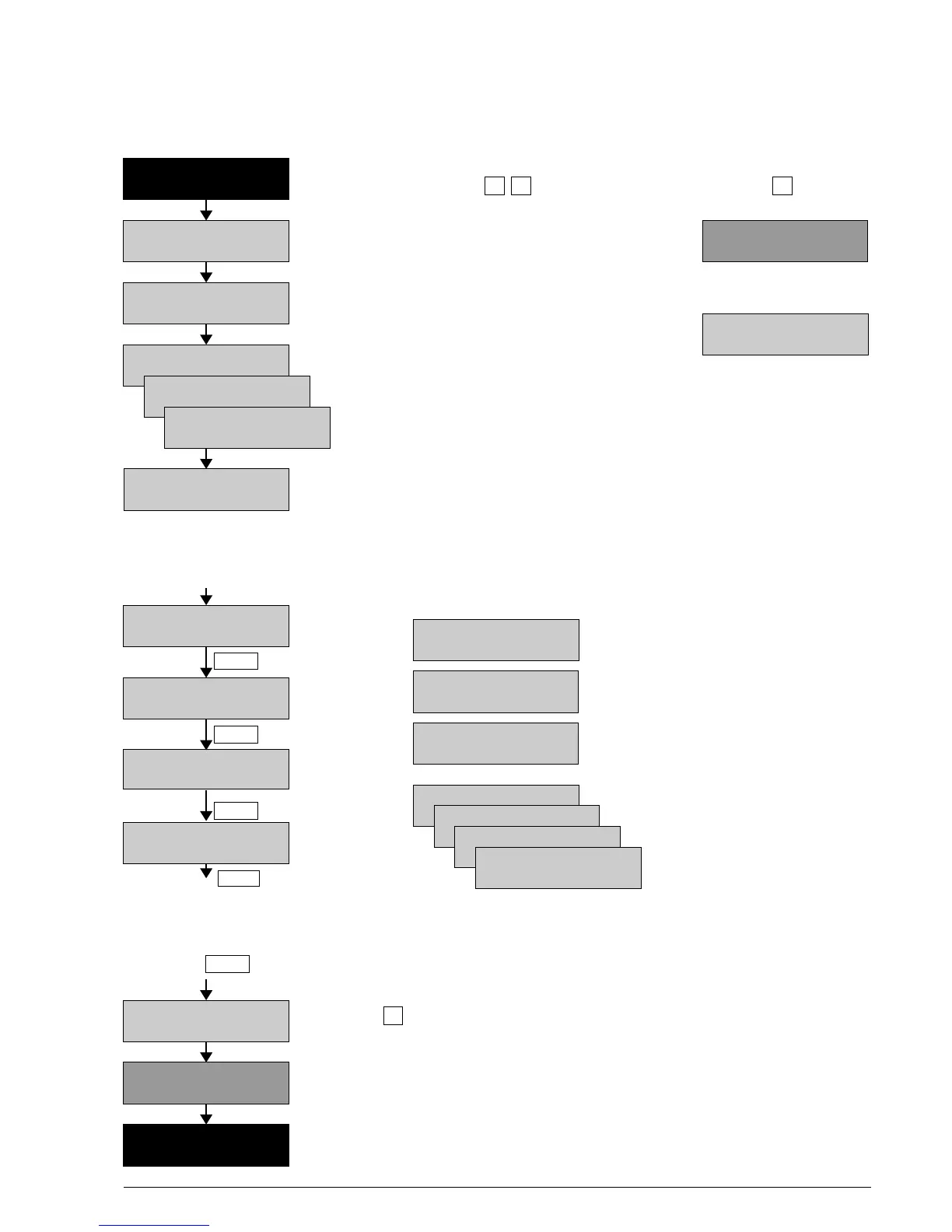
4 Switching the BATLOGGER on and off (with main menu and info lines)
4.1 Activating the BATLOGGER
”Power Off” The BATLOGGER is switched off.
When pressing both keys simultaneously, If only key is pressed,
the device will start up. the display reads:
Serial number and software version are
indicated on the display.
The SD/SDHC card is initialised. If SD card is missing,
(Duration depends on card make) the display indicates:
If a parameter file ”BatPars.xml” exists on the SD card,
the BATLOGGER reads the contained parameter The BATLOGGER will
values. Without ”BatPars.xml” the BATLOGGER shut itself off after
works with internal parameter values, stored in 15 seconds of waiting
”CMOS” from previous recordings. Default for the insertion
parameters will only be used, if ”BatPars.xml” of a SD card.
is void of parameters, or after a firmware download.
The BATLOGGER automatically switches to the main menu
”Start Record?” and additionally shows changing information.
Main menu with info lines
Main menu points: During recording operation, the first line(s) of the display
cycles through the following information:
Recording
(see page 10) Serial number, temperature and
charging state of the internal battery.
Playback and Free memory on the SD card
”process” and last saved file number.
(see page 13)
Date (DD.MM.YYYY) and time (hh:mm)
after GPS satellite contact.
Settings of the
BATLOGGER
(see page 15) No GPS satellites in contact.
Reception from 4 satellites / accuracy.
Switching the Indication of coordinates on GPS
BATLOGGER (format depending on settings)
off GPS disabled through setup.
Back to ”Start Record?”
4.2 Shutting the BATLOGGER off (manual and automatically)
Press key in the main menu until ”Shut Off?” appears.
Press key to switch off the BATLOGGER.
Automatic shut-off:
If no keys are pressed on the BATLOGGER for 4 minutes, and the device is not in
keine Tasten recording or sleep mode, it will switch off automatically.
If no SD/SDHC card is inserted, the BATLOGGER will switch off after 15 seconds.
”Power Off”
BATLOGGER Manual Elekon AG Nov. 2012 8/28
Insert SD card!
Waiting...
No GPS (0 view)
xxxxxxxxxxxxxxxx
»
3.4GB Free #123
xxxxxxxxxxxxxxxx
#1021 25°C ▐▐▐▐
xxxxxxxxxxxxxxxx
10.06.2009 15:30
xxxxxxxxxxxxxxxx
BATLOGGER #xxxx
<< Power-On >>
BATLOGGER #xxxx
SW Rev. x.x
Init SD Card . . .
Using SD Pars
Using CMOS Pars
Using Def. Pars
(Changing Info-Line)
Start Record? >
(Changing Info-Line)
Setup? >
(Changing Info-Line)
Process File? >
(Changing Info-Line)
Shut Off? >
(Changing Info-Line)
Start Record? >
« »
»
Menu
Menu
Menu
Menu
4 Sats HDOP=7.7
xxxxxxxxxxxxxxxx
662217 / 211655
xxxxxxxxxxxxxxxx
GPS Switched Off
xxxxxxxxxxxxxxxx
(Changing Info-Line)
Shut Off? >
MENU
Good Bye . . .



 To Next Page