8.3 Parameter file "BATPARS.xml"
With any computer, the default values and settings of the BATLOGGER can be predefined and written to the
parameter file. The file is stored on the SD card with the name ”BatPars.xml”. When the BATLOGGER is starting
up, the file is read from SD card and the corresponding settings activated. Settings, that are changed interactively
on the BATLOGGER are also saved to the “BATPARS.xml” file:
Exit Setup > Save to BATPARS
Optional changes can be applied until the next on/off cycle of the BATLOGGER only:
Exit Setup > Save to internal Memory
When formatting an SD card, the file ”BATPARS .xml” will be read from SD card into the internal memory before
formatting, and written back to SD card after formatting has finished.
Without the file ”BATPARS .xml” on the SD card, the BATLOGGER starts with its internal ”CMOS” parameters,
which correspond to the values last set. When starting the BATLOGGERS up after a firmware update, the default
parameters will be loaded.
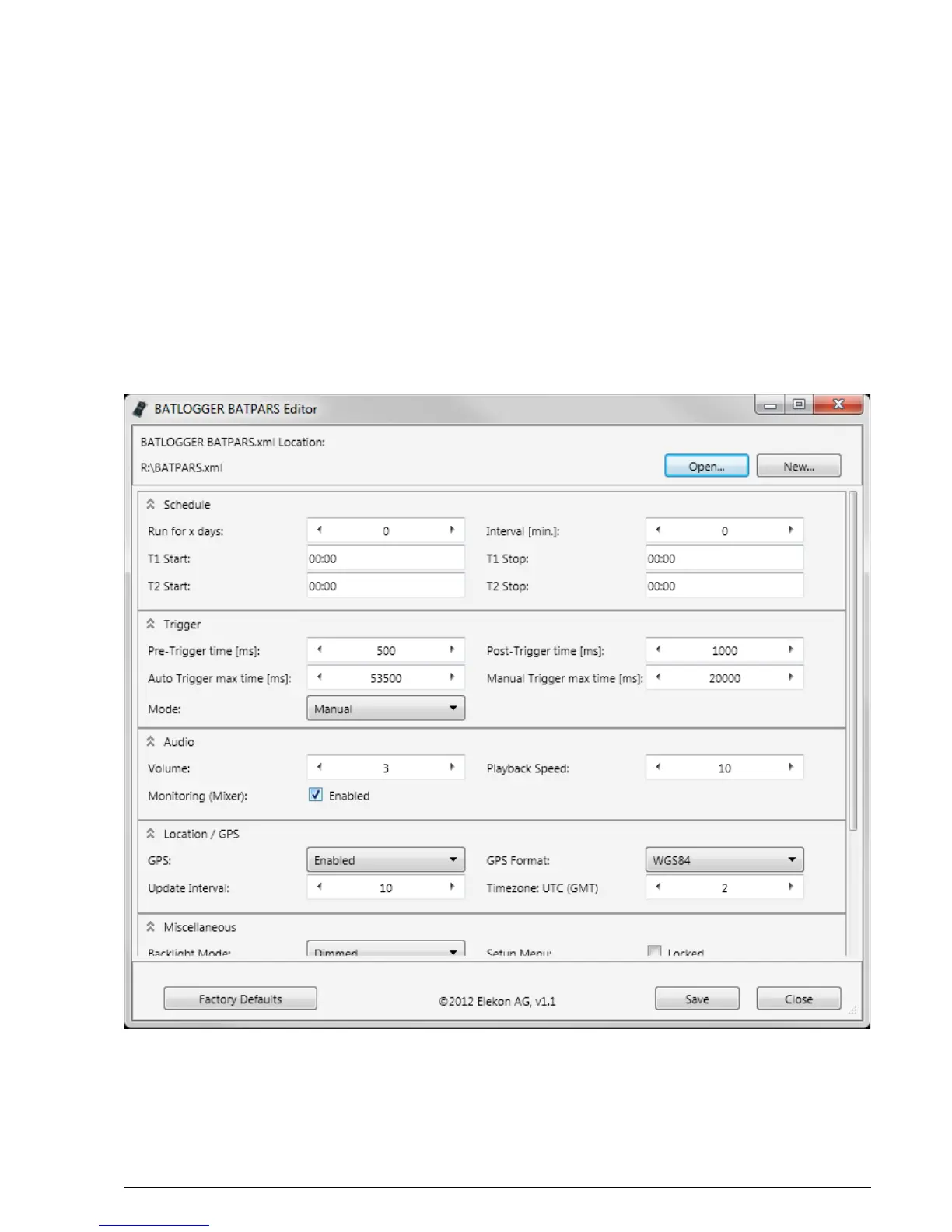
To change the parameters conveniently on the computer the BATPARS Editor software can be executed and the
“BATPARS.xml” file from the SD card can be opened. The parameters can now be adjusted to own preferences or
factory settings can be restored.
BATLOGGER Manual Elekon AG Nov. 2012 22/28



 To Next Page