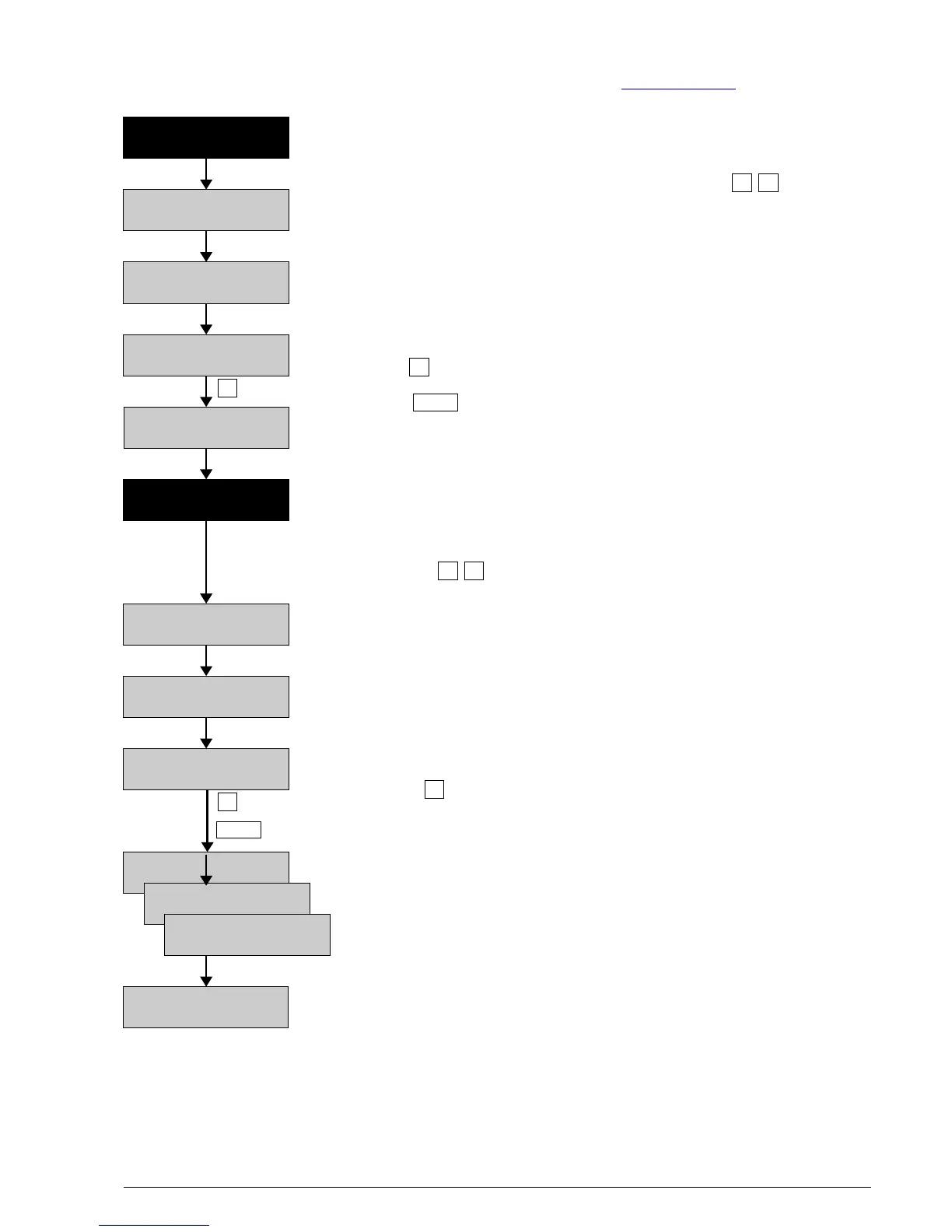
4.3 Download of new firmware when starting up
Download possible new firmware version from the BATLOGGER-Homepage www.batlogger.ch and copy it to the
SD card.
”Power Off” The BATLOGGER is switched off with new firmware,
contained in file FWxxx.BL, on the inserted SD card.
Start up the BATLOGGER by simultaneously pressing both keys
As in “normal” startup, the BATLOGGER's serial number is shown, and the version
of the installed firmware revision appears.
During initialisation of the SD card, a firmware ”FWxxx.BL” is found on the SD card,
SD card, which does not correspond to the installed firmware version on the BATLOGGER.
The found firmware revision ”FWxxx.BL” is indicated.
After pressing the new firmware will be loaded into the BATLOGGER.
When pressing the firmware download can be skipped.
The size of the read software will be shown shortly during programming.
After loading of the new firmware, the BATLOGGER will shut itself off automatically.
”Power Off”
Start the BATLOGGER again by simultaneously
pressing both keys .
As in “normal” startup, the BATLOGGER's serial number is shown, and the version
of the installed firmware revision appears.
During initialisation of the SD card, a firmware is found on the SD card,
which does correspond to the installed firmware version on the BATLOGGER.
The firmware in the BATLOGGER is verified agains the version stored on the
SD card, as long as the same same firmware version is present there.
Pressing the key will erase the firmware on the SD card.
If a parameter file ”BatPars.xml” exists on the SD card, the BATLOGGER
reads the contained parameter values. Without ”BatPars.xml”
the BATLOGGER works with internal parameter values, stored
in ”CMOS” from previous recordings. Exception from this rules:
When starting up the BATLOGGER the first time after a firmware
download, default parameters are loaded! An “empty” “BatPars.xml” file
(containing just <BatPars></BatPars>) elicits the same.
The BATLOGGER automatically switches to ”Start Record?” in the main menu.
BATLOGGER Manual Elekon AG Nov. 2012 9/28
FW Verify Ok !
Del. FW on SD? >
BATLOGGER #xxxx
SW Rev. x.x
Init SD Card . . .
Using SD Pars
Using CMOS Pars
Using Def. Pars
(Changing Info-Line)
Start Record? >
New FWxxx.BL
Flash Firmware >
Programming
xxxxxx Bytes . . .
BATLOGGER #xxxx
SW Rev. x.x
Init SD Card . . .
»
« »
« »
»
Menu
Menu
»
»



 To Next Page