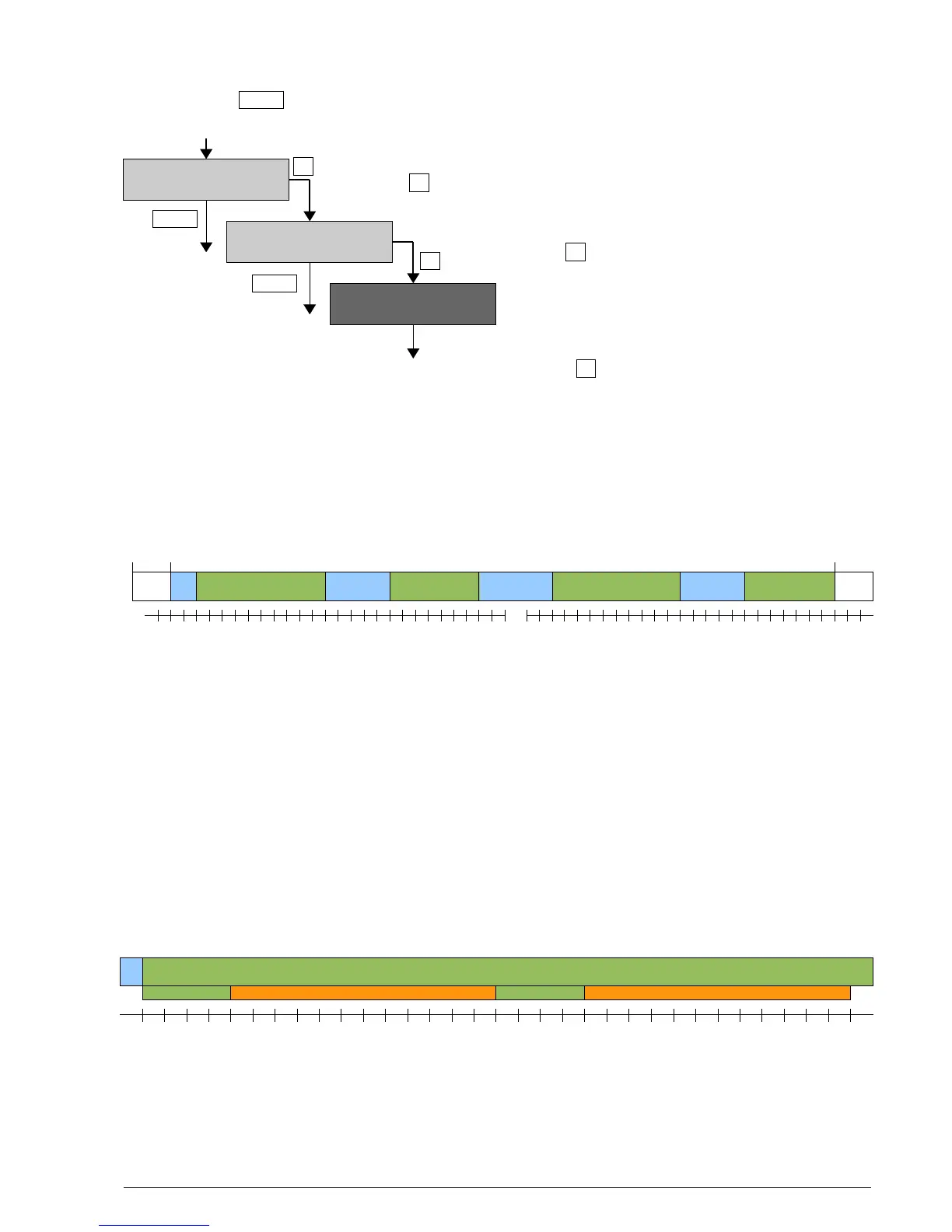
5.5 Delayed recording (Recording in time windows)
Proceed with key in If a time window is defined in the “Setup”, and at least 1 day is
the main menu to ”Start Record” activated, the BATLOGGER will start directly into ”Sleep” mode. If
preset starting time has already passed, sampling immediately starts.
With the key to ”Recording” mode (directly or after warning of missing GPS).
If no valid GPS time is available, the BATLOGGER asks
for confirmation of the start of the recording without GPS data.
With the key , the recording mode is initiated.
The dark display indicates the sleep mode and the
”wakeup time”. After wakeup normal recording
operation resumes with the pre-chosen trigger
mode until the end of the set time window.
Sleep-Mode can be cancelled with the key (confirmation: ”Aborted by User”)
Example:
• Nr. Days = 2
• T1 Start = 20:30 T1 Stop = 01:30
• T2 Start = 04:00 T2 Stop = 07:30
5.6 Interval recording (Recording in intervals)
As with time delayed recording time windows have to be defined and a number of days must be set. When also a
recording interval is entered, then the BATLOGGER switches to record mode at the start time, but only for a single
recording or max. for one minute.
Then further recordings are blocked for the programmed number of minutes (”RecIntvl” / default = 0 = off). This is
followed by another record mode. This interval operation continues to the end of the time window. For this interval
operation the various trigger modes can be used.
Example:
• Rec Intervall = 3
BATLOGGER Manual Elekon AG Nov. 2012 12/28
Wakeup at 01:15
Sleeping . . .
«
(Changing Info-Line)
Start Record? >
(Changing Info-Line)
Start w/o GPS? >
»
»
Menu
Menu
Menu



 To Next Page