13
CUSTOMIZING TV SETTINGS
Picture Settings
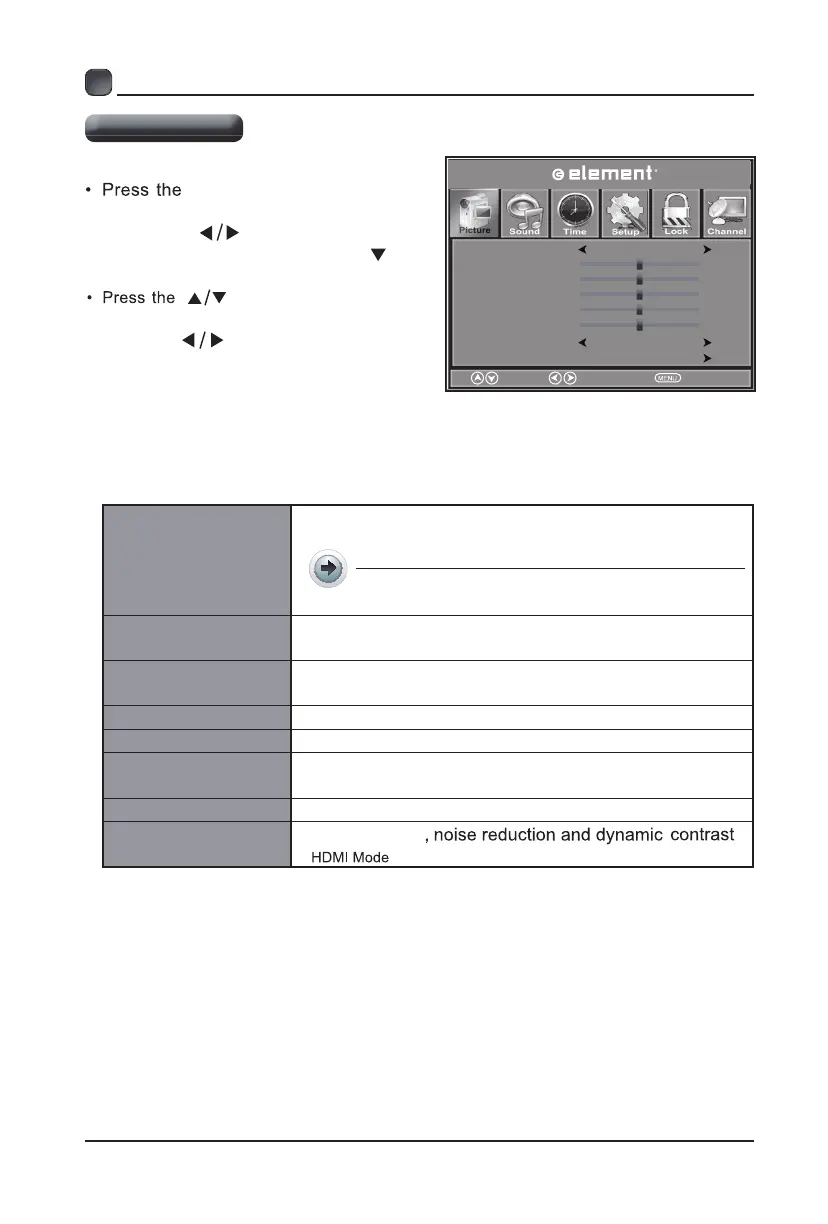
Picture Mode
Cycle among picture modes: Standard/
/ Dynamic.
Soft /User
Alternative: you may press the P.MODE
button to select the picture mode directly.
Contrast
Adjust the difference between light and dark levels in
the pictures. (For User mode)
Brightness
Increase or decrease the amount of white in the
picture. (For User mode)
Color Control the color intensity. (For User mode)
Tint Adjust the balance between red and green levels.
Sharpness
Adjust the level of crispness in the edges between
light and dark areas of the picture. (For User mode)
Color Temperature
Advanced Settings
Cycle among color temperature: Cool/Normal/Warm.
Picture Mode
Contrast
Brightness
Color
Normal
Select
EXIT
Tint
Sharpness
Color Temp
er
ature
er
ature
50
50
50
50
50
Standard
Move
Adjust Aspect
Advanced Settings
Picture
MENU button on the main
unit or on the remote control then
press the
buttons to select
Picture menu and then press the
or the button to enter.
buttons to select the
following picture options and then
press the
buttons to adjust each
option’s setting.
OK


 To Next Page