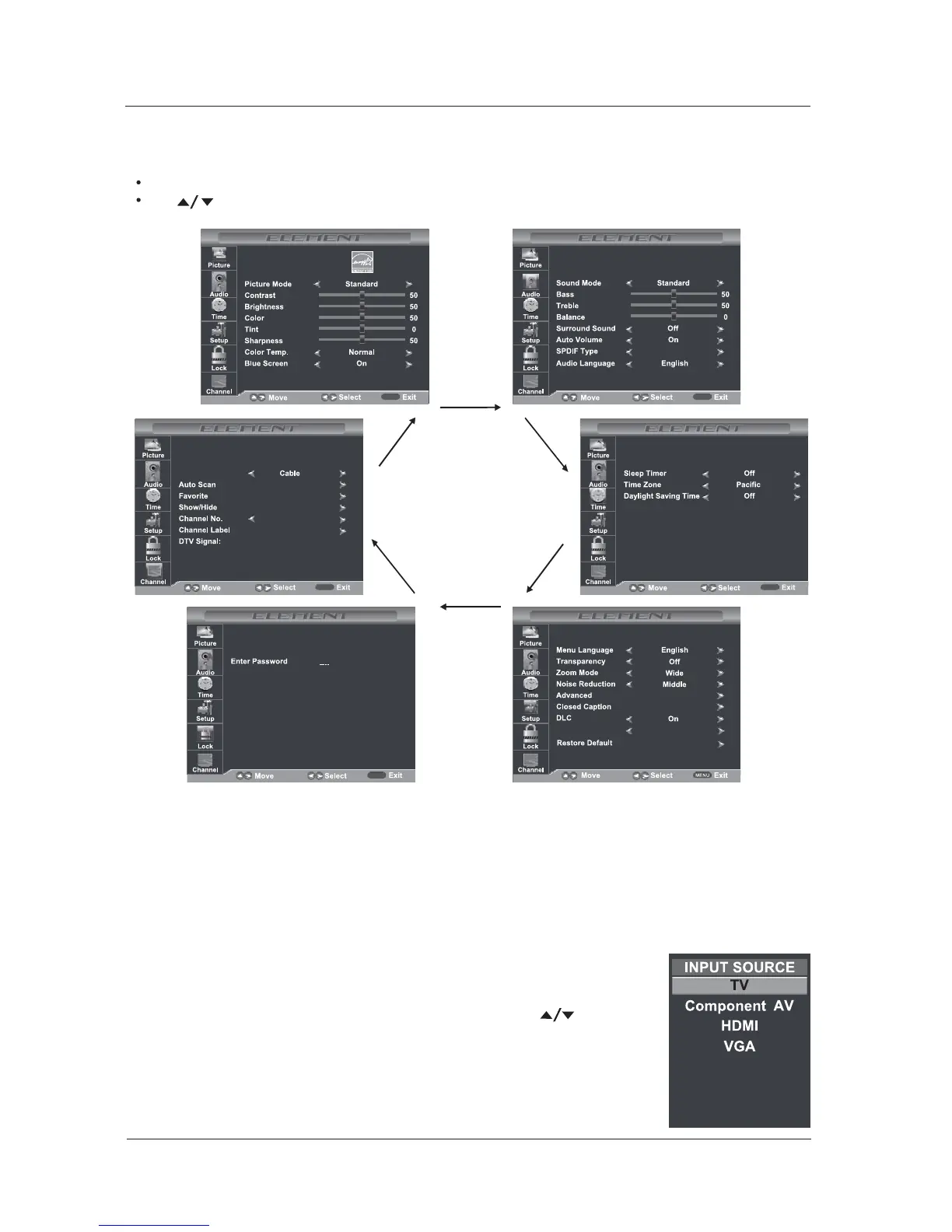
Navigating the Onscreen Display
Press the MENU button to display the main menu.
Use buttons to navigate and select the available menus.
PCM
MENU
MENUMENU
MENUMENU
Choosing a TV Channel
1. the CH /CH at the side of the panel or on the remote control
.
+-Press CH /CH to scan through
channels
2. Enter the channel number with the 0-9 remote keys then press OK to confirm.,''
<
>
16
MENU OPERATION
Selecting Input Source
You can display the input screen menu by pressing SOURCE on the
remote control or SOURCE at the side of the panel, press button
to select, press “OK” to confirm.
Display Mode
Standard Mode
/
Air/Cable
USB



 To Next Page