User Manual V3.1
Element14 | element14.com/minode 19
Parameters
‘ConnName’ is the analog connector's name. This module can only be plugged into
analog connector A0,A1 and A2.
EXAMPLE:
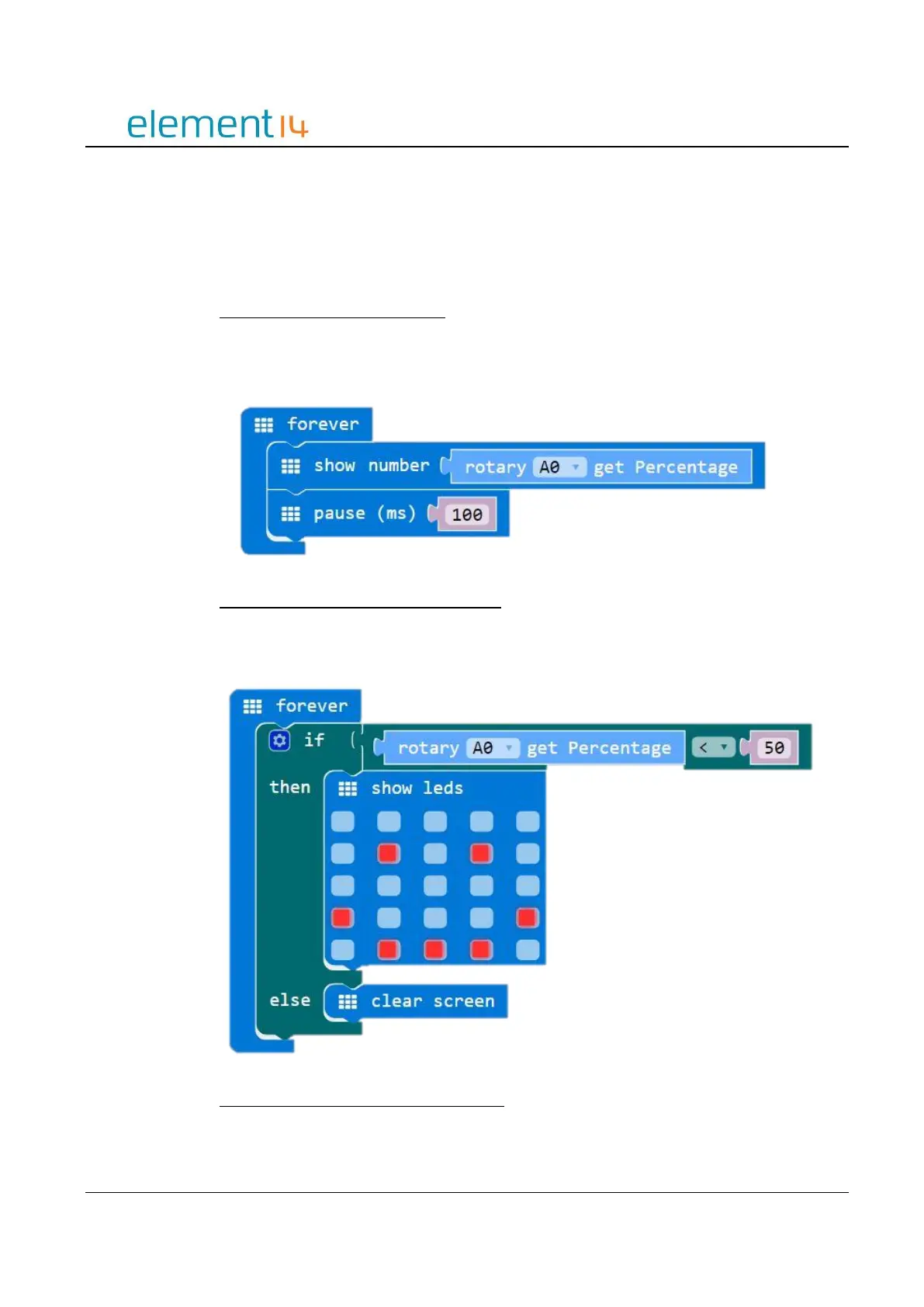
Display Rotary Angle Percentage
This example shows you how to get the current rotary angle percentage and display it on
the LED screen.
Controlling the LED Screen – Smiley Face
When the rotary percentage is smaller than 50% no LEDs will be lit on the screen. When
the percentage is larger than 50% the LEDs will light up in the form of a smiley face.
Rotary Change Notification – Smiley Face



 To Next Page