User instructions
PASSWORD MENU
PASSWORD MENU
53
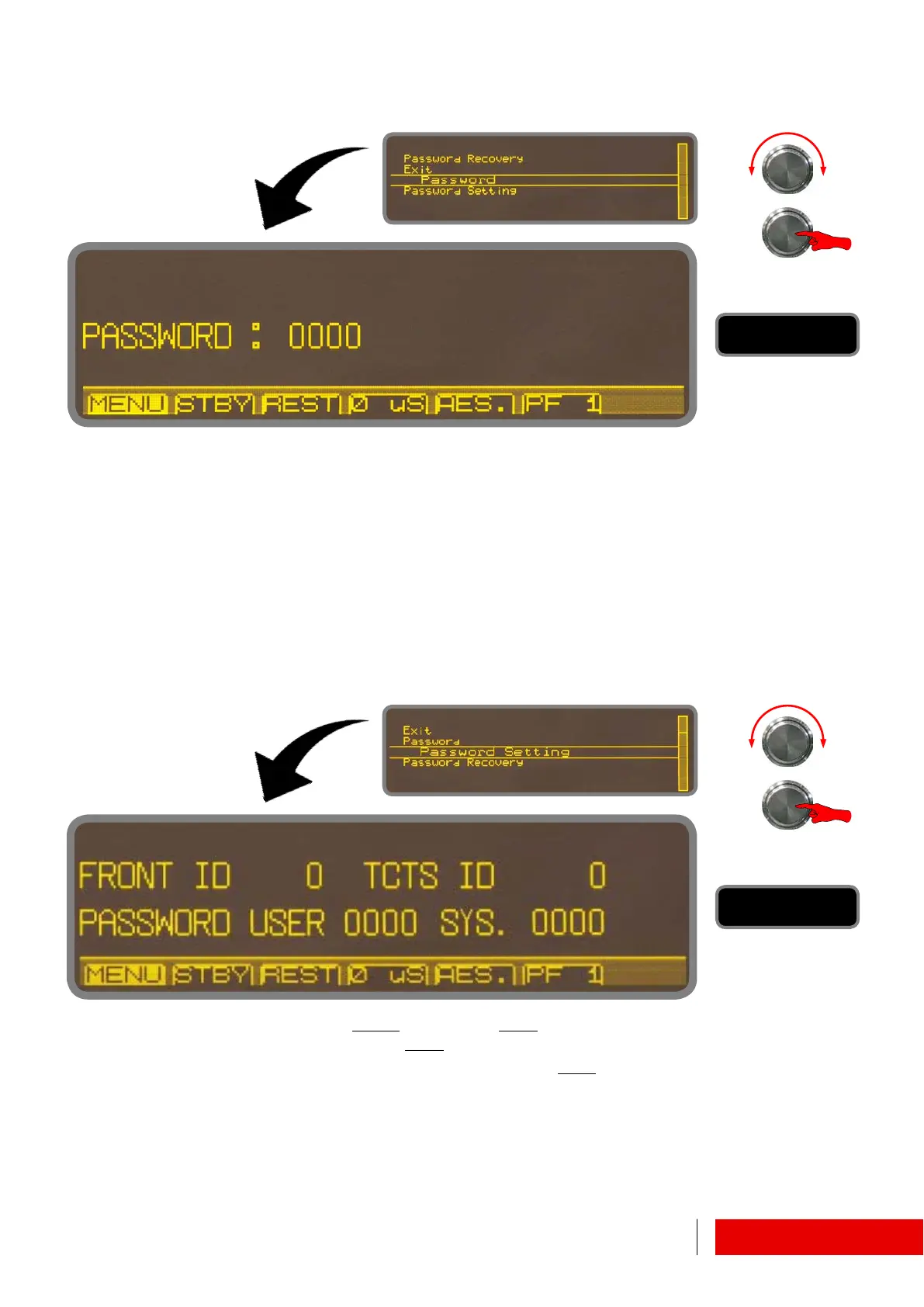
6.1.10 Password Menu ! Password / Password Setting
Factory preset password is “0000”. This value must be changed in “Password set-
ting” by system administrator in order to prevent unauthorized accesses.
There are two levels of protection: “User” and “System”.
Once the settings the two new passwords, access to menu items and parameter
changes will be governed by individual privileges.
Follow the procedure below.
First, change the value of password “USER
” (password “SYS.” is not yet visible),
then exit and re−enter the mask: password “SYS.
” is now visible and editable.
Choose two distinct password for the levels, both different from “0000
”.
By now, menus and parameters will be accessible depending on logins.
Users will no longer have access to parameters settings.



 To Next Page