User instructions
ALARMS MENU
ALARMS MENU
56
6.1.13 Alarm Menu ! User Alarm Data / User Alarms Timers
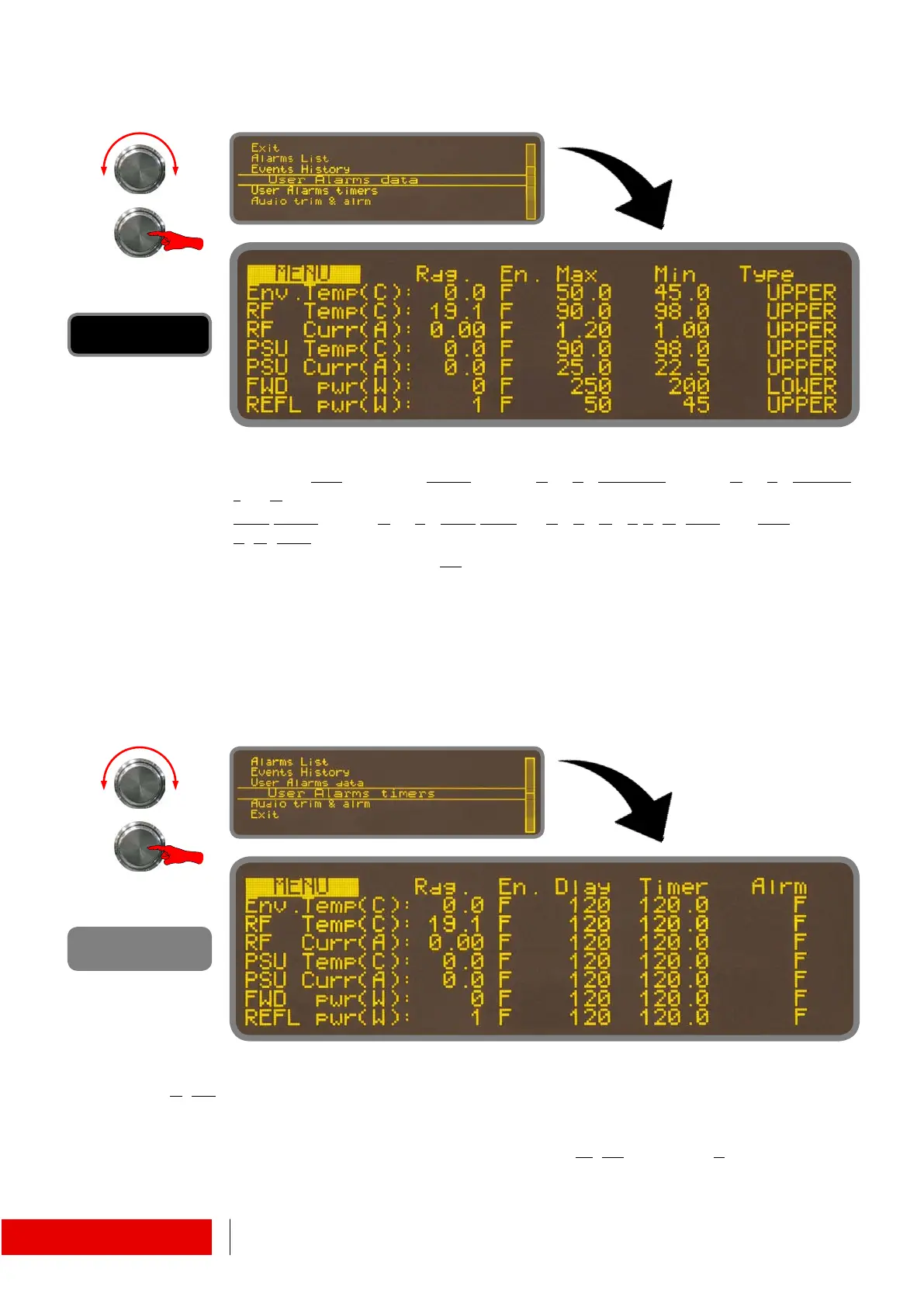
Parameters of some alarms may be customized.
They are: Env
ironmental Temperature (C or F); RFTemperature (C or F); RFCur-
rent(A);
PSU
Temperature(C or F); PSU Current(A); Forward power(W) and Reflected
p
ower(W).
Forcing to “T” the value of “En
able” by pressing the encoder, the alarms will be acti-
vated depending on limits specified by “Max” and “Min” values.
It’s also possible to choose the criterion (Type) with which the limits will affect the
automatic algorithm: “UPPER” to have an alarm when the parameter will exceed
the max value; “LOWER” to have it below the minimum one; “INSIDE” to have an
alarm when the value is between max and minimum; “OUTSIDE” for the opposite.
A max value lower than the minimum one will exclude the alarm.
The left half mask works such as the previous one.
D
elay is the time frame before the alarm is considered valid. This parameter is expressed
in tenths of a second so that the value “120”, visible in the screen, means 12 seconds.
When a condition that could be an alarm is triggered, the related “Timer” starts. At the end
of the countdown, the alarm is validated and the flag “Al
arm” becomes “True”.



 To Next Page