1
3
9
10
4
5678
2
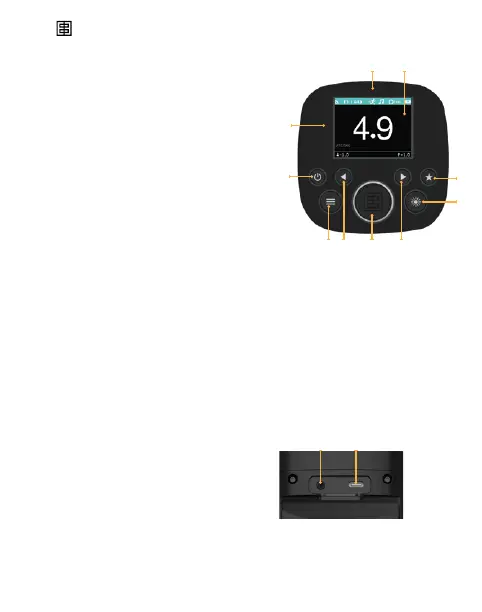
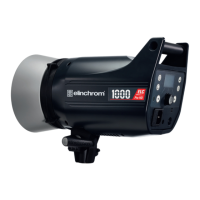
Control panel
1. Umbrella Support 7/8 mm
2. 4 inch LCD Display
3. Favorite button, congure
a specic unit feature as quick
access
4. Modelling Lamp button: short
push (on/off) / long push
(menu access)
5. Menu navigation button
(right/exit) Menu navigation
button (left/back) or power increase by 1 f-stop
6. Scroll button multifunctional
(Test ash, power, navigation)
7. Menu navigation button (left/back) or power decrease
by 1 f-stop
8. Menu access
9. On/off (red illumination indicates the stand-by mode)
10. Photocell
FIVE Inputs (under the unit)
1. Sync plug 3.5 mm jack
2. USB-C
1 2
15 — ELINCHROM FIVE User manual



 To Next Page