5. Equipment Installation
Fig. 12
During humidity control, when COT≠0 and output conditions are met, WORK2
socket will work in on-o-on-o.... mode. COT is time on as well as time o.
eg, if COT=10, the WORK2 output socket will turn on for 10 minutes and o for
10 minutes, then repeat.
When COT = 0 and output conditions are met, WORK2 output socket will not
be aected by COT.
4.10 Continuous Operating Time - COT
BL is the screen display time. When BL=0 indicates display is always on.
4.11 Backlight Time - BL
As a safety precaution, it is recommended to power on the equipment
after the installation is completed.
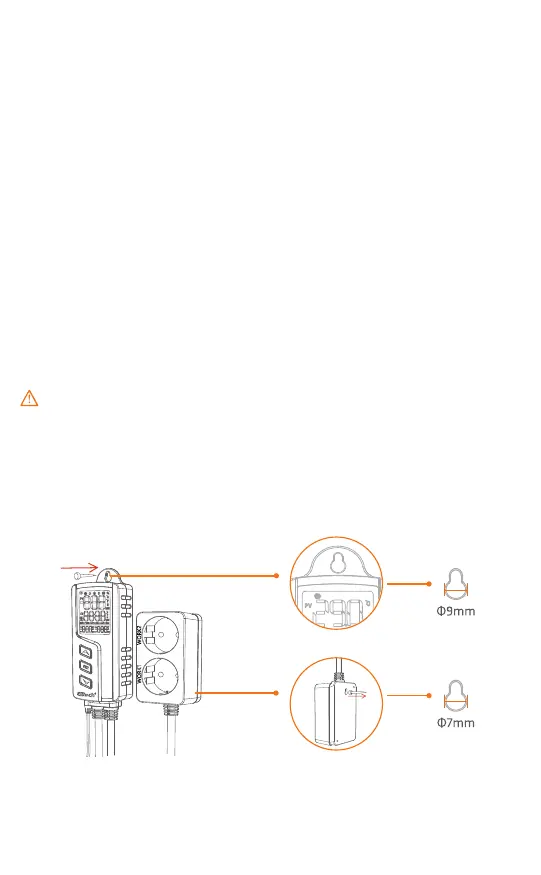
The only installation method is by hanging the equipment. Please check
the installation distance and screw size according to its application scenar-
io before installation.
The schematic diagram of equipment installation is shown below:
-12-


 To Next Page