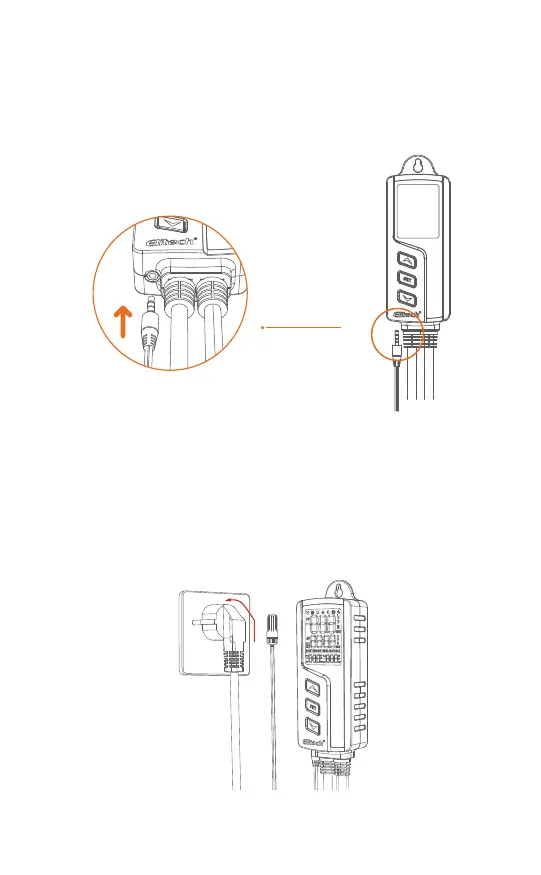
Plug the probe fully to the bottom of the main controller's headphone jack.
Otherwise, a buzzer alarm will be triggered, and the "Err" code will show on
the LCD after powering the controller.
Please insert the power plug into the power socket to power on the control-
ler (within the range of 100-240VAC).
The screen will light up and display the temperature, humidity, and other
readings.
3.1 Sensor Installation
3.2 Power-on
Fig. 4
Fully Plug In
Fig. 5
-6-


 To Next Page