EasyManua.ls Logo

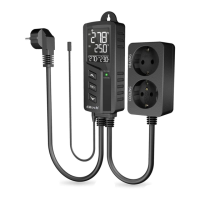
Elitech STC-1000Pro TH - Display Introduction; Display Icons and Functions

Elitech STC-1000Pro TH
18 pages
Print Icon
To Next Page IconTo Next Page
To Previous Page IconTo Previous Page
Loading...
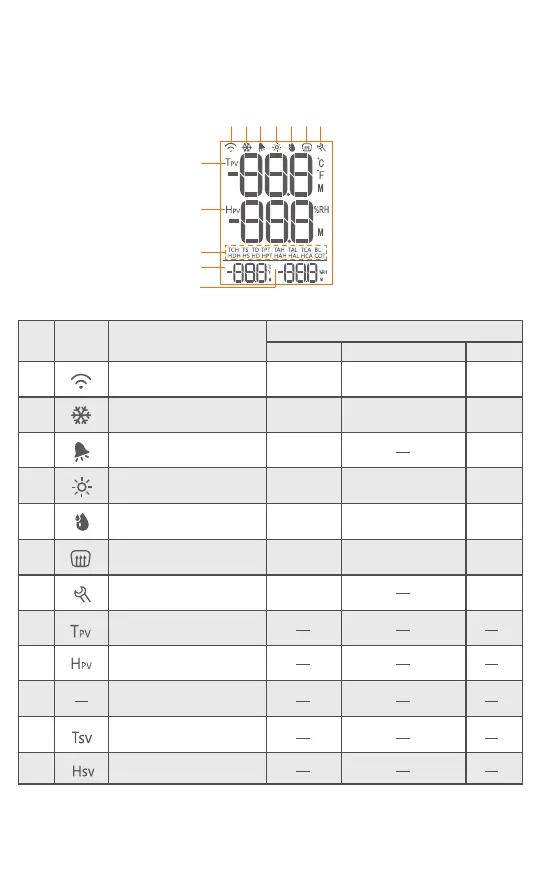
2.1 Display Introduction
Please check the instructions below before parameter configuration.
Fig. 2
Tsv
Hsv
1 2 3 4 5 6 7
8
9
10
11
12
Wi-Fi connection status
Not
connected
Non-
setting
Resetting
OFF
No alarm Alarm
Protection delay
Protection delay
Protection delay
Protection delay
ON
ON
OFF
ON
OFF
ON
OFF
ON
Setting
Cooling status
Alarm status
Heating Status
Humidification status
Dehumidification status
Setting status
Temperature-present
value
Humidity-present value
Temperature-set value
Humidity-set value
Parameter code
1
Status
OFF Flashing ON
S/N
1
2
3
4
5
6
7
8
9
10
11
12
Icon Function
1 Refer to 2.2 Parameter Table for details.
Table 1
-2-

Related product manuals