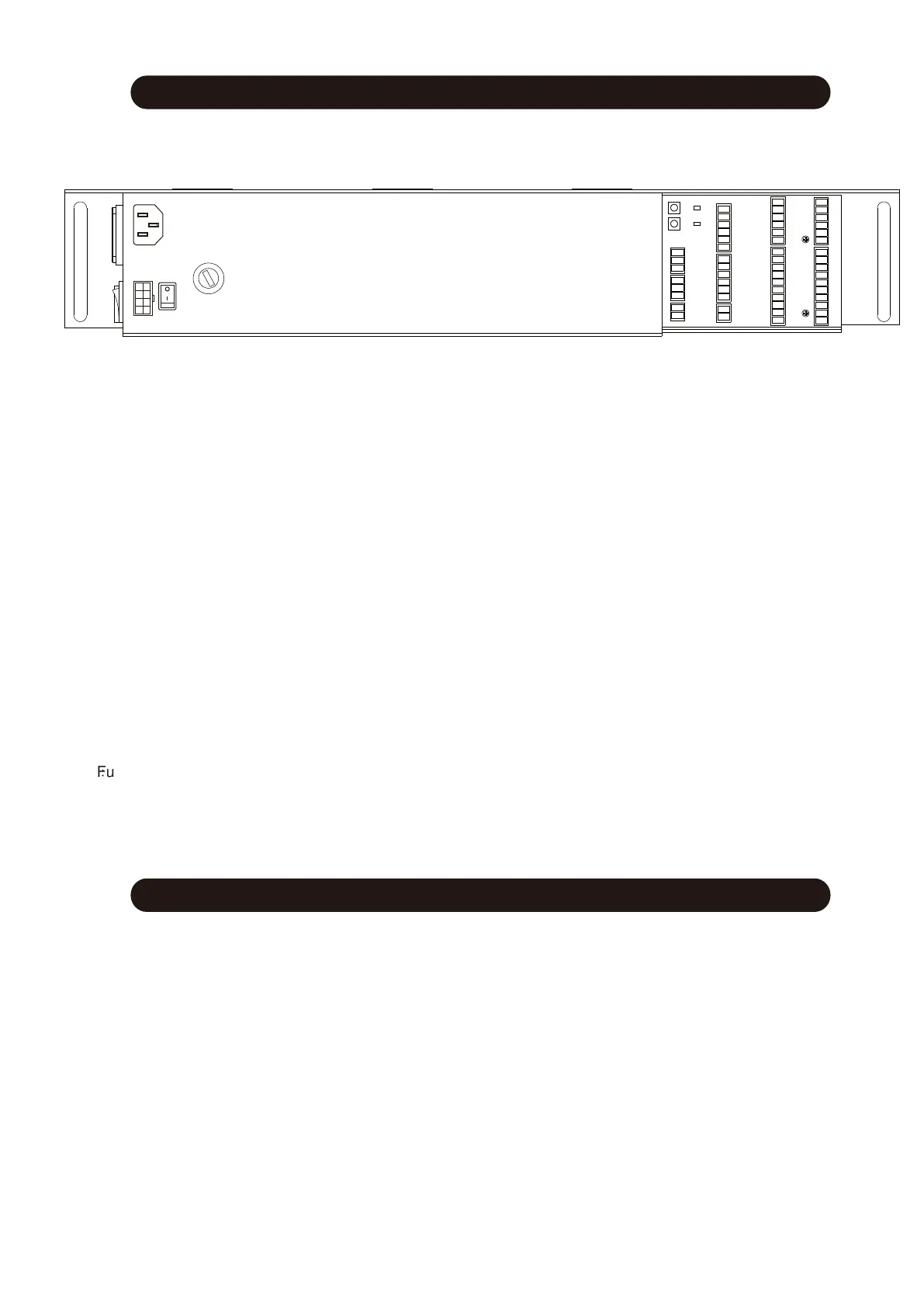
Terminal details of controller
Learning cycle setting
1
1
2
3
4
5
6
7
8
9
10
11
12
13
14
15
16
17
18
19
20
21
22
23
24
25
26
27
28
29
30
31
32
33
34
35
36
37
38
39
40
41
42
43
44
45
46
47
48
49
50
51
52
53
54
K1
K2
L1
L2
2.Lock+
3.+12V
9.Half open
4.Fire alarm
5.COM
6.Interlock
7.Ups+
8.Ups-
10.Full open
11.Exit only
12.Full lock
18.TX
13.GND
14.+24V
15.+24V
16.GND
17.RX
19.Null
23.Self-test presence (left) -
24.Self-test presence (left) +
25.Presence sensor active(left)-
26.Presence sensor active(left)+
31.Self test outside-
32.Self test outside+
33.Photocell outside-
34.Photocell outside+
FUSE
20.Null
21.Stop+
22.Stop-
27.GND
28.+24V
29.Null
30.Null
35.Active outside-
36.Active outside+
37.GND
38.+24V
39.Self-test presence (right) -
40.Self-test presence (right) +
41.Presence sensor active(right)-
42.Presence sensor active(right)+
43.GND
44.+24V
47.Self test inside-
48.Self test inside+
49.Photocell inside-
50.Photocell inside+
45.Null
46.Null
51.Active inside-
52.Active inside+
53.GND
54.+24V
K1:TEST
:
L1:Power indicator
L2:Remote setting indicator
Press then open and close one time.
Fu
Power
switch
Power
Motor
On first time power up, the door will automatically perform a self-learning process.
To do this:
1.
Position the door in mid travel + apply power - door should OPEN then CLOSE
(No safety devices should be connected or active at theis time)
2. If the door CLOSES first then OPENS, change Parameter P18 from 'Left' to 'Right'
RE-LEARNING PROCESS
(For previous installations ensure all accessories are removed and Paramters P17=00, P21=00, P22=00, P23=00, P24=00)
3. Initiate self-leaning process again by:
a) Switch mains power off - Press and hold 'TEST' button
b) Keep 'TEST' button pressed - and re-apply mains power - door should OPEN then CLOSE
c) Release 'TEST' button
Terminal Details of Controller



 To Next Page